Track live local times across major cities with searchable time zones, UTC offsets, day/night status, and a polished global dashboard.
100% Browser-Based•
Local Processing
Global dashboard
0 saved
Local time
--:--:--
Loading
UTC time
--:--:--
Universal reference
UTC+00:00
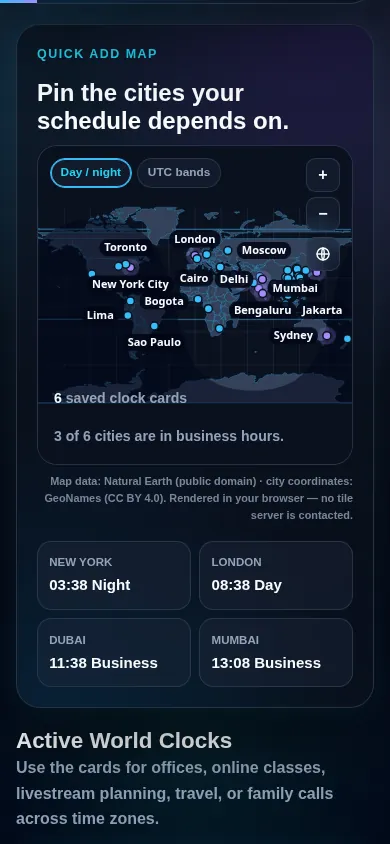
Quick add map
0 saved clock cardsChecking meeting overlap...
Rendered in your browser — no tile server is contacted.
Country outlines: Natural Earth (public domain). City coordinates: GeoNames (CC BY 4.0). Time zone bands are standard-time regions and do not follow daylight saving. Boundaries are simplified for legibility.
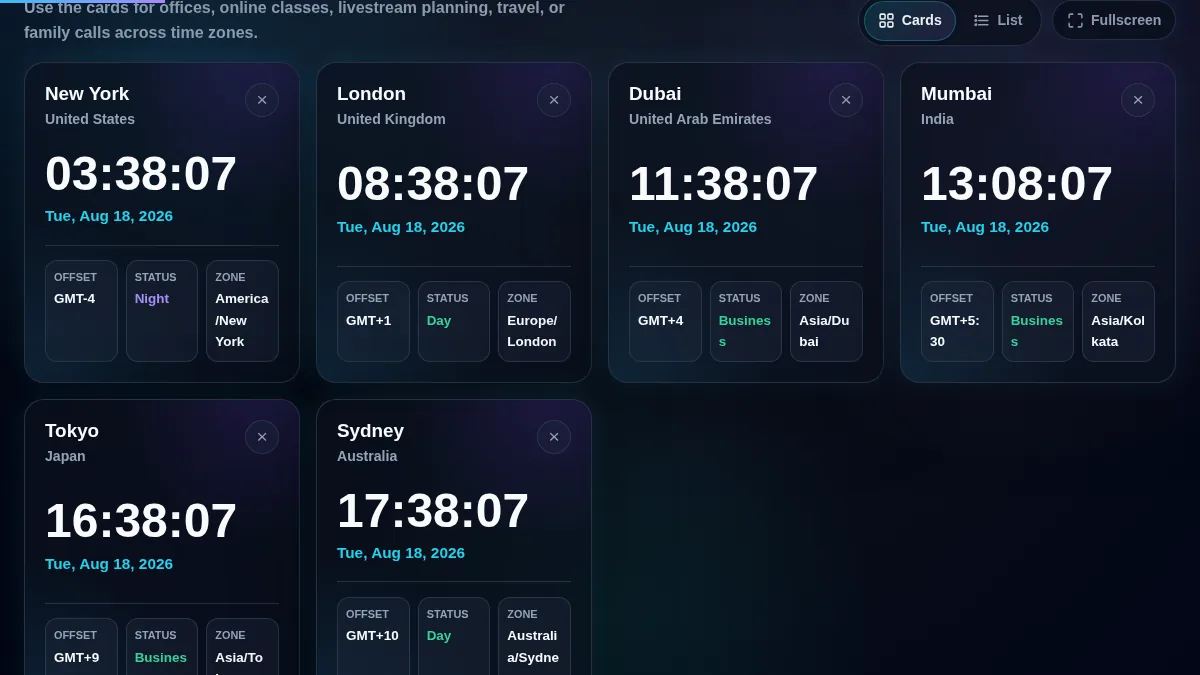
Active World Clocks
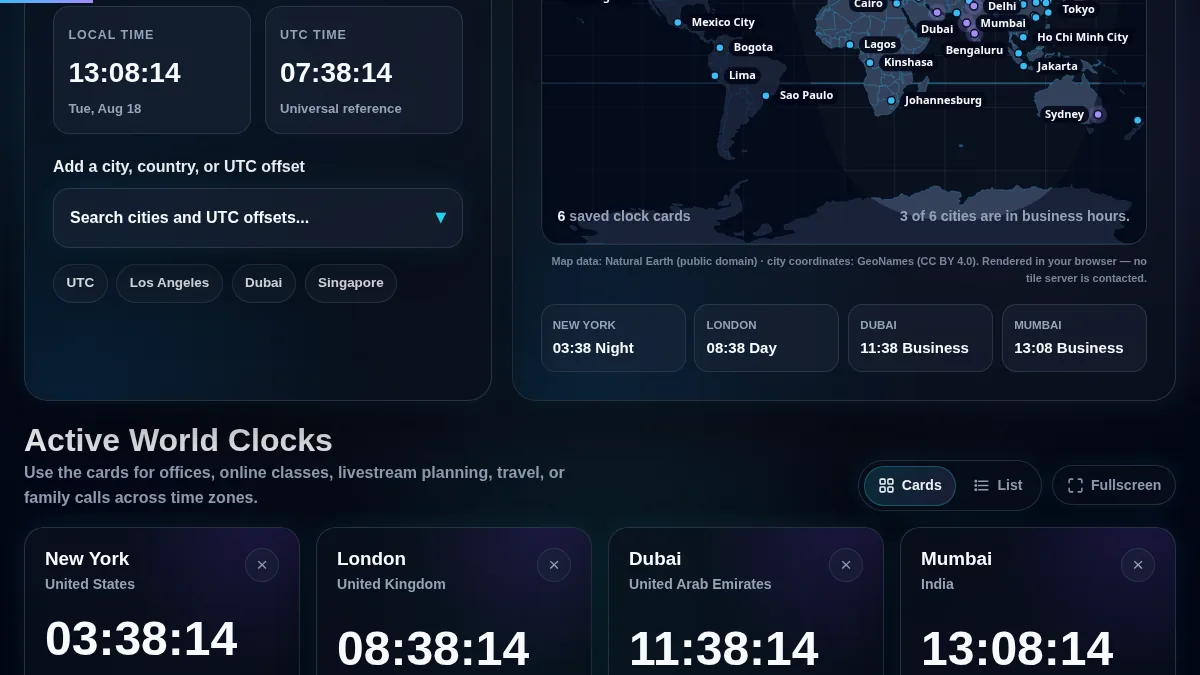
Use the cards for offices, online classes, livestream planning, travel, or family calls across time zones.
🔒 Local Processing. Your data never leaves your device.
Instant Results
🌐 Fully Client-Side. Runs instantly in your browser.
No Signup
⚡ No accounts. No hassle. Just open and use.
Browser Based
🚀 Works right in your browser. No installs, no downloads.
Overview
Compare current time around the world in one browser view.
World Clock Online is a free browser tool that shows live local time for multiple cities, countries, IANA time zones, and UTC offsets at the same time. Use it when you need a fast global time clock for meetings, travel, support desks, classrooms, or international deadlines.
This page is built for people who need more than one clock. Add London, New York, Dubai, Mumbai, Tokyo, Sydney, UTC, or a non-standard offset such as UTC+05:45. Each world clock card shows live seconds, the local date, the UTC offset, and whether the location is currently in morning, business hours, evening, or night.
The tool runs locally in your browser after the page loads. Your saved city list stays on this device, so you can reopen the same world clock dashboard without signing in or uploading your schedule.
world clock online
world clock with time zones
city time clock
UTC offset clock
meeting planner across time zones
Compare multiple city clocks with local dates, live seconds, UTC offsets, and day or night status.
Interactive map
Find a city on the map, click it, keep its time.
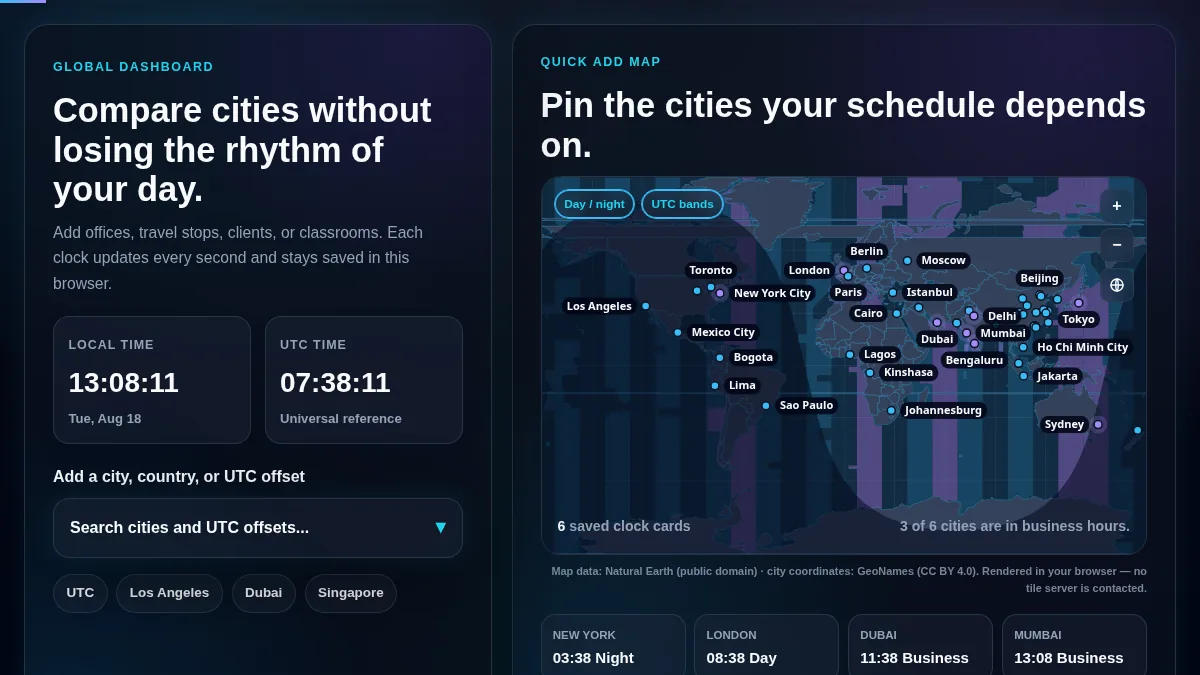
The map draws 177 country outlines from Natural Earth and 1,400 cities from GeoNames. Drag to pan. Scroll or press the plus and minus keys to zoom in up to fourteen times, and as you go the map fills in smaller cities beneath the big ones. Click a pin and that city joins the clock grid on the left.
Shading covers whichever half of the planet is currently in darkness. It comes from the sun's position rather than a fixed schedule, and it redraws every minute, so you can see who is asleep before you send the meeting invite.
Switch on UTC bands to see the offset boundaries themselves. They follow political borders instead of meridians, which is why mainland China sits in a single band five meridians wide, and why India and Nepal each get one of their own. The layer draws 40 offset regions, down to the quarter-hour ones at UTC+05:45 and UTC+12:45. That is a slightly different set from the 38 offsets in the picker above, because the map shades standard-time regions while the picker lists the offsets in force right now, daylight saving included. It stays off until you ask for it.
No tile server is involved anywhere in this. A map built on Google or OpenStreetMap tiles sends your IP address, and the exact patch of the world you are looking at, to somebody else's server on every drag. This one ships as three static files from randomly.online and projects them on a canvas in your browser. Panning around your own city stays your business.
UTC offset bands follow real time zone borders, and the shaded region tracks the day and night terminator in real time.
One honest limit: the outlines are simplified to about 0.15 degrees so they draw quickly, which is fine for finding Lisbon and wrong for settling which side of a border a village sits on.
Use Cases
Where a searchable world clock helps most.
Remote teams
Keep headquarters, contractors, clients, and support teams visible before you schedule standups, handoffs, demos, or recurring calls.
Classrooms
Show current time around the world when teaching geography, time zones, international events, or global collaboration.
Travel planning
Track home time, destination time, airport connections, and hotel check-in windows without calculating offsets manually.
Operations desks
Use city cards for 24-hour support, incident response, deployment windows, broadcast schedules, and cross-region deadlines.
Livestreams and webinars
Compare audience locations and start times when planning international streams, workshops, product launches, or online classes.
Personal calls
Save family and friend locations so you know whether it is a good time to call before sending a message.
The meeting status area helps you spot whether selected cities are inside normal working hours.
Features
Search cities, countries, IANA zones, and 38 current UTC offsets.
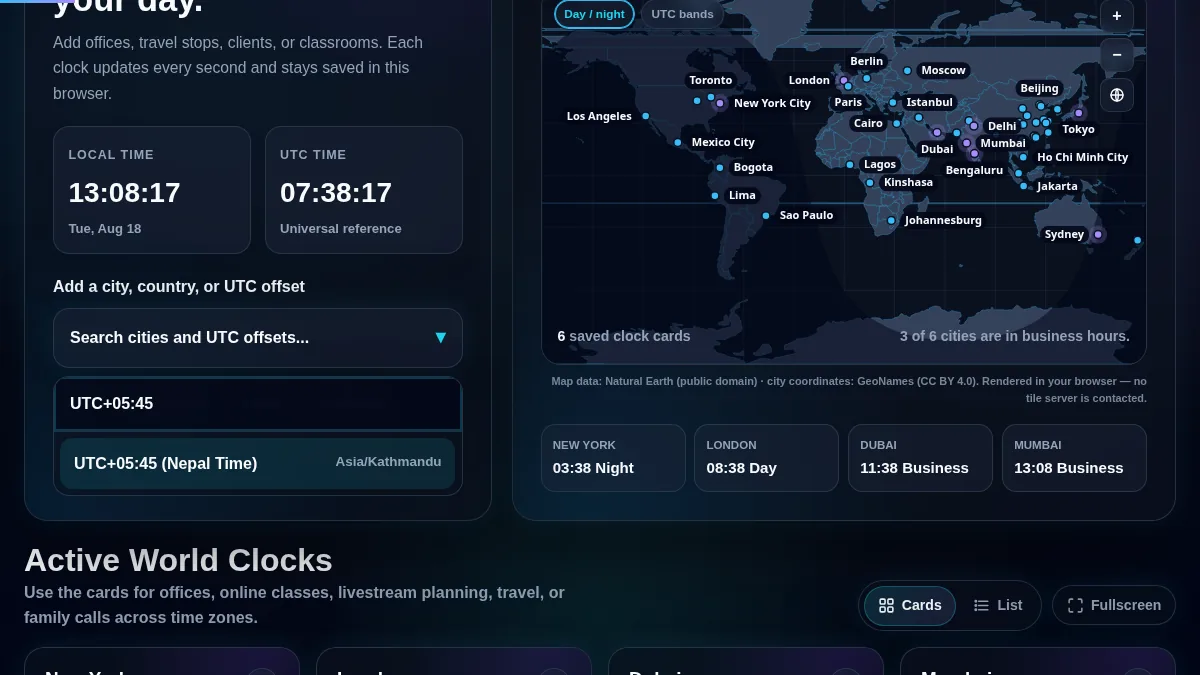
The world clock search covers 38 current local UTC offsets, including full-hour offsets and non-standard offsets such as UTC-09:30, UTC-02:30, UTC+03:30, UTC+04:30, UTC+05:30, UTC+05:45, UTC+06:30, UTC+08:45, UTC+09:30, UTC+10:30, and UTC+12:45.
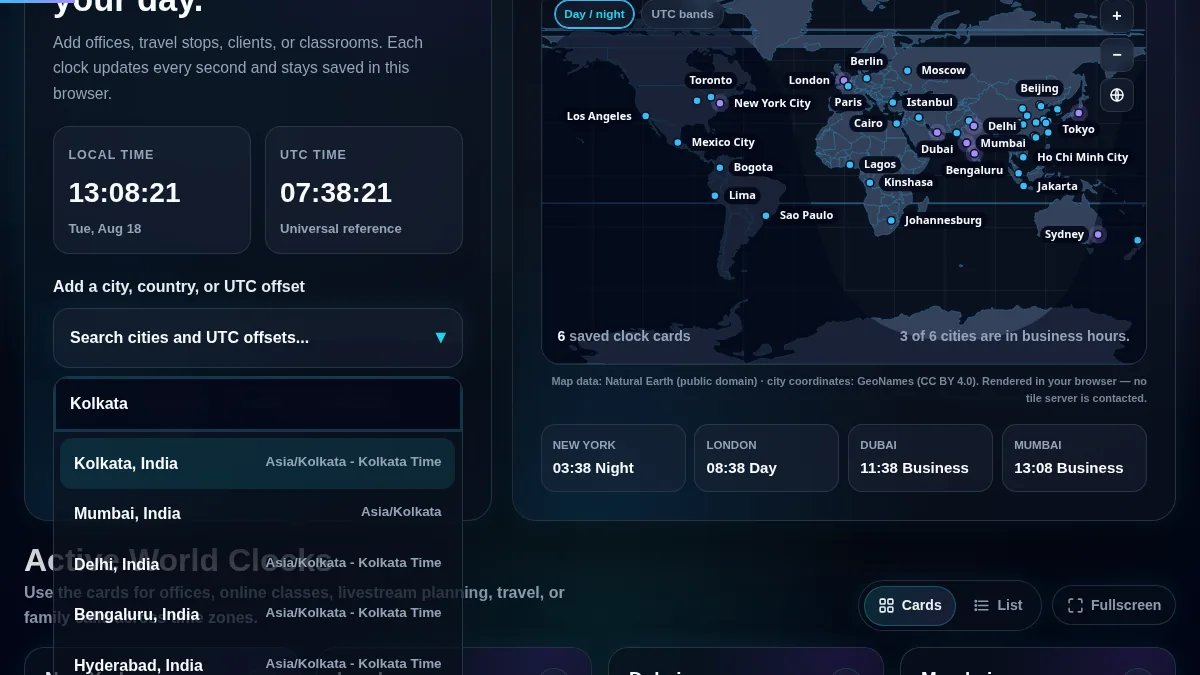
Search can match common city names, country names, aliases, and browser-supported IANA time zones. For example, searches like London, Nepal, Thimphu, Asia/Kolkata, and UTC+05:45 can lead to the right clock card or representative time zone.
For accuracy, the live city cards rely on the browser's date and time APIs. Modern browsers support IANA-style time zone names through JavaScript's internationalization features, which means city rules such as daylight saving time are handled by the browser's time zone data.
Reference checks: Timeanddate documents 38 current local UTC offsets worldwide, IANA maintains the time zone database used by many systems, and MDN documents browser support for IANA time zone names in Intl.DateTimeFormat. See Timeanddate, IANA, and MDN.
Offset coverage includes full-hour, half-hour, and quarter-hour local times currently used around the world.
Guide
How to use the world clock.
1. Search for a city, country, or UTC offset
Open the picker and type a location, country, IANA zone, or offset. Good examples are London, New York, Dubai, Nepal, Thimphu, Asia/Kolkata, UTC+05:30, UTC+05:45, and UTC+08:45.
Use the searchable picker to add cities, countries, fixed offsets, or browser-supported IANA time zones.
2. Add the matching world clock card
Select the result you want, use a quick-add button, or click a city on the interactive map — zoom in and more cities appear. The selected city joins the active clocks grid with live seconds and the local date.
3. Compare time, date, and UTC offset
Read each card's current local time, date, time zone label, and UTC offset. This is useful when one location has already moved into the next calendar day.
4. Check meeting availability
The meeting strip summarizes whether selected cities are in normal business hours. Use it as a quick check before scheduling team calls, webinars, support handoffs, or client meetings.
5. Keep your dashboard saved locally
Your selected clocks are saved in local browser storage on this device. You do not need an account, and your chosen city list is not sent to a server by this page.
The responsive layout keeps the world clock usable on phones, tablets, laptops, and shared displays.
FAQ
World clock questions.
What is a world clock online?
A world clock online is a browser-based tool that shows the current local time in multiple cities, countries, or time zones at the same time. It is useful when you need to compare live time across regions quickly.
Does the world map send my location or browsing anywhere?
No. The map is drawn from three static files served by randomly.online: country outlines, city coordinates, and UTC offset boundaries. Every projection and calculation runs on a canvas in your browser. Because there is no tile server, nothing outside your browser records which part of the map you opened or which cities you saved, and your clock list stays in this browser's local storage.
Can I zoom the world map and click cities to add them?
Yes. Scroll or pinch to zoom in up to fourteen times, drag to pan, and use the plus, minus and reset buttons or the arrow keys. Zooming in reveals smaller cities, and clicking any pin adds that city to your world clock grid. Clicking open land adds the nearest city instead.
How many local UTC offsets does this world clock include?
The page includes 38 current local UTC offsets, including full-hour, half-hour, and quarter-hour offsets such as UTC+05:30, UTC+05:45, UTC+08:45, and UTC+12:45.
Can I search by country, city, or UTC offset?
Yes. The search picker accepts cities, countries, common aliases, IANA time zone names, and UTC offsets. Try searches like London, Nepal, Thimphu, Asia/Kolkata, or UTC+05:45.
Does the world clock adjust for daylight saving time?
The tool formats city times with the browser's Intl.DateTimeFormat time zone support. That means daylight-saving behavior follows the time zone rules available in the browser and operating system.
Can I use this for meetings across time zones?
Yes. Add each participant's city and check the meeting summary to see which selected locations are currently inside normal business hours before choosing a call time.
Is my saved city list private?
Yes. Selected cities are saved in local browser storage on your own device. The page does not require an account and does not upload your city list.
Can I use the page as a global office clock display?
Yes. The large clock cards, city labels, UTC offsets, and day/night status make the page useful on office displays, support desks, classrooms, and operations monitors.
What is the difference between a world clock and a time zone converter?
A world clock shows the current time in multiple locations at once. A time zone converter usually converts one selected date and time from one zone into another.
Can I add small cities that share a country time zone?
Yes. The picker combines featured city records, country aliases, offset records, and supported IANA time zones, so small-city searches can map to the correct representative time zone when the browser supports it.
Does the world clock work on mobile?
Yes. The layout adapts to phones and tablets with stacked panels, searchable dropdowns, and responsive city clock cards.