Unit Converter Tools

27 free unit converters: length, weight, temperature, area, volume, speed, energy, fuel economy and number bases.

100% Browser-Based Local Processing

27 of 27 live converters

Live now 27 converters

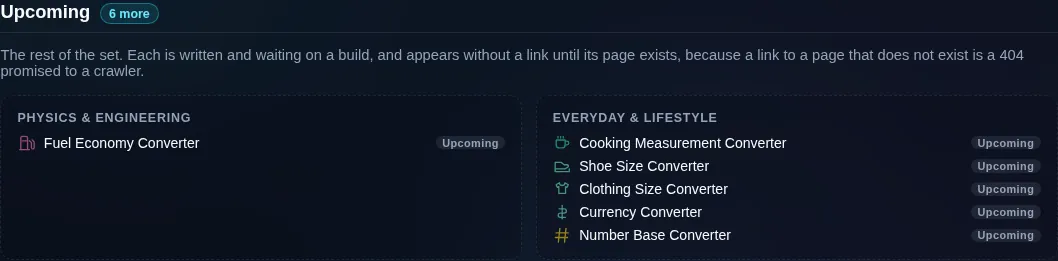
Upcoming 3 more

The rest of the set. Each is written and waiting on a build, and appears without a link until its page exists, because a link to a page that does not exist is a 404 promised to a crawler.

Everyday & lifestyle

  • Shoe Size ConverterUpcoming
  • Clothing Size ConverterUpcoming
  • Currency ConverterUpcoming

Privacy Focused

🔒 Local Processing. The values you enter never leave your device.

Instant Results

🌐 Fully Client-Side. Runs instantly in your browser.

No Signup

⚡ No accounts. No API keys. Just open and use.

Browser Based

🚀 No installs, no sign-ups, no conversion limits.

What are Randomly.online's converter tools?

Randomly.online's converter tools turn one unit into another in your browser, free and without a signup. Twenty-seven are live, covering length, weight, temperature, area, volume, speed, time, data storage, pressure, energy, power, force, density, frequency, torque, flow rate, acceleration, angle and fuel economy, plus number bases and cooking measures. Each prints the exact relation behind its answer. Nothing you type is uploaded.

### H2: How these converters work

A conversion is only as good as the number it multiplies by. They do not store one. Every unit is held as a whole number of atoms instead: picometres for length, nanograms for mass, bits for data, microseconds for time. Converting is then one multiply and one divide, both by exact integers, which is why 100 cm turned into inches and back is still 100 cm rather than 100.0001. The factor printed under each answer comes from that same table, so it cannot drift from the arithmetic above it.

It also lets the tools be honest about the conversions that are not exact. One inch is 2.54 centimetres exactly, so that direction terminates. The reverse does not. 0.393700787… repeats forever, and a converter that prints a rounded figure and calls it exact is doing the one thing this category exists not to do. So a unit is described as exact only when its size really is a whole, safe number of atoms. The US survey foot is 1200/3937 of a metre and never qualifies. Neither does a light year, which is defined exactly but sits far past the largest integer JavaScript can hold without losing digits.

The size of that atom decides which units can exist at all, and each quantity is a different argument. A cup is a gallon over sixteen, so it is never a whole number of nanolitres, and the whole cup family is marked approximate. Speed counts in eighteen-hundred-thousandths of a metre per second because a km/h is 5/18 and an mph is 0.44704, and both have to come out whole. Time cannot hold nanoseconds and centuries at once, so it starts at the microsecond. A pebibyte is 2^53 bits, one more than the largest safe integer, and it says so.

Temperature is the exception to all of it. Its scales begin at different zero points, so converting means multiplying <em>and</em> adding, which is an affine map rather than a factor. The temperature tool prints a formula where the others print a ratio. Sending it through the factor path would put 0 °C at 0 °F.

How to use the Unit Converter Tools

Step 1: Pick the quantity you are converting from the grid above

The cards are grouped by what is

Step 2: Use the filter field at the top of the grid if you know the unit rather than the quantity

Use the filter field at the top of the grid if you know the unit rather than the quantity.

Step 3: Open the converter and type into either pane

Both are live: editing the right-hand box

Step 4: Choose your units from the two dropdowns

They are grouped and searchable on the broad

Step 5: Read the factor line under the answer

It states the relation the tool used, and the info

Step 6: Set the decimals slider if you need more or fewer digits, then copy the result

The

Unit Converter Tools in action

The converter tools directory, its live cards grouped under headings for core units, physics and engineering, everyday and lifestyle, and specific pairs, each card carrying the quantity it measures.
Every live converter, grouped by what it measures
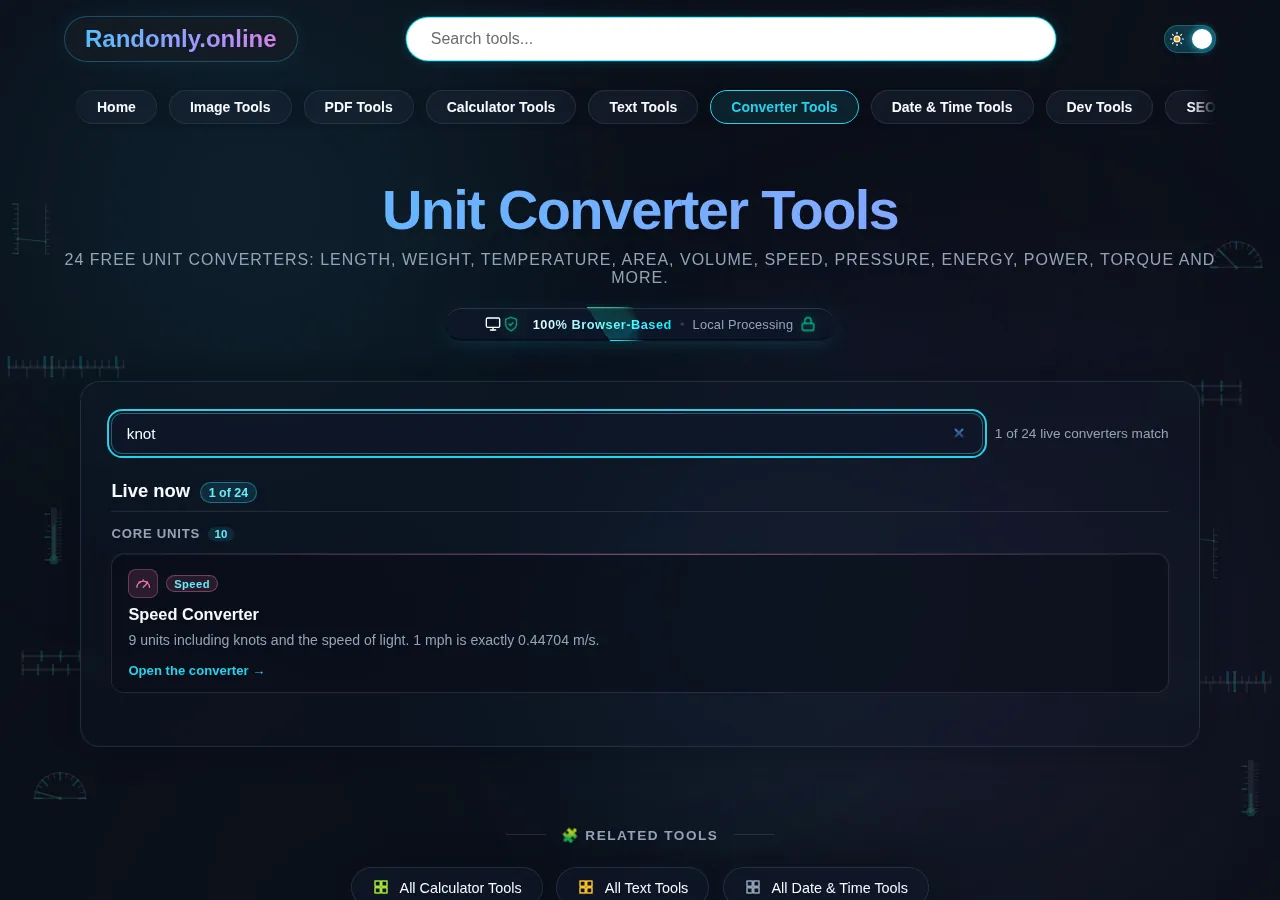
The directory filter field with the word knot typed into it, narrowing the grid to the speed converter because each card lists the units its tool covers.
Filtering the directory by a unit rather than a quantity
The upcoming section of the converter directory, listing the converters that are written but not yet built as plain text under their group headings, with no links.
What is written and not yet built
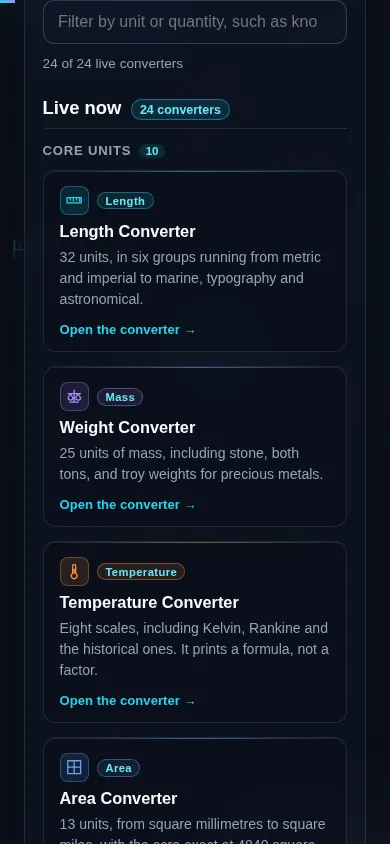
The converter tools directory on a phone screen, the cards stacked in one column under the filter field.
The directory on a phone

Good to know

Most converters online give you a number and nothing else. If it is wrong, or rounded somewhere you cannot see, you have no way to tell. These print the relation behind every answer, so the arithmetic is checkable rather than trusted.

The second difference is where the work happens. Nothing you type leaves the browser: there is no upload, no account, and no request to a server carrying your numbers. Once the page has loaded it keeps converting with the network off, which matters more in a workshop or a kitchen than it does at a desk.

The set is also deliberately not a single page with a quantity dropdown. A person searching "mph to km/h" wants that answer, a table of road speeds and nothing else to read, and a person comparing 22 volume units wants the grouped picker. Both exist here, and both use the same factor table underneath, so they can never disagree about what a gallon is.

Frequently Asked Questions

What converters are on this page?

Twenty-seven work today. Nineteen cover a whole quantity — length, weight, temperature, area, volume, speed, time, data storage, pressure, energy, power, force, density, frequency, torque, flow rate, acceleration, angle and fuel economy — two answer something a unit table cannot: number bases and cooking measures, where weight depends on the ingredient. The other six answer a single pair: cm to inches, kg to lbs, Celsius to Fahrenheit, feet to meters, mph to km/h and mL to cups. Three more are listed below as upcoming, without links, because those pages do not exist yet.

---

Are the converters free?

Yes. No payment, no signup, no account, and no cap on how many conversions you run. Nothing is held back for a paid tier. The arithmetic runs on your own device, so there is no per-use cost to pass on.

---

Do they work offline?

Yes. A conversion here is arithmetic on a fixed factor, so once the page has loaded it keeps working with no connection at all. Useful on a plane, or in a workshop with no signal. Nothing is fetched while you convert.

---

Are the conversions accurate?

Yes, and you can check them. Every unit is stored as a whole number of atoms: picometres for length, nanograms for mass. A conversion is then one multiply and one divide by exact integers, rather than a chain of rounded decimals. Only the display is rounded. The decimals slider goes to ten places.

---

Do you upload or store what I type?

No. The conversion happens in your browser, so the numbers you enter never reach a server. There is no account, no upload and no record of your inputs. It is also why the tools keep working offline.

---

Which converter should I use for length or distance?

The Length Converter covers 32 units, across metric, imperial and US, marine, typography, survey and astronomical groups. For the pair people search most there is a dedicated cm to inches page, which uses the same factor and adds a nearest-fraction readout for tape-measure work.

---

Which units does the weight converter cover?

Twenty-five, in three groups. Metric runs from micrograms to tonnes. Imperial and US covers ounces, pounds, stone, hundredweight and both tons, and troy weights are there for precious metals. kg to lbs is the same arithmetic with the pair fixed.

---

How do temperature conversions differ from other units?

Temperature scales start from different zero points, so a single multiplier cannot get you between them. You add an offset too. The Temperature Converter therefore prints a formula, °F = °C × 9/5 + 32, where the other tools print a factor. It is the only quantity here that works that way.

---

Why does a tool sometimes say a conversion is approximate?

Because it is, and saying so is the point. A factor is called exact only when the unit is a whole, safe number of atoms. One inch is 2.54 cm exactly, so that direction terminates. The reverse never does. 1 cm is 0.393700787… inches, and there the tool prints ≈ rather than a rounded number dressed up as exact.

---

Why do some units name a country?

Because the names collide. A US survey foot is not an international foot, a US hundredweight is 100 lb where a UK one is 112 lb, and a short ton is 2,000 lb against a long ton's 2,240. The picker labels them separately, so you cannot take the wrong one by accident.

---

Do the tools work on mobile?

Yes. Every converter runs in any modern browser on a phone, tablet or computer, with no app to install. The layout stacks on a small screen, and the swap control sits between the two panes where a thumb can reach it.

---

What are the specific-pair pages like cm to inches for?

One question each. All six drop the unit pickers entirely, so there is no menu to get wrong, and each adds what only that pair needs. cm to inches gets a nearest-fraction readout for tape-measure work, mph to km/h a table of road speed limits, mL to cups the three cup standards side by side, and Celsius to Fahrenheit the formula rather than a factor. kg to lbs and feet to meters are both exact by the 1959 agreement and say so. Every one links up to its broad converter for the other units.

---

How do I convert a unit that is not listed?

Start with the broad converter. Each covers far more units than its two fields show at first, and the picker is searchable, so typing "fur" finds furlong without any scrolling. If a unit genuinely is not there, converting through a metric base in two steps costs nothing, because every factor in the table is exact.

---

Does the site show its working?

Yes. Each tool states the relation it used underneath the answer, and the info button beside it opens a worked example built from the value currently on screen: the relation, the reverse, the steps, and a note on why the figure is exact or rounded. Every number in it comes from the same engine that did the conversion, so it cannot disagree with the answer above it.

Still have questions?

If you can't find the answer you're looking for, feel free to contact our support team.

Contact Us