Time Validator

Check A Time String Against The Clock

100% Browser-Based Local Processing
Verdict Waiting for a time

Type or paste a time string and it is checked as you type.

Time & rules
--:--:--
Structural breakdown
24-hour
12-hour
Hour
Minute
Second
Millisecond
UTC offset
Since midnight

Every check runs in your browser as plain arithmetic. Nothing you type is uploaded, logged, or saved.

Privacy Focused

🔒 Local Processing. The values you enter never leave your device.

Instant Results

🌐 Fully Client-Side. Runs instantly in your browser.

No Signup

⚡ No accounts. No API keys. Just open and use.

Browser Based

🚀 No installs, no sign-ups, no conversion limits.

Time Validator: What Counts As A Real Clock Reading

A time string looks like the simplest thing in a data set, right up to the moment a form accepts 25:30, a spreadsheet turns 1430 into a number, or an import silently reinterprets 2:30 as half past two in the morning. This time validator checks a string against the actual 24-hour clock and tells you which field broke: not "invalid time", but "there is no hour 25 on a 24-hour clock, which runs 00 to 23".

It matches explicit patterns rather than handing the string to the browser's date parser, because that parser is built to be forgiving — it will normalise, guess and roll over exactly the values you are trying to catch. Four shapes are recognised: ISO 8601 times with optional fractions and offsets, loose clock times with single-digit hours or a dot separator, 12-hour times written with AM or PM, and compact military-style values like 1430.

Two extra rules sit on top of the clock check, because a real time is not always an acceptable one. Turn on seconds are required when a downstream system will not take 14:30, and set an earliest and latest bound when the value has to land inside opening hours, a shift or a booking window. For dates rather than times, use the Date Validator; to convert between 12- and 24-hour notation, the 24h to 12h Converter is quicker.
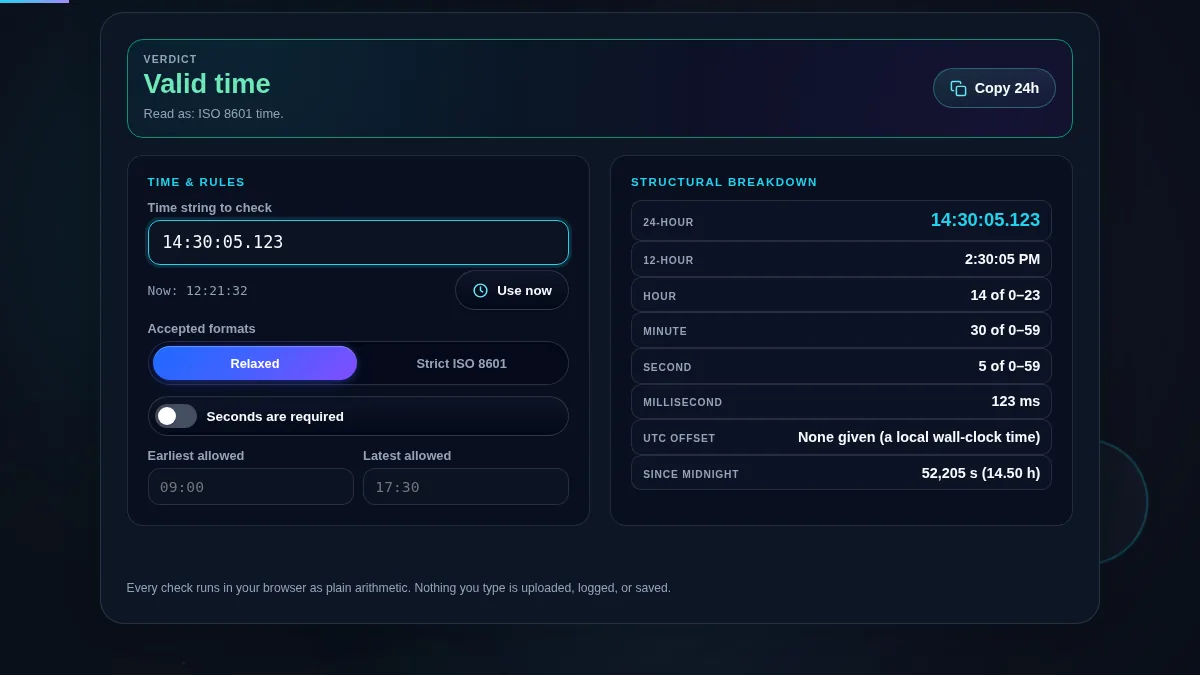
Full time validator workspace: a green valid verdict for 14:30:05.123, the rules panel with relaxed mode, the seconds-required switch and the earliest and latest bound fields on the left, and the structural breakdown showing 24-hour, 12-hour, hour, minute, second, millisecond, offset and seconds since midnight on the right
The whole tool on one screen: the string and its rules on the left, the structural breakdown on the right.

What Passes, What Fails, And Why

InputVerdictWhy
14:30:05.123ValidISO 8601 time with a fraction of a second.
14:30:05+05:30ValidCarries a UTC offset, so it names a specific instant.
2:30 PMValid12-hour clock time, accepted in relaxed mode.
1430ValidCompact military-style value, accepted in relaxed mode.
23:59:60Valid, with a caveatA legal leap second, but most systems will refuse it.
25:30InvalidThe 24-hour clock runs 00 to 23.
14:75InvalidMinutes run 00 to 59.
24:00InvalidAn end-of-day marker, not a clock reading; use 00:00.
13:30 PMInvalidOn a 12-hour clock the hour runs 1 to 12.
2:30 PM in strict modeInvalidStrict ISO 8601 takes only two-digit 24-hour values.
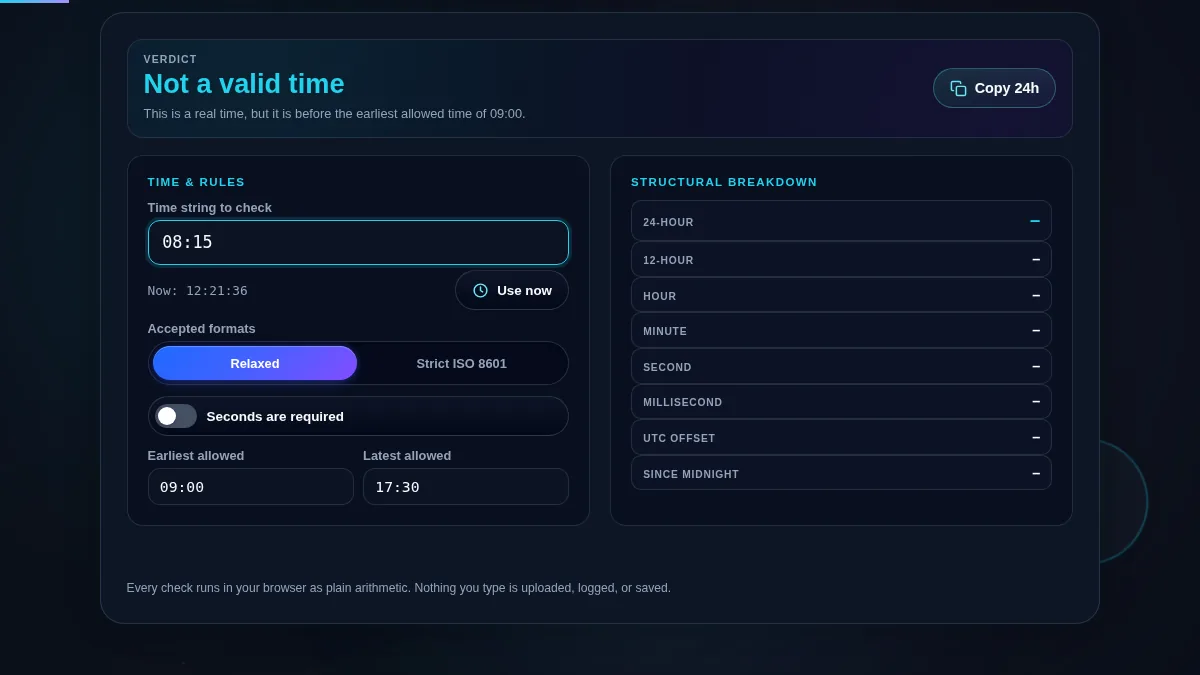
Time validator rejecting 08:15 because the earliest allowed time is set to 09:00, with the verdict reading not a valid time and the reason naming the bound that was broken
A perfectly real time can still fail: 08:15 falls outside an allowed window that starts at 09:00.

How to Validate a Time String

Three steps, and the breakdown that tells you what you actually have.

Step 1: Pick the mode that matches the consumer

If the value is going into an API field, a database column or a log format, use Strict ISO 8601 — it refuses everything the standard refuses, including forms a person would read without blinking. If you are checking what people typed into a form or what came out of a spreadsheet export, use Relaxed, which also takes 12-hour times, single-digit hours and compact values.

Step 2: Add the rules the clock cannot know about

Turn on seconds are required if a value without them will be rejected downstream — many time columns and log formats insist on the field even when it is zero. Fill in earliest and latest to check the value lands inside a window; both fields accept the same relaxed formats as the main input, so 9am, 09:00 and 0900 all work. Leave them empty and the rule is off.

Step 3: Read the offset row before you store anything

This is the row that catches real bugs. A time with Z or an offset is an instant — everyone in the world agrees when it happened. A bare 14:30 is a wall-clock reading, and it means five different moments in five different countries. The breakdown says which one you are holding, and the seconds-since-midnight figure is the form to use when you need to compare or sort times without dragging a date along.

Frequently Asked Questions

What makes a time string invalid?

An hour above 23, a minute above 59, a second above 60, an offset that is not a real UTC offset, or a shape the parser does not recognise at all. The validator checks each field separately and names the one that failed, so 25:30 is refused because there is no hour 25 and 14:75 because there is no minute 75, rather than both coming back as a bare invalid date.

Why does it accept 23:59:60?

That is a leap second, and ISO 8601 allows it. Leap seconds have been inserted 27 times to keep clock time aligned with the Earth's rotation, and the most recent was at the end of 2016. The validator marks it valid with a caveat rather than valid outright, because most databases and programming languages will reject the value even though the standard permits it.

What is the difference between strict and relaxed mode?

Strict ISO 8601 accepts only two-digit HH:mm, optionally followed by seconds, a decimal fraction, and either Z or an offset such as +05:30. Relaxed also accepts single-digit hours, a dot as the separator, 12-hour times written with AM or PM, and compact military-style values such as 1430. Use strict for anything a machine will read and relaxed for values typed by people.

Why is 24:00 rejected?

Because it is not a clock reading. Older revisions of ISO 8601 allowed 24:00 to mark the end of a day, and some systems still emit it, but no clock ever shows it and many parsers choke on it. The validator names the alternative directly: write 00:00 of the following day instead.

What are the earliest and latest fields for?

Checking that a time falls inside a window, which is a different question from whether it is a real time. Set them to your opening hours, a shift, or a booking window, and a structurally perfect value such as 08:15 will be rejected when the earliest allowed time is 09:00. Leave them empty to switch the rule off.

What does the UTC offset row tell me?

Whether the string pinned itself to a zone. A time with Z or an offset such as +05:30 identifies a specific instant, while a bare 14:30 is a wall-clock reading that means different moments in different places. The row says which of the two you have, which is usually the difference between a value that is safe to store and one that is not.

Does the time validator work on a phone?

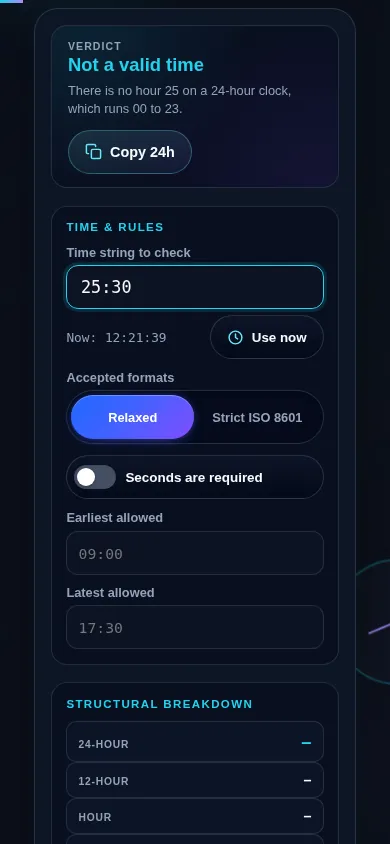
Yes. On a narrow screen the rules panel and the structural breakdown stack into one column with the verdict and its reason kept at the top, the segmented control stretches to full width, and the earliest and latest fields sit side by side until the screen is very narrow. Every control meets a 44px touch target.

Time validator on a 390px phone: the verdict bar with its reason at the top, then the time input with its live clock and Use now button, the accepted-formats segmented control and the seconds-required switch stacked in one column
The time validator on a phone — one column, with the verdict and its reason kept at the top.

Still have questions?

If you can't find the answer you're looking for, feel free to contact our support team.

Contact Us