Date Validator

Is That String A Real Calendar Date?

100% Browser-Based Local Processing
Verdict Waiting for a date

Type or paste a date string and it is checked against the real calendar as you type.

Date & rules
Calendar breakdown
Normalised
Year
Month
Day
Weekday
ISO week
Day of year
Leap year

Paste a list on the left and every line is checked against the same rules.

Nothing checked yet.

Validation is plain calendar arithmetic running in your browser. Nothing you paste is uploaded, logged, or saved.

Privacy Focused

🔒 Local Processing. The values you enter never leave your device.

Instant Results

🌐 Fully Client-Side. Runs instantly in your browser.

No Signup

⚡ No accounts. No API keys. Just open and use.

Browser Based

🚀 No installs, no sign-ups, no conversion limits.

Date Validator: The Silent Rollover Problem

Ask a browser whether 2023-02-29 is a date and it will say yes — and hand you 1 March 2023. It does not fail, it rolls over. The same is true of 2026-04-31, which quietly becomes 1 May, and of 2026-13-01, which becomes January 2027. Any check written on top of that behaviour reports impossible days as perfectly good ones, and the error surfaces much later, in a record that says something happened on a day that never existed.

This date validator does not use the parser as its judge. It splits the string into year, month and day and range-checks each field against the real length of that month in that year, applying the full leap-year rule. That is why it can reject a date and tell you why: not "invalid date", but "February 2023 has only 28 days, so there is no February 29. 2023 is not a leap year."

It also names the format it read. A numeric date like 01/02/2026 genuinely has two meanings, so instead of picking one silently the validator marks it as valid-with-a-caveat, spells out both readings, and lets you force day-first or month-first order when you know the source. When you need a value in a different shape rather than a verdict, the Date Format Converter is next door; for times rather than dates, use the Time Validator.
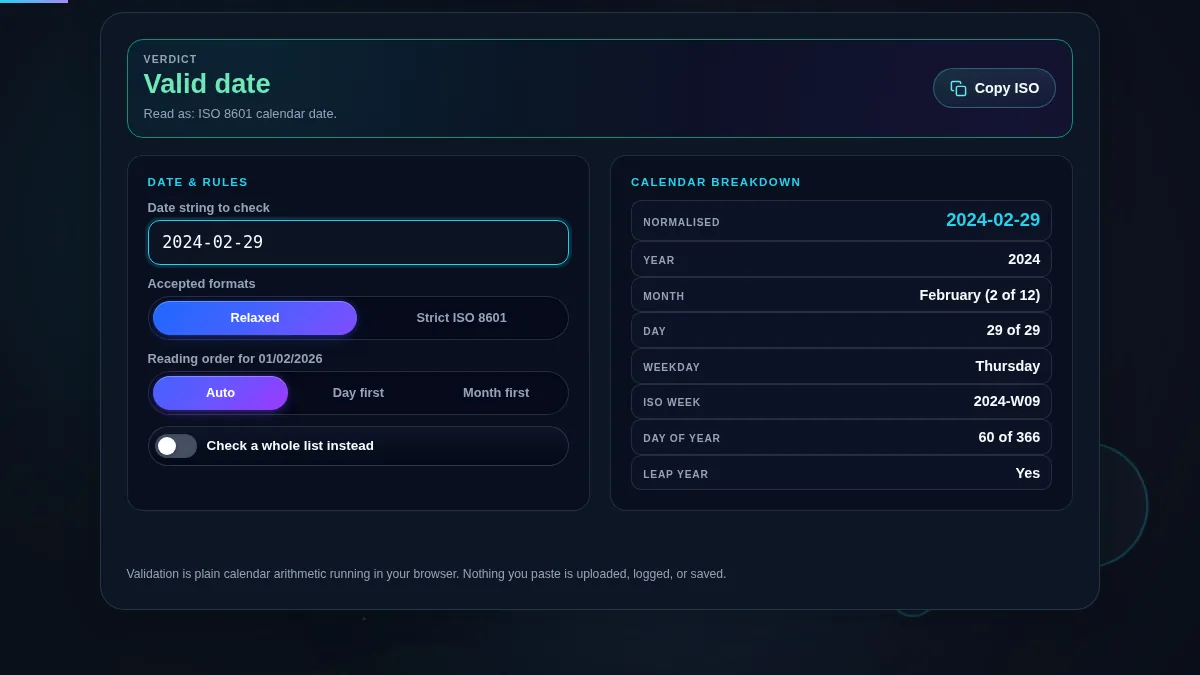
Full date validator workspace: a green valid verdict for 2024-02-29, the rules panel with relaxed mode, auto reading order and the batch switch on the left, and the calendar breakdown showing normalised date, weekday, ISO week, day of year and leap year on the right
The whole tool on one screen: the string and its rules on the left, the calendar breakdown on the right.

What Gets Rejected, And What It Says

InputVerdictWhy
2024-02-29Valid2024 is a leap year, so February has 29 days.
2023-02-29InvalidFebruary 2023 has only 28 days.
1900-02-29InvalidA century year is a leap year only if it divides by 400.
2026-04-31InvalidApril has 30 days.
2026-13-01InvalidThere is no month 13.
01/02/2026Valid, with a caveatCould be 1 February or 2 January; the assumed reading is named.
29/02/2024ValidUnambiguous: 29 cannot be a month, so it is read day first.
25/12/26Valid, with a caveatThe two-digit year was expanded, and the tool says to what.
1 Jan 2025ValidMonth names are accepted in relaxed mode.
2026-08-29T25:00:00ZInvalidThe date is fine but 25:00 is not a clock time.
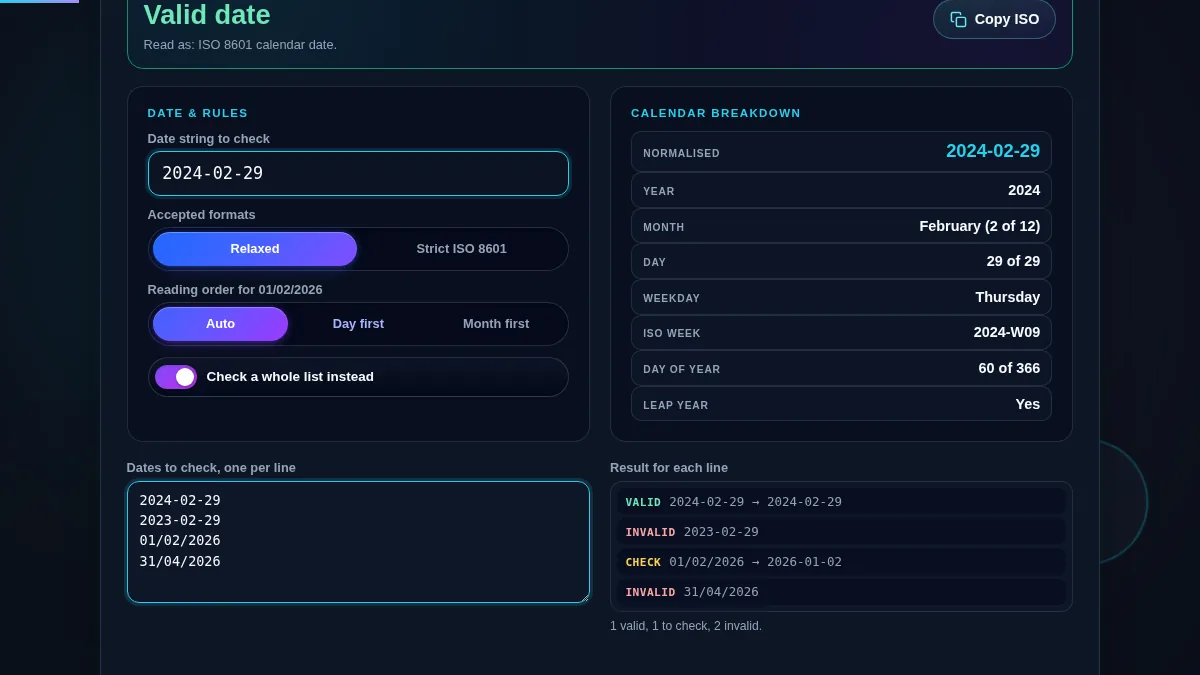
Date validator in batch mode with four dates pasted in and each line labelled VALID, CHECK or INVALID with its normalised date, and a tally line counting the valid, to-check and invalid results
Batch mode labels every pasted line and tallies the three outcomes.

How to Validate a Date

Three steps, and a fourth when you have a whole column to check.

Step 1: Choose how strict the check should be

Use Strict ISO 8601 when the value has to satisfy a machine: an API field, a database column, a config file, a filename. It accepts only YYYY-MM-DD with an optional time and rejects every other shape, including ones that are perfectly readable to a person. Use Relaxed when you are checking dates that came from people or from a spreadsheet, where slashes, dots and month names are all fair game.

Step 2: Settle the reading order before you trust the result

A numeric date where both leading numbers are 12 or less has two valid readings and no way to tell them apart from the string alone. Leave the order on Auto to be warned when that happens, or set Day first or Month first if you know where the data came from — a UK export and a US export will disagree about the same file. Once the order is forced, the caveat disappears because there is nothing left to guess.

Step 3: Read the breakdown, not just the verdict

The right-hand panel is where a subtle mistake shows up. The normalised ISO form tells you how the string was actually read, so a date that is technically valid but not the one you meant is easy to spot. The weekday catches transcription errors — if your invoice says Monday and the tool says Thursday, one of them is wrong. The ISO week matters for payroll and sprint calendars, and the day count confirms whether you are near a month boundary.

Step 4: Check the whole column at once

Turn on the batch switch and paste your list, one date per line. Each line is judged by the same mode and reading order you set above and labelled valid, to check, or invalid, with the normalised form beside it so you can see how it was read. The tally underneath is the quick answer to "is this export clean?" — and the rows marked "to check" are usually the ambiguous ones worth a second look before you import anything.

Frequently Asked Questions

Why not just use the browser to check whether a date is valid?

Because the browser date parser rolls impossible dates over instead of rejecting them. Ask it for 2023-02-29 and it hands back 1 March 2023 without complaint, so a check built on it reports a date that cannot exist as valid. This validator splits the string into year, month and day and range-checks each field against the real length of that month in that year, which is also what lets it tell you why a date failed.

What is the difference between relaxed mode and strict ISO mode?

Strict ISO 8601 accepts only YYYY-MM-DD, optionally followed by a time such as T14:30:00Z, and rejects everything else. It is the mode to use when you are checking values that will go into an API, a database column or a config file. Relaxed mode also accepts numeric dates written with slashes, dashes or dots, dates written with a month name such as 1st January 2025, and Unix timestamps.

How does it handle 01/02/2026, which could be January 2 or February 1?

In Auto order it reports the date as valid but flags it as ambiguous, names both readings, and tells you which one it assumed. If you know the source, set the reading order to Day first or Month first and the warning goes away because there is no longer a guess. When one number is above 12 the order is decided by arithmetic and no warning is needed.

What counts as a valid leap day?

February 29 exists only in a leap year: a year divisible by 4, except centuries, which must be divisible by 400. So 2024-02-29 is valid, 2023-02-29 is not, 2000-02-29 is valid and 1900-02-29 is not. The validator says which of those rules your year fell on, and the breakdown shows the leap year status directly.

What is the ISO week shown in the breakdown?

The ISO 8601 week number, which is the week containing that date's Thursday, written as 2026-W35. It matters because the ISO week year can differ from the calendar year at the turn of January: 1 January 2027 falls in week 53 of 2026. Payroll, sprint and manufacturing calendars usually run on ISO weeks.

Can I check a whole column of dates at once?

Yes. Turn on the batch switch and paste your list, one date per line. Every line is checked against the same mode and reading order, labelled valid, to check, or invalid, and shown with its normalised ISO form so you can see how it was read. The count underneath tallies the three outcomes.

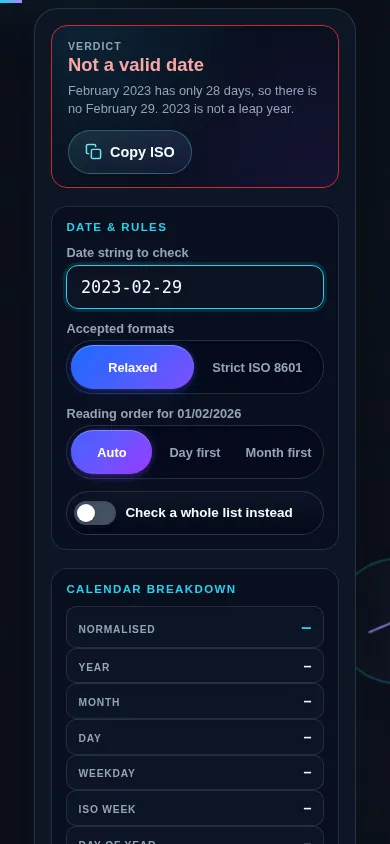
Does the date validator work on a phone?

Yes. On a narrow screen the rules panel and the calendar breakdown stack into one column with the verdict and its reason kept at the top, and the segmented controls stretch to the full width so each option keeps a 44px touch target. The batch area, when it is open, stacks the same way.

Date validator on a 390px phone: the verdict bar with its reason at the top, then the date input, the accepted-formats segmented control and the reading-order segmented control stacked in one column
The date validator on a phone — one column, with the verdict and its reason kept at the top.

Still have questions?

If you can't find the answer you're looking for, feel free to contact our support team.

Contact Us