Random Password Generator

Generate a strong random password in your browser with a live strength meter and full character control.

100% Browser-Based Local Processing

Press Generate for a strong password

Strength

Set the length and character types, then generate.

20
Include

Press Space to generate again.Tap Generate password again for another.

Privacy Focused

🔒 Local Processing. Your names and lists never leave your device.

Instant Results

🌐 Fully Client-Side. Runs instantly in your browser.

No Signup

⚡ No accounts. No API keys. Just open and use.

Browser Based

🚀 No installs, no sign-ups, no server round-trip.

What is a Random Password Generator?

Random Password Generator creates a strong password to your spec — set the length and which character types to include, and a live meter shows how strong it is. Passwords are generated locally in your browser and never stored, so they stay on your device. Copy yours with one click.

Weak and reused passwords are the top cause of account breaches. This generator builds a strong, random one instantly: choose the length and whether to include uppercase, lowercase, numbers, and symbols, and watch the strength meter respond.

It runs entirely in your browser and nothing is stored, so the password is created on your device and gone when you close the tab. Generate, check the strength, and copy it straight into your password manager.
How to generate a strong password

Step 1: Set the length (up to 128) and toggle which character types to include — uppercase, lowercase, numbers, symbols

Set the length (up to 128) and toggle which character types to include — uppercase, lowercase, numbers, symbols.

Step 2: Optionally allow ambiguous characters, then click Generate; the strength meter shows how strong the result is

Optionally allow ambiguous characters, then click Generate; the strength meter shows how strong the result is.

Step 3: Copy the password and store it in your password manager

Copy the password and store it in your password manager.

Random Password Generator in action

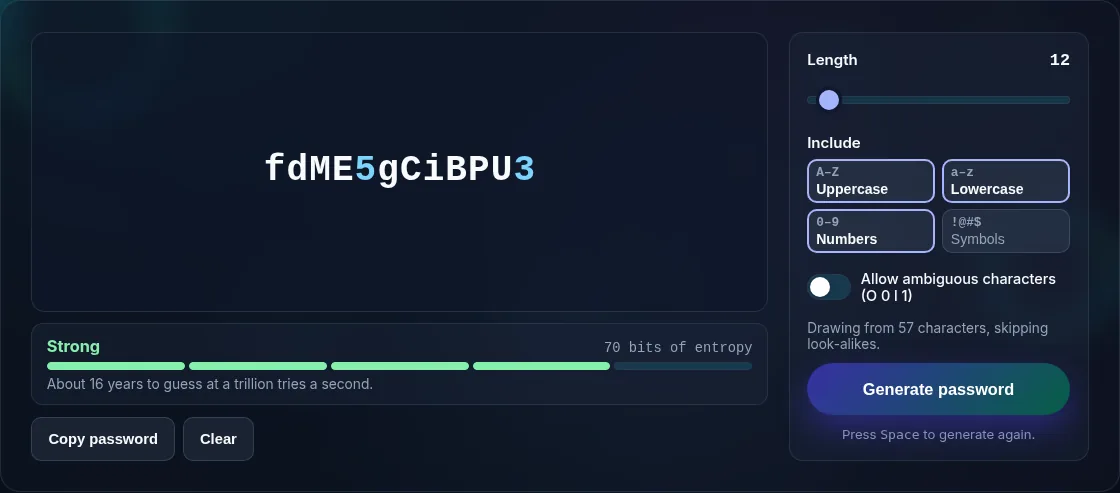
Password options with a live strength meter.
Options + strength meter
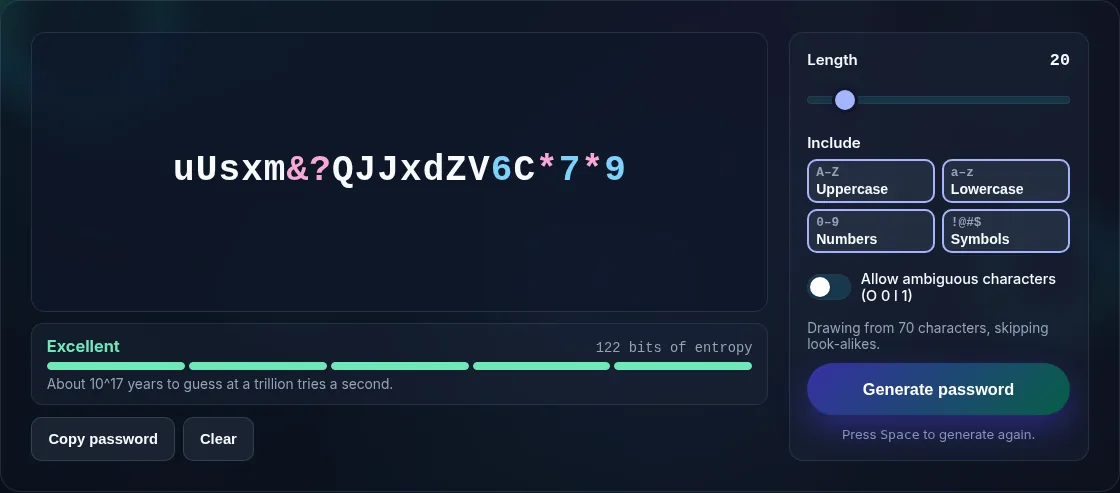
A generated strong password with copy.
Generated password
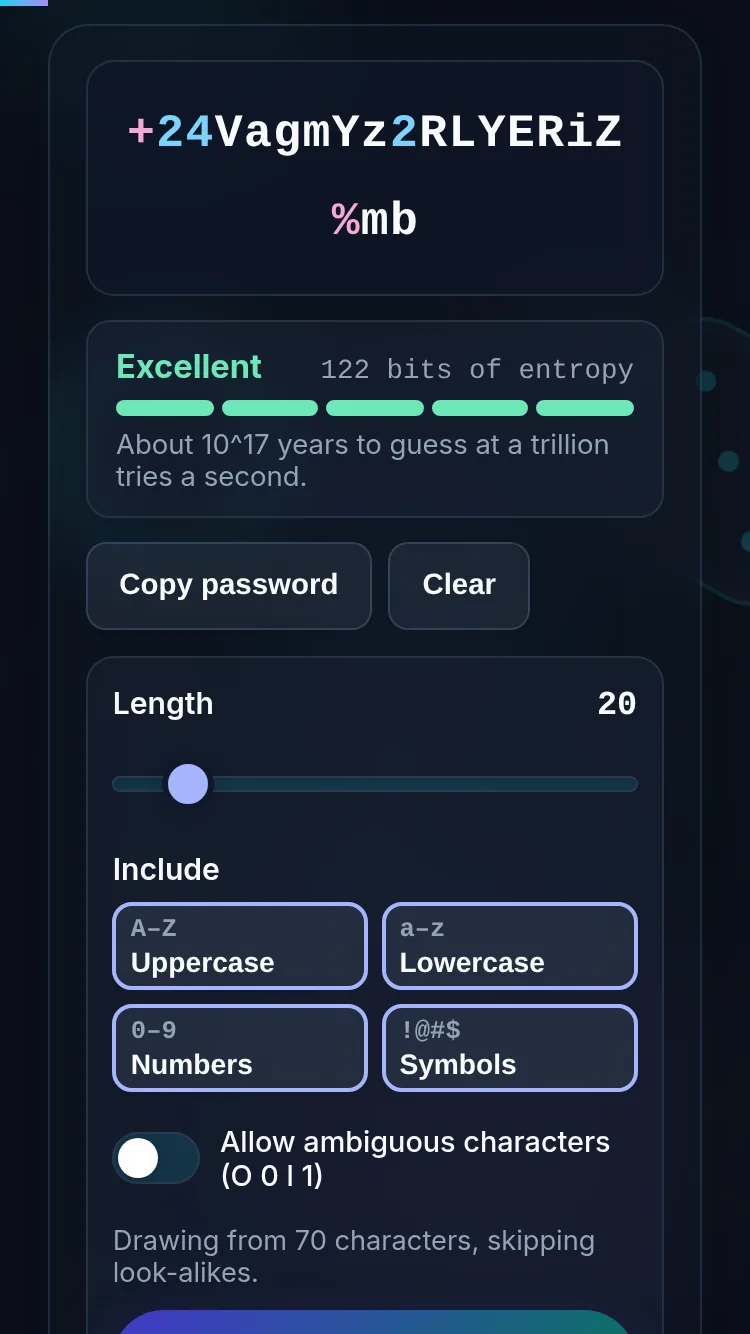
Generating a password on a phone, nothing stored.
Mobile (stacked)

What makes a password strong

Strength comes mainly from length and the size of the character set: a longer password drawn from more character types is exponentially harder to guess, which the strength meter reflects. Include all four character types where a site allows it, and favour length over complexity — 16–20+ characters is a strong baseline. Turning off 'allow ambiguous' (so no O/0 or l/1 confusion) makes a password easier to read but slightly shrinks the pool. The password is generated locally and never stored or sent, so it's as private as an offline tool — copy it into a reputable password manager and use a unique one per account. For passphrases or generating many at once, see the developer Password Generator; for numeric PINs, the Random PIN Generator.

Frequently Asked Questions

Is it safe to generate a password here?

Yes. The password is created entirely in your browser and isn't stored, logged, or sent anywhere — close the tab and it's gone. That makes it as safe as an offline tool, provided you're on a device you trust. Copy your password straight into a password manager rather than leaving it on screen.

How long should my password be?

Longer is stronger. For most accounts 16–20 characters with a mix of types is a solid baseline, and 20+ is better for important logins. Length matters more than complexity, so if a site limits symbols, add length instead. The strength meter shows the effect of each change.

What does the strength meter mean?

It estimates how hard the password would be to guess, based on its length and the character types you've enabled. More length and more types push it higher. Use it as a guide — aim for the strong range — rather than an exact guarantee, and remember reuse undermines any password's strength.

What does 'allow ambiguous characters' do?

Left off, the generator avoids characters that are easy to confuse, like the letter O and the number 0, or lowercase l and the number 1. That makes a password easier to read or type from a printout, at the cost of a slightly smaller character pool. Turn it on for maximum variety.

Do you store the passwords I generate?

No. Nothing is stored, logged, or transmitted — generation happens in your browser's memory and the password is discarded when you refresh or close the page. For safekeeping, copy it into a password manager, which encrypts and remembers a unique password for each of your accounts.

Should I use a different password for each account?

Yes. Reusing a password means one breach can unlock many accounts. Generate a unique password here for each login and store them in a password manager so you don't have to remember them. Unique, random passwords are the single biggest improvement most people can make to their security.

Is it private — is anything uploaded?

No. Everything runs in your browser, so whatever you enter is processed on your own device and never uploaded. Nothing is stored once you close the tab unless you choose to save it. That keeps your lists, names, and data private.

Is it free, and do I need to sign up?

Yes, it's completely free with no account, no trial, and no limit on how many times you use it. Because it runs entirely in your browser, there are no server costs, no usage caps, and no watermark or branding added to your result.

Does it work on a phone?

Yes. It runs in your phone's browser with nothing to install, so you can use it on Android or iOS. The layout adapts to small screens, making it easy to use on the go, at a party, or in a classroom.

Does it work offline?

Once the page has loaded, it runs entirely on your device, so it keeps working without a connection — which is also why nothing is uploaded. You only need to be online to open the page the first time; after that the tool works locally.

Can I copy or share the result?

Yes. You can copy the result to your clipboard with one click, and many results can be downloaded or shared. Everything is generated locally, so copying and sharing are instant with no upload step.

Is the randomness fair?

Yes. The tool uses your browser's secure random number generator, so every outcome is genuinely unpredictable and each option has an equal chance. It isn't weighted or rigged — results are as fair as a well-shuffled deck or an even spin.

Still have questions?

If you can't find the answer you're looking for, feel free to contact our support team.

Contact Us