Epoch Time Converter

Two-Way Unix Epoch & Date Tool

100% Browser-Based Local Processing
Current epoch time
Epoch → Date
Auto-detects seconds, milliseconds, or microseconds by digit count.
Local
UTC
ISO
Relative
Unit
Date → Epoch
Pick a date and a time down to the second.
Seconds
Millis
ISO
Relative

Both conversions run in your browser. Nothing you type is uploaded, logged, or saved.

Privacy Focused

🔒 Local Processing. The values you enter never leave your device.

Instant Results

🌐 Fully Client-Side. Runs instantly in your browser.

No Signup

⚡ No accounts. No API keys. Just open and use.

Browser Based

🚀 No installs, no sign-ups, no conversion limits.

Epoch Time, Both Ways, in One Tool

Epoch time is a count of seconds since the start of 1970 — a plain number that systems, logs, and APIs use to record an instant without any time zone attached. Working with it usually means going both directions: reading a number out of a log into a date you can understand, then building a number to send back. This converter puts both on one screen.

The left panel takes an epoch value and shows the date in local time and in UTC, with the ISO 8601 string and a relative "time ago". It auto-detects whether the number is in seconds (10 digits), milliseconds (13), or microseconds (16), and you can override that. The right panel takes a date and time and returns the epoch value in seconds and milliseconds, with a Local time or UTC choice for which instant the date points at. A live current-epoch clock runs across the top as a reference for either side.

Everything is computed in your browser. Nothing you enter is sent anywhere, and every value has a copy button. If you only need one direction, the Timestamp to Date Converter and the Date to Timestamp Converter each do that job on their own page.
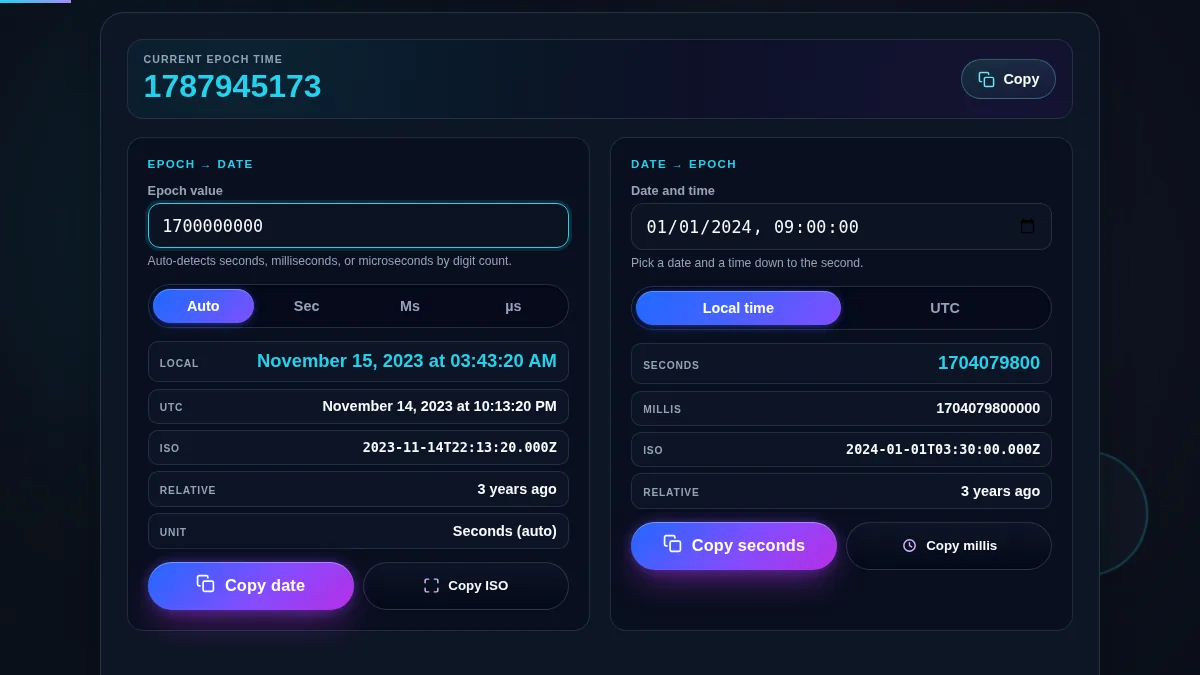
Epoch time converter workspace with a live current epoch clock across the top, an epoch-to-date panel on the left showing local time, UTC, ISO and relative lines, and a date-to-epoch panel on the right showing the epoch seconds and milliseconds for a chosen date
The whole tool on one screen: the current epoch clock above two panels, one turning an epoch value into a date and the other turning a date into an epoch value.

Where a Two-Way Epoch Tool Earns Its Place

TaskWhich panelWhat to copy
Reading a timestamp column from a query resultEpoch → DateThe local or UTC line
Building a ?since= filter for an API callDate → EpochSeconds, read as UTC
Checking a JWT exp against nowEpoch → DateThe relative line
Grabbing "now" to seed a request or a testThe current epoch clockThe clock's copy button
Converting a millisecond log value to a wall clockEpoch → Date, unit set to MsThe local line
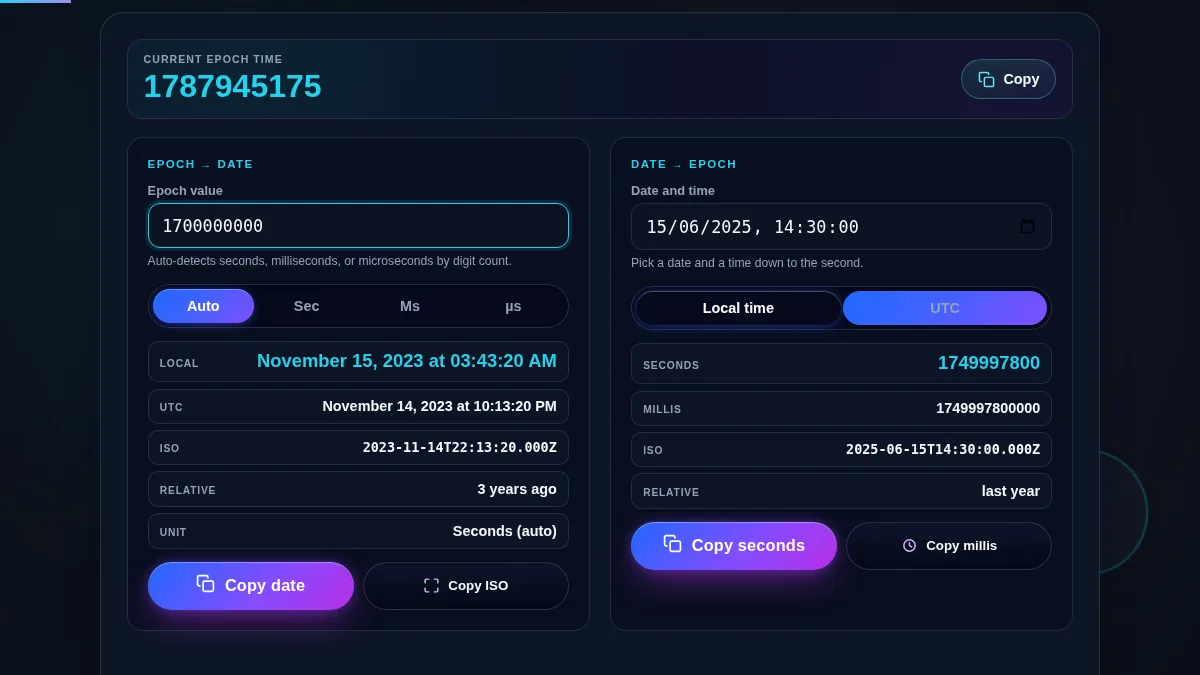
The date-to-epoch panel of the converter with a date and time chosen and the Local time / UTC control set, showing the resulting epoch value in seconds and in milliseconds with the ISO 8601 string
The date-to-epoch panel: choose a date and time, pick Local time or UTC, and read the epoch value in seconds and milliseconds.

How to Use the Epoch Time Converter

Each panel works on its own, and both update as you type.

Epoch to date: paste the number

Type or paste the epoch value into the left panel. Auto reads 10 digits as seconds, 13 as milliseconds, and 16 as microseconds; set the unit by hand if the number is unusual. The panel shows the date in local time and UTC, the ISO string, a relative time, and which unit it used.

Date to epoch: pick a date and a zone

Use the right panel's date-and-time field, which goes down to the second. Then choose Local time or UTC: this sets which instant the date points at, which is the difference between a value that matches your clock and one that matches a server. The panel returns the epoch value in seconds and in milliseconds.

Use the current epoch clock as a reference

The clock at the top ticks every second and shows "now" as an epoch value. Its copy button grabs the current value for a request or a test. It also gives you a sense of scale, so a value that is far from it stands out as a past or future date at a glance.

Frequently Asked Questions

What is epoch time?

Epoch time, also called Unix time or POSIX time, is the number of seconds since 00:00:00 UTC on 1 January 1970, which is the Unix epoch. It is a single number with no time zone, which is why systems, logs, and APIs use it to record instants. This tool converts between that number and a readable date in both directions.

Why does this tool convert both directions?

Working with epoch values usually means going both ways: reading a number from a log into a date, then building a number to send back. The left panel takes an epoch value and shows the date; the right panel takes a date and time and shows the epoch value. The current epoch clock across the top is a live reference for either one.

Does epoch time use seconds or milliseconds?

The original definition is seconds, and Unix tools, cron, and most back-end APIs still use seconds. JavaScript and many web APIs use milliseconds, and some tracing systems use microseconds. The epoch-to-date panel auto-detects the width from the digit count, or you can set it, and the date-to-epoch panel shows both seconds and milliseconds.

What is the current epoch time?

It is the epoch value for right now, which the clock at the top of the tool updates every second. A present-day value is a 10-digit number in seconds. Press the copy button on that clock to grab the current value, which is handy for seeding a request or a test.

How do I read an epoch value as UTC instead of local time?

Every result shows both. The epoch-to-date panel lists the local time and the UTC time on separate lines, and the date-to-epoch panel has a Local time / UTC control that decides which instant your chosen date points at. Use UTC when you are matching a server and local time when you are matching a wall clock.

Is my data uploaded or stored anywhere?

No. Both conversions run in your browser with JavaScript. The values you enter are never sent to Randomly.online, nothing is logged, and there is no account to create.

Does the epoch time converter work on a phone?

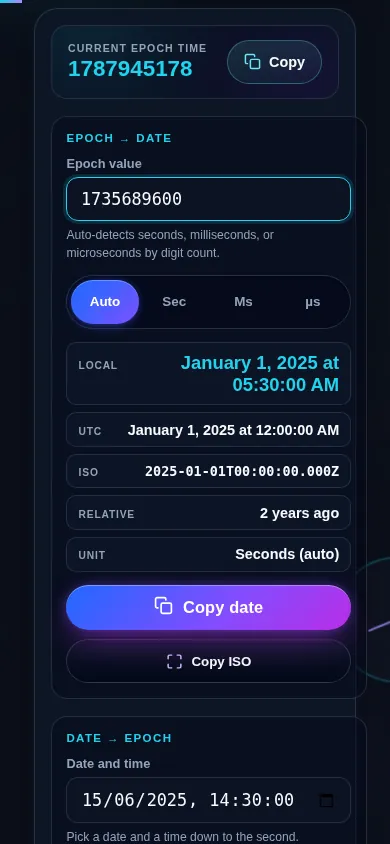
Yes. On a narrow screen the two panels stack into one column: the current epoch clock sits at the top, the epoch-to-date panel follows, and the date-to-epoch panel comes last. Both inputs use a numeric keypad where possible and every button meets a 44px touch target.

Epoch time converter on a 390px phone: the live current epoch clock at the top, then the epoch-to-date panel, then the date-to-epoch panel, stacked in one column
The epoch time converter on a phone — the current epoch clock above the two panels, stacked in one column.

Still have questions?

If you can't find the answer you're looking for, feel free to contact our support team.

Contact Us