Timestamp to Date Converter

Unix & Epoch Time to Human Date

100% Browser-Based Local Processing
Timestamp input
Paste a value in seconds, milliseconds, or microseconds. Values before 1970 can be negative.
Current Unix time
Read the number as

The number stays in your browser. Nothing is uploaded, logged, or saved.

Decoded date
Enter a timestamp

The date, ISO string, and weekday will appear here.

Local time
UTC
ISO 8601
Weekday
Day of year
Relative
Detected unit

Privacy Focused

🔒 Local Processing. The values you enter never leave your device.

Instant Results

🌐 Fully Client-Side. Runs instantly in your browser.

No Signup

⚡ No accounts. No API keys. Just open and use.

Browser Based

🚀 No installs, no sign-ups, no conversion limits.

Turn a Unix Timestamp Back Into a Date You Can Read

A Unix timestamp is a plain count of seconds since the start of 1970, which is convenient for computers and useless at a glance. This converter takes that number and gives you the date back in the forms people and code actually use: your local time, the same instant in UTC, the ISO 8601 string, the weekday, the day of the year, and a plain-language "3 hours ago" or "in 2 days".

It handles the three widths you meet in practice. Server logs and databases usually store seconds (10 digits today), JavaScript and many APIs use milliseconds (13 digits), and some tracing systems use microseconds (16 digits). Leave the unit on Auto and the tool picks the reading that lands near the present, or set it by hand when a number is genuinely ambiguous. To go the other way, from a calendar date to a number, use the Date to Timestamp Converter.

Every reading is computed in your browser. The number you paste is never sent anywhere, and each result has its own copy button so you can drop it straight into a bug report, a query, or a spreadsheet.
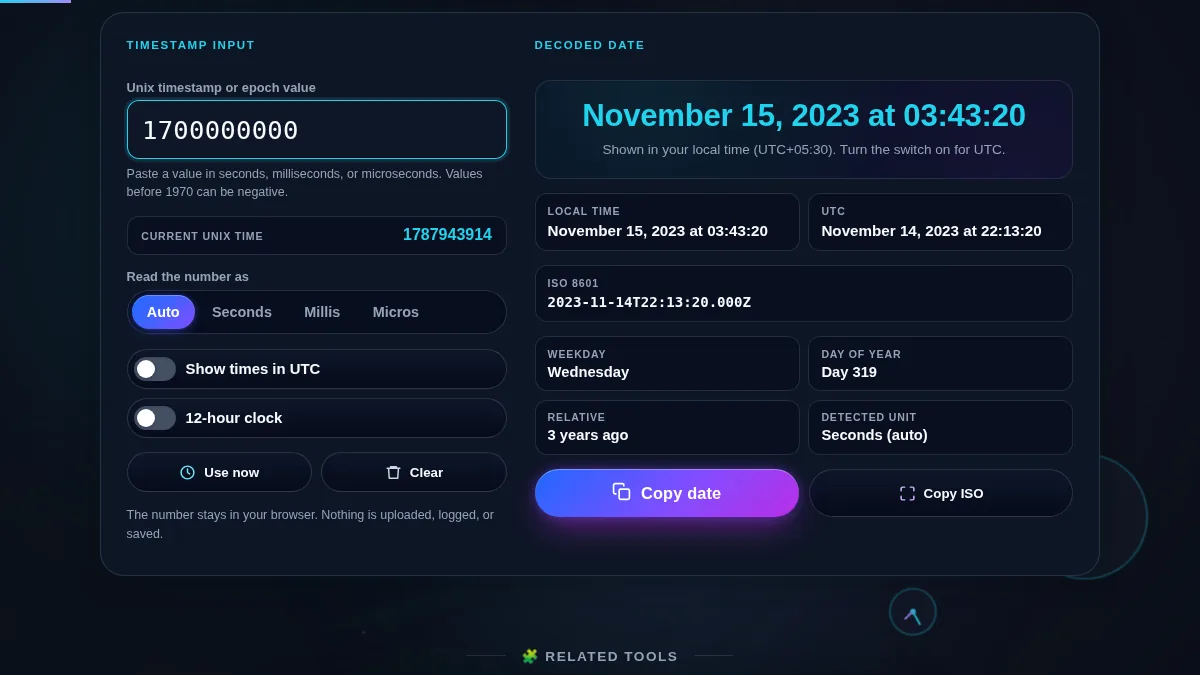
Timestamp to date converter workspace with a timestamp input, a live current Unix time reference, and an Auto/Seconds/Milliseconds/Microseconds unit control on the left, and on the right the decoded local time, UTC time, ISO 8601 string, and weekday, day-of-year, relative-time and detected-unit details
The whole tool on one screen: the timestamp input and unit control sit beside the decoded date, the ISO string, and the weekday and relative-time details.

When You Reach for a Timestamp Converter

SituationWhat you pasteWhat to read
Reading a server or app log lineThe 10-digit seconds valueLocal time to match your day, UTC to match the server
Debugging a JavaScript DateThe 13-digit millisecond valueISO 8601 string and the detected-unit label
Checking an API created_at fieldWhatever the docs returnRelative time to sanity-check it is recent
Inspecting a file modified timeThe mtime in secondsWeekday and full date
A token or cookie exp claimThe expiry in secondsRelative time, for example "in 6 days" or "2 hours ago"
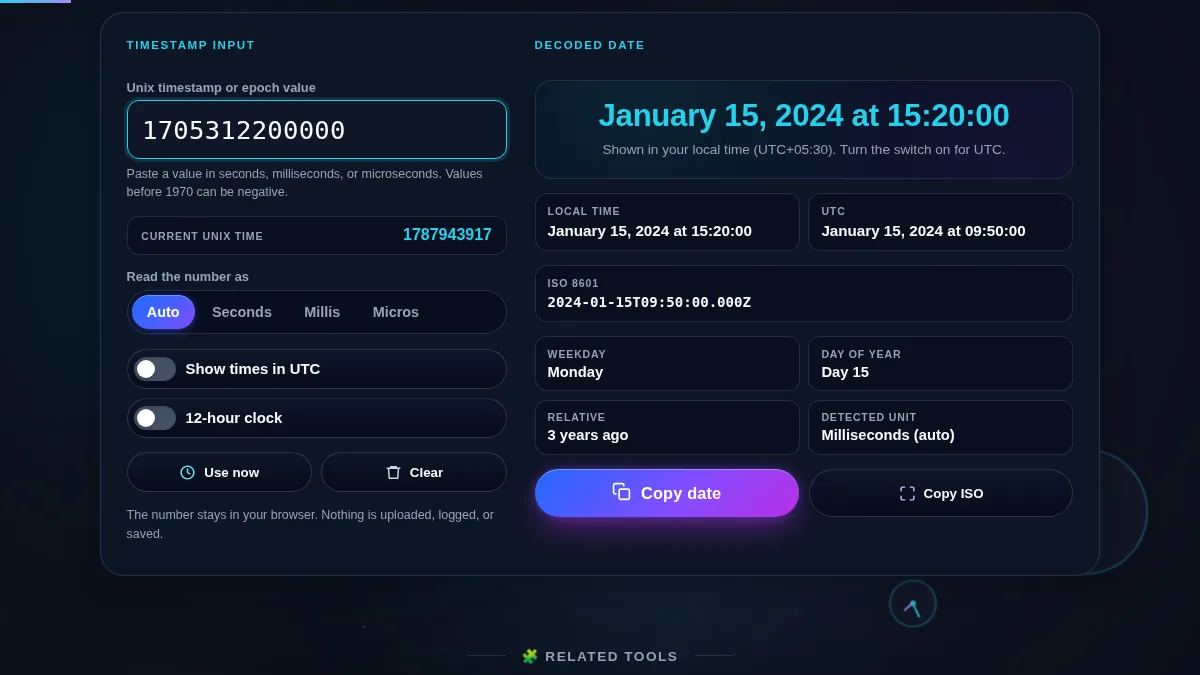
Timestamp to date converter with a 13-digit millisecond value entered, the detected unit reading Milliseconds, and the result card showing the local time, the UTC time, and the offset between them
A millisecond value decoded: the same instant in local time and UTC, with the offset that separates them and the detected unit shown.

How to Convert a Timestamp to a Date

Three steps, and the result updates as you type.

Step 1: Paste the timestamp

Type or paste the number into the timestamp field. There is no submit button — the decoded date appears as soon as the value is valid. The chip below the field shows the current Unix time, which is a quick way to tell whether your value is in the past or the future. Press "Use now" to drop the present moment in.

Step 2: Set the unit and time zone if needed

Auto reads a 10-digit number as seconds, 13 as milliseconds, and 16 as microseconds. If your source is unusual — a padded value, or a very old date — pick Seconds, Milliseconds, or Microseconds by hand. Turn on "Show times in UTC" when you are matching a server, and "12-hour clock" if you prefer AM and PM.

Step 3: Read the result and copy what you need

The headline is the full date; below it are the local and UTC readings, the ISO 8601 string, and the weekday, day of the year, relative time, and detected unit. "Copy date" puts the readable date on your clipboard and "Copy ISO" copies the machine form. To turn a date back into a number, open the Date to Timestamp Converter.

Frequently Asked Questions

What is a Unix timestamp or epoch time?

A Unix timestamp is the number of seconds that have passed since 00:00:00 UTC on 1 January 1970, which is called the Unix epoch. It is a single number with no time zone, so the same timestamp means the same instant everywhere. Databases, log files, APIs, and file systems store times this way because a plain number is easy to sort and compare.

How does the converter know if my number is in seconds, milliseconds, or microseconds?

It counts the digits. A present-day value in seconds has 10 digits, milliseconds has 13, and microseconds has 16, so the tool picks the unit that lands the date near the present and shows which one it used. If a number is genuinely ambiguous, switch the unit control from Auto to Seconds, Milliseconds, or Microseconds to force the reading.

What is the difference between the local time and the UTC result?

Both describe the same instant. The local result applies your device's time zone and daylight saving rules, so it matches your wall clock. The UTC result is the same moment with no offset, which is what you want when comparing against a server log or another region. The tool shows both, plus the offset that separates them.

Why does the ISO 8601 string end in a letter Z?

The trailing Z means Zulu time, which is another name for UTC with a zero offset. An ISO 8601 string like 2026-01-15T09:30:00.000Z is the machine-readable form of the same instant shown in the other fields, and it is safe to paste straight into code, a spreadsheet, or an API request.

Can I convert a date back into a timestamp?

Yes, with the companion tool. The Date to Timestamp Converter takes a calendar date and time and returns the Unix value in seconds and milliseconds, so the two tools cover both directions of the same conversion.

Is my timestamp uploaded or stored anywhere?

No. The conversion runs in your browser with JavaScript. The number you enter is never sent to Randomly.online, nothing is logged, and there is no account to create.

Does the timestamp to date converter work on a phone?

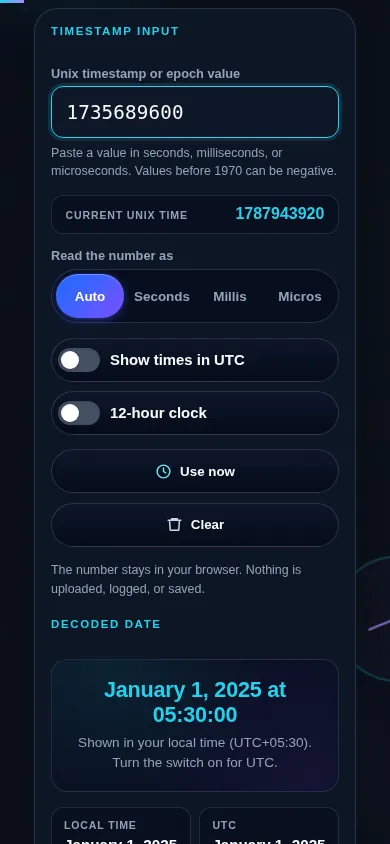
Yes. On a narrow screen the two columns stack into one: the timestamp input, the unit control, and the local and UTC switches sit at the top, and the decoded date, the ISO string, and the weekday and relative-time details follow directly below. The input uses a numeric keypad and every button meets a 44px touch target.

Timestamp to date converter on a 390px phone: the timestamp input and Auto/Seconds/Milliseconds/Microseconds unit control stacked in one column above the decoded local and UTC date and the ISO 8601 string
The timestamp to date converter on a phone — one column, with the input and unit control above the decoded date.

Still have questions?

If you can't find the answer you're looking for, feel free to contact our support team.

Contact Us