Yearly Calendar Generator

Twelve Months on One Printable Page

100% Browser-Based Local Processing
Year settings
One per line. Use YYYY-MM-DD for a single year, or MM-DD to mark the same day in any year.

This year

Privacy Focused

🔒 Local Processing. The values you enter never leave your device.

Instant Results

🌐 Fully Client-Side. Runs instantly in your browser.

No Signup

⚡ No accounts. No API keys. Just open and use.

Browser Based

🚀 No installs, no sign-ups, no conversion limits.

A Whole Year on One Page

A year-at-a-glance calendar answers questions a month view cannot: how far apart two deadlines really are, which weeks a holiday swallows, whether a plan that "starts in spring" leaves enough runway. This yearly calendar generator lays all twelve months of any year from 1583 to 2200 on a single page and prints them that way.

The column control decides the shape. Four columns give the compact three-by-four block most wall planners use; three columns suit a portrait sheet; two columns make each month large enough to read across a room. Week numbers, weekend shading, and the week start are all yours to set, and the summary line tells you the things that catch people out — whether the year is a leap year, which weekday it opens on, and whether it has 52 or 53 ISO weeks.

The highlight box is the part that saves real time: paste a list of dates and every one of them is ringed in its month, across the whole year at once. Use full dates for one specific year, or month-and-day for anniversaries that repeat. For a single month with room to write, use the Monthly Calendar Generator; to switch between month, quarter, and year layouts, the Calendar Generator covers all three.
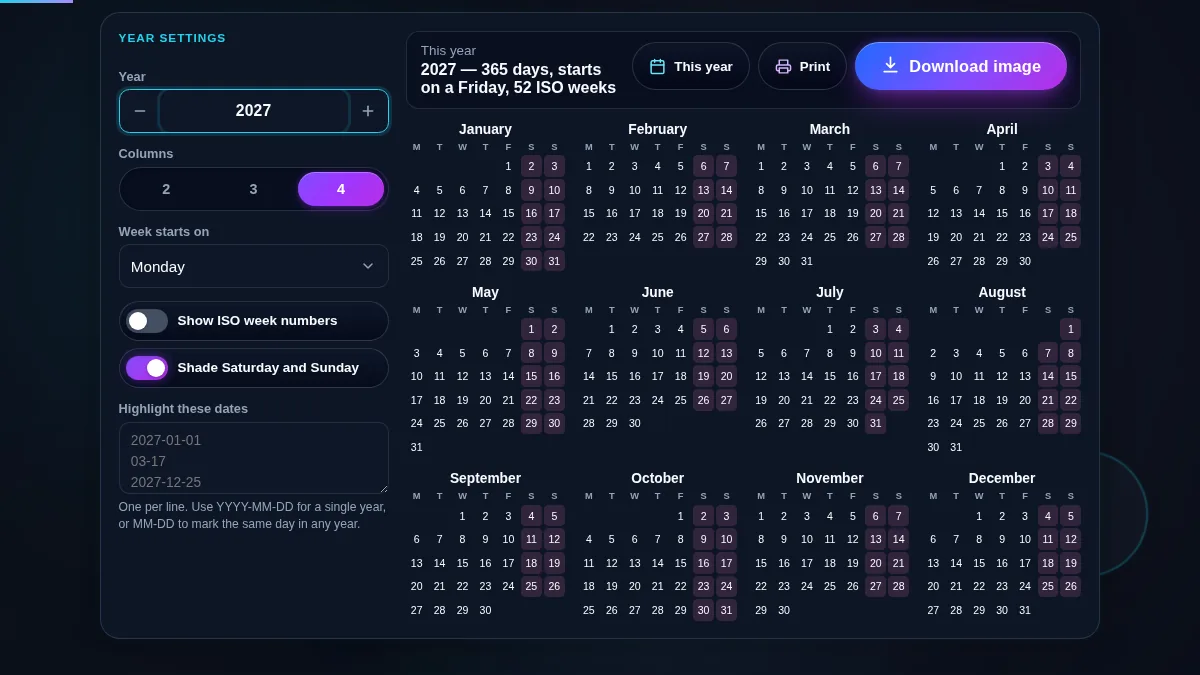
Yearly calendar generator workspace with the year field, column control, week-start list, option switches and highlight box on the left and twelve compact month grids for 2027 on the right
The whole tool on one screen: the settings panel beside the twelve months it produces.

What a Year Planner Is For

UseSettings to useWhy it works
Wall planner for the yearFour columns, weekends shadedThe classic three-by-four block; the whole year fits one sheet.
Holiday and leave planningHighlight boxEvery booked day is ringed in place, so clashes are visible at a glance.
Academic or fiscal year viewTwo columns, week numbersLarger months with week numbers line up with term and reporting schedules.
Anniversaries and birthdaysMM-DD lines in the highlight boxDates without a year mark the same day in whichever year you view.
Checking a past or future yearType the year, or step itLeap years, weekday shifts, and the 53-week years are all handled.
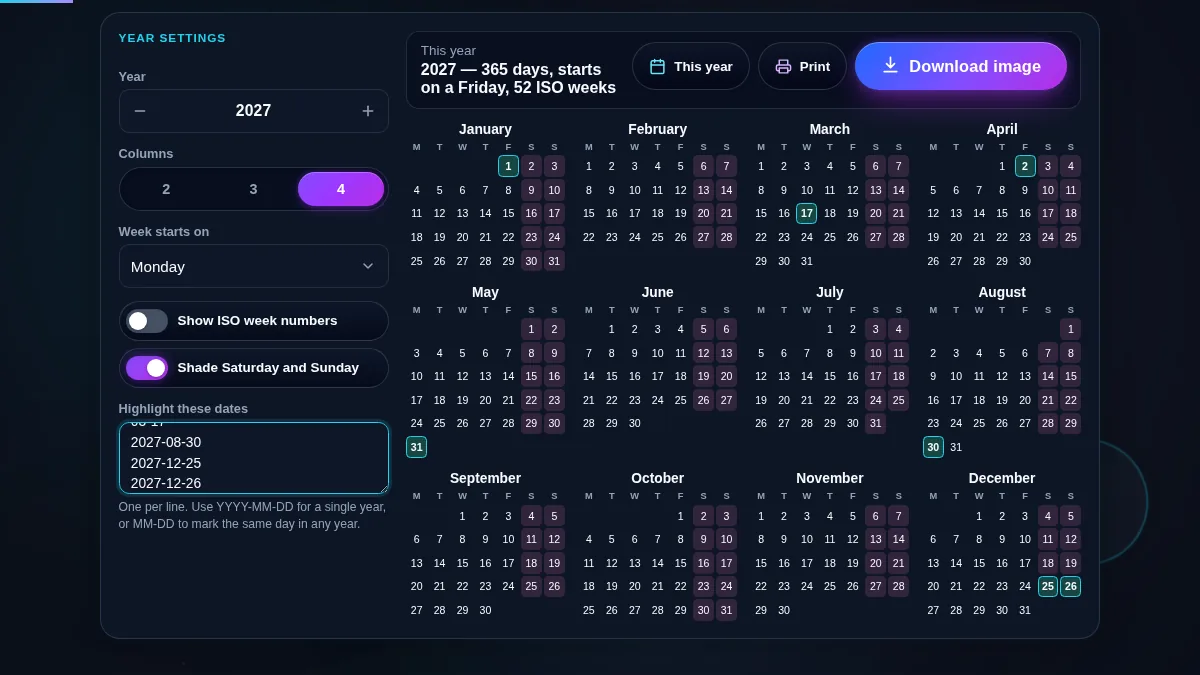
Yearly calendar generator with several dates typed into the highlight box and each of those days ringed inside its month grid across the whole year
Dates typed into the highlight box are marked across every month at once.

How to Use the Yearly Calendar Generator

Three steps to a printed year planner.

Step 1: Choose the year

Type the year, or use the arrows to step one year at a time. "This year" jumps back to the current one. The summary line updates with the day count, the weekday the year opens on, and the ISO week count — a detail that matters if your schedule is quoted in week numbers, because a 53-week year shifts everything after it.

Step 2: Set the shape

Pick two, three, or four columns depending on the paper and how far away it will be read from. Choose the first day of the week, and turn on week numbers or weekend shading if your work uses them. On a phone the months reflow into a single column regardless of the setting, so the day cells stay large enough to read.

Step 3: Highlight and print

Paste the dates you care about into the highlight box — one per line, YYYY-MM-DD for a specific year or MM-DD for a repeating date — and each is ringed inside its month. Then press "Print year": the settings panel, the site header, and the footer disappear, and the twelve months print on their own, with highlights and shading rendered in greys that survive a black-and-white printer.

Frequently Asked Questions

How do I print a full-year calendar on one page?

Set the columns to four, then press "Print year". The print layout removes the site header, the settings panel, the buttons, and the footer, leaving the year title and the twelve month grids. Four columns fit a landscape sheet comfortably; three columns suit portrait.

Can I download the calendar as an image or a PDF?

Yes. Press Download and pick light or dark, then PNG or PDF. The sheet shows a preview of each finish, drawn by the same code that writes the file, so what you choose is what you get. The column count you set is the column count in the image, and the dates you highlighted stay marked. PNG comes out at twice screen size; PDF puts the same picture on an A4 or US Letter page, ready for the printer. Either way the file is drawn on your device, so the calendar never leaves the browser.

Can I mark my own dates across the whole year?

Yes. Type or paste them into the highlight box, one per line. A full date such as 2027-12-25 marks that day in that year only; a month-and-day such as 03-17 marks the same day whichever year is on screen, which is what you want for birthdays and anniversaries. Marked days get a coloured ring in their month grid and print as a grey block.

Why does the summary say 53 ISO weeks in some years?

ISO 8601 weeks always contain seven days, so a year holds either 52 or 53 of them. A year has 53 when it starts on a Thursday, or when it is a leap year starting on a Wednesday. Schedules quoted in week numbers shift by a week after a 53-week year, which is worth checking before planning across the boundary.

Which years can I generate?

Any year from 1583 to 2200. 1583 is the first full year after the Gregorian calendar was introduced, so dates before it would not line up with the calendar this tool draws. Leap years, including the century rule that skips 1700, 1800, and 1900 but keeps 2000, are handled correctly throughout the range.

Can I show a year with the week starting on Sunday?

Yes — the "Week starts on" list offers Sunday, Monday, and Saturday, and the column order and weekend shading follow it. Note that ISO week numbers are always counted from Monday, because that is what the standard defines, so they do not move when you change the display order.

Is anything I paste into the highlight box uploaded?

No. The dates you paste stay in your browser and are used only to draw the marks. Nothing is sent to Randomly.online, nothing is stored between visits, and there is no account. Printing hands the page to your own printer.

Does the yearly calendar generator work on a phone?

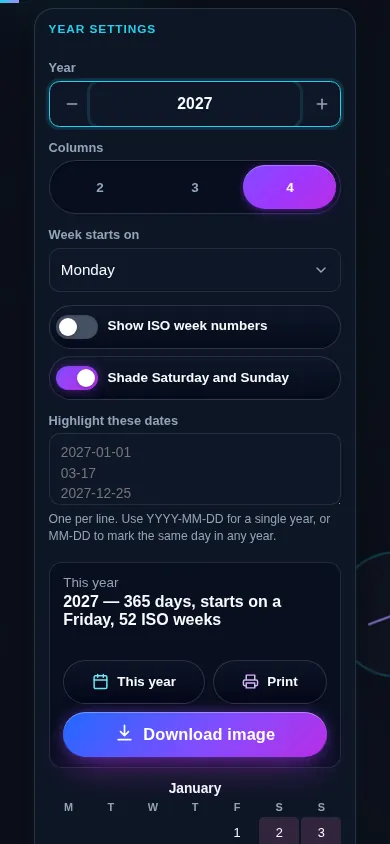
Yes. On a narrow screen the settings stack above the calendar and the twelve months reflow into a single column, each keeping all seven day columns at a readable size rather than shrinking to fit four across. Every control meets a 44px touch target, and the print layout is the same one a desktop gets.

Yearly calendar generator on a 390px phone: the year field, column control and option switches stacked above month grids that reflow into a single column
The yearly calendar generator on a phone — one column, settings above the months.

Still have questions?

If you can't find the answer you're looking for, feel free to contact our support team.

Contact Us