JSON Minifier

Minify JSON in your browser — strip whitespace to the smallest valid JSON and see the size saved.

100% Browser-Based Local Processing
Input Payload EMPTY
Minified Code

                
Original Size
0 B
Optimized Size
0 B
Payload Reduction
0%
JSON copied to clipboard!

Privacy Focused

🔒 Local Processing. Your code never leaves your device.

Instant Results

🌐 Fully Client-Side. Runs instantly in your browser.

No Signup

⚡ No accounts. No API keys. Just open and use.

Browser Based

🚀 No installs, no CLI, no build step.

Shrink your JSON — losslessly and privately

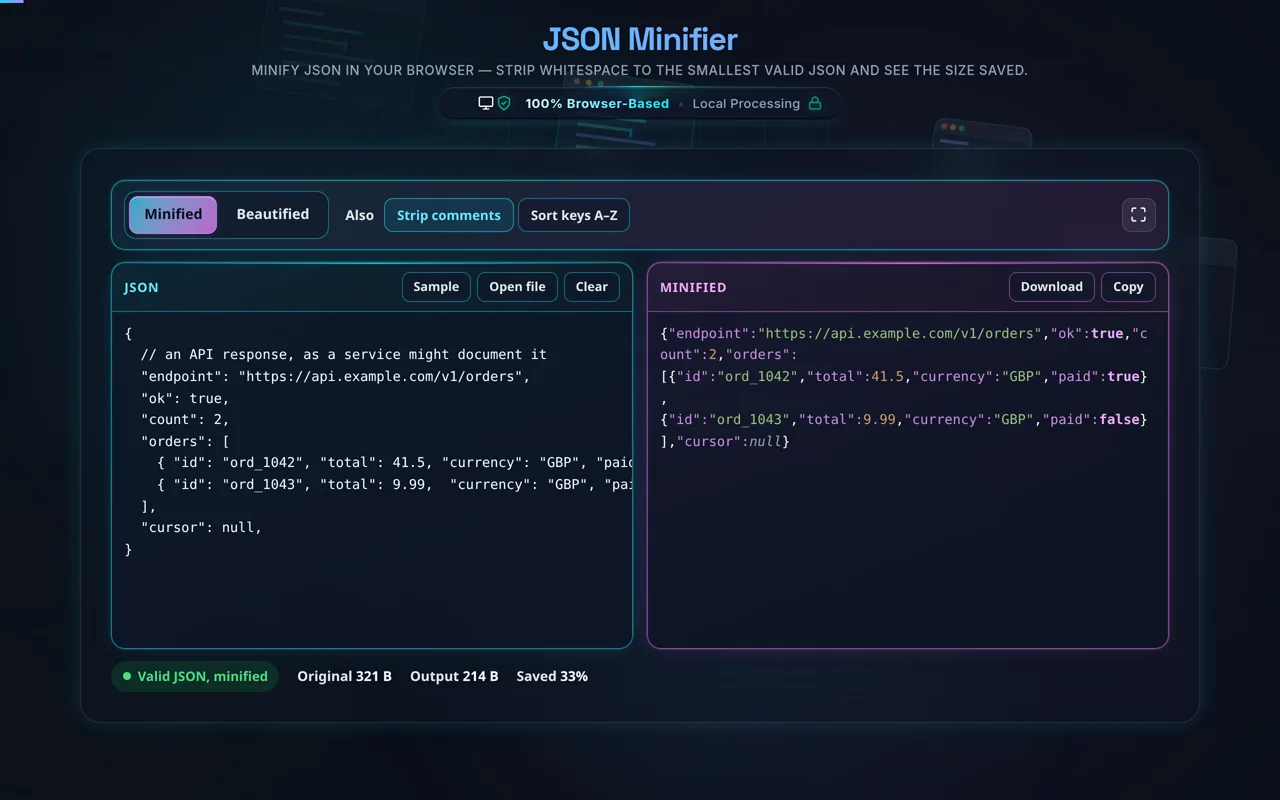
A JSON Minifier removes all insignificant whitespace — indentation, line breaks, and spaces between tokens — to produce the smallest valid JSON. The result is byte-for-byte smaller but parses to the identical data. This one runs entirely in your browser, so your JSON is never uploaded.

Pretty-printed JSON is great for reading but wasteful for transport and storage — all that indentation and line-breaking is bytes you don't need to send. A JSON minifier strips out every bit of insignificant whitespace, collapsing the JSON onto a single compact line while keeping it completely valid and equivalent.

Paste your JSON or load a local file, and the tool validates it, minifies it, and shows the size before and after with the percentage saved. The output parses to exactly the same object — same keys, same values, same order — so it's a lossless transformation; only whitespace between tokens is removed. Whitespace inside your string values is untouched. You can copy, download, or flip back to beautify if you need it readable again.

Privacy comes first, as with every tool here. Minifying happens in your browserno server, no upload, no logging, no tracking. Developers minify API payloads and config files they'd rather not send anywhere; here the JSON never leaves your device, and the tool works offline once loaded.

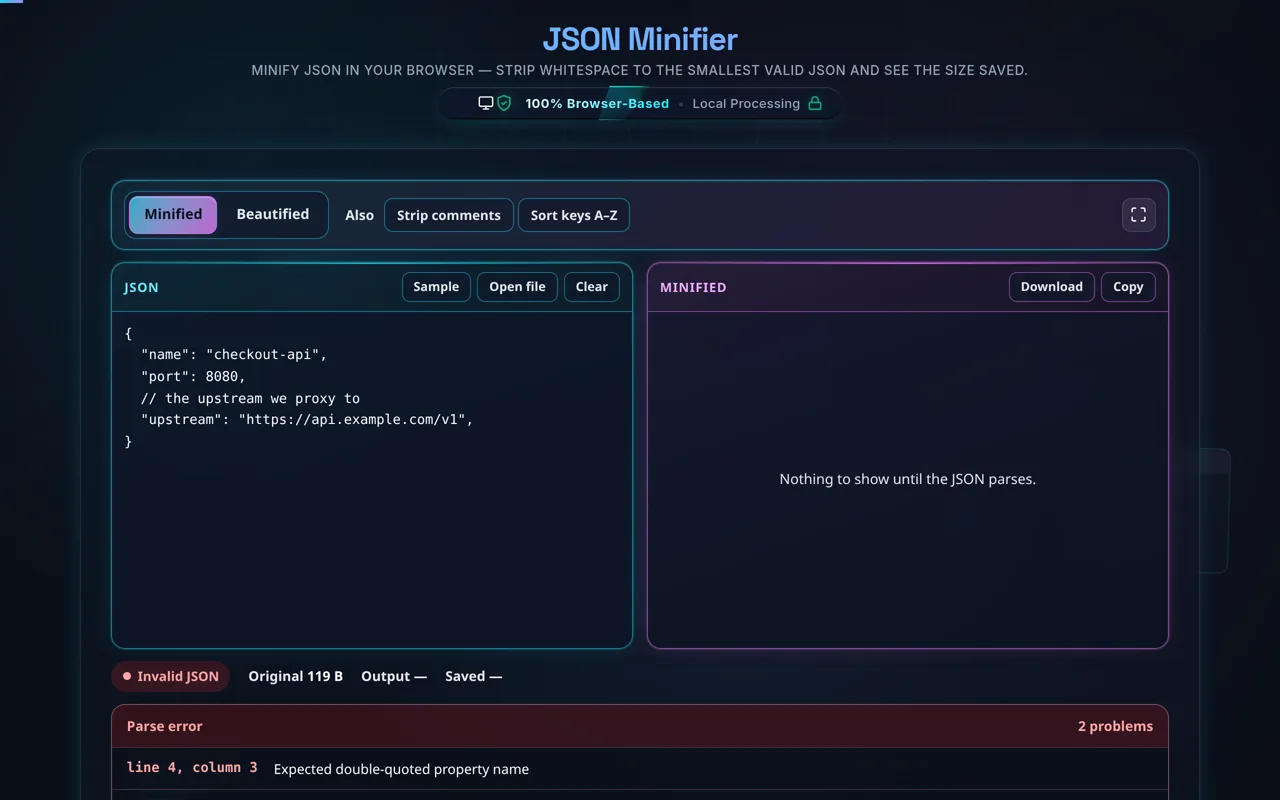
A couple of honest notes. Because it validates first, it won't emit broken JSON — if your input is invalid (say it has comments or a trailing comma, which standard JSON forbids), it tells you rather than mangling it. And on savings: minifying meaningfully reduces size, but for network transport, server compression (gzip or brotli) usually saves more than minifying alone — the good news is they stack, so minified-then-compressed is smaller still. Minifying is most valuable where compression isn't applied, or to keep payloads lean by default.

For the reverse, see the JSON Formatter; to check validity, the JSON Validator.
When a JSON minifier helps

  • Shrinking payloads. Trim API request/response bodies.
  • Config & embeds. Compact JSON stored inline or in attributes.
  • Saving space. Reduce JSON kept in databases or files.
  • Clean diffs of size. See exactly how many bytes you save.
  • Sensitive data. Minify private JSON without uploading it.

How to minify JSON

Paste or load your JSON

Type it, paste it, or open a local file (read in-browser, not uploaded).

Minify

The tool validates then strips all insignificant whitespace to one compact line.

Check the size saved

See bytes before/after and the percentage reduction.

Copy or download

Grab the minified output — it's still valid JSON.

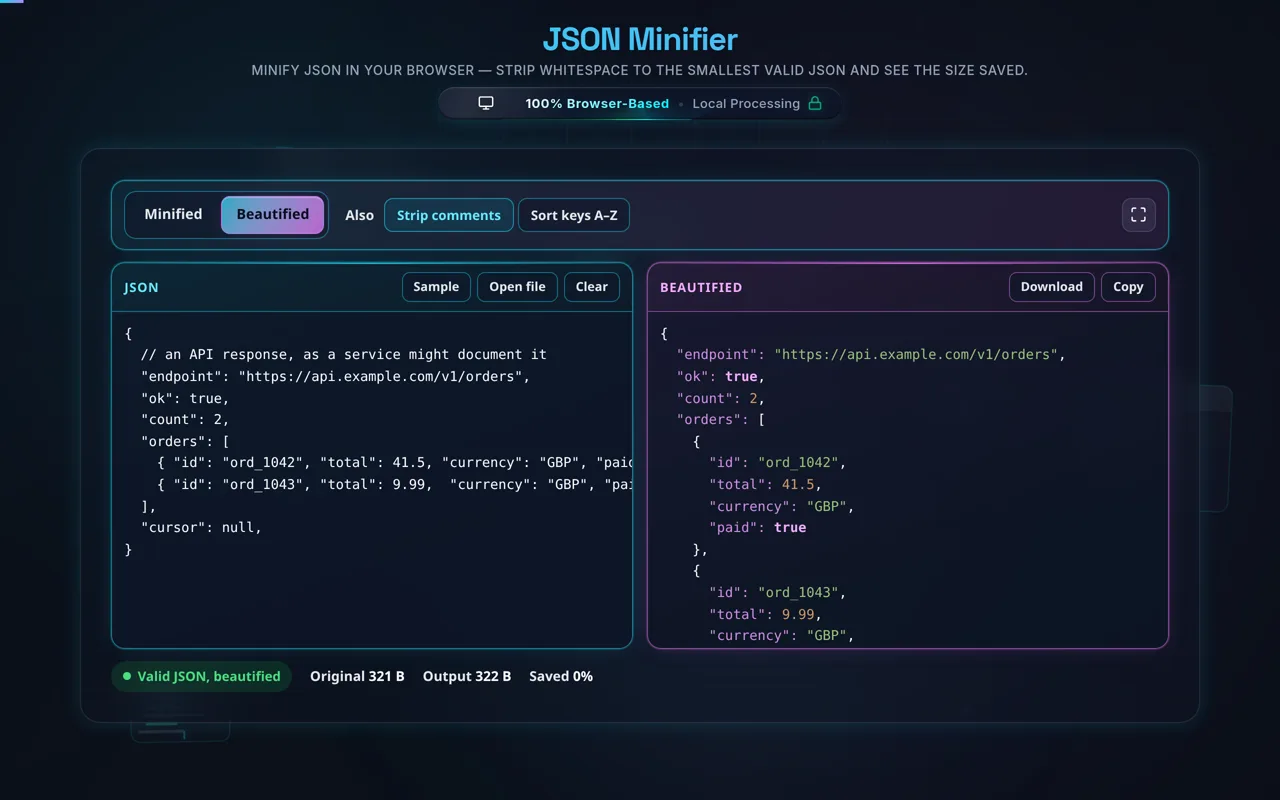
Beautify anytime

Flip back to a readable version if you need to edit it. Nothing is sent anywhere.

Realistic example

A prettily-indented 2 KB config might minify to around 1.3 KB — roughly a third smaller — while parsing to the exact same object. The tool shows the precise saving for your file.

Advanced tip

If this JSON travels over HTTP, enabling gzip/brotli on your server usually saves more than minifying; do both for the smallest transfer.

Common mistake to avoid

Don't paste JSONC (JSON with comments) and expect it to minify — comments aren't valid JSON, and the tool will flag them.

Related

To read minified JSON again, use the JSON Formatter.

What to keep in mind

  • Zero-knowledge and private. Minifying runs in your browser — nothing uploaded, logged, or tracked, and it works offline.
  • Lossless and equivalent. Only whitespace between tokens is removed; the parsed data is identical, and string contents are preserved.
  • Validates first. Invalid JSON is reported, not silently minified into something broken.
  • Gzip usually saves more. For transport, server compression beats minifying alone — but they stack.
  • Large files run locally. Very big JSON is limited by your device, since there's no server.

Frequently Asked Questions

How do I minify JSON?

Paste your JSON (or load a local file) and the tool validates it, then removes all insignificant whitespace — indentation, line breaks, and spaces between tokens — collapsing it to one compact line. It shows the size before and after so you can see the saving. Then copy or download the minified JSON. Everything happens in your browser; nothing is uploaded.

Does minifying change my JSON or its data?

No. Minifying is lossless: it only strips whitespace between tokens, so the result parses to exactly the same object — same keys, same values, same order. Whitespace inside your string values is preserved, because that's meaningful data. The minified JSON is byte-for-byte smaller but semantically identical to the original, and you can beautify it back anytime.

Does this upload my JSON, and does it work offline?

No upload, and yes it works offline. All processing happens in your browser using JavaScript — there's no server receiving your data, no logging, and no tracking. That makes it safe for private API payloads and configs. Once the page has loaded it keeps working with no internet connection, which you can confirm in your browser's network tab.

How much smaller does minifying make JSON?

It depends on how much whitespace the original had. Heavily indented, pretty-printed JSON often shrinks by roughly 20–40%, since indentation and line breaks add up. Already-compact JSON saves little. The tool reports the exact bytes and percentage for your file, so you can see the real saving rather than guess.

Is minified JSON still valid?

Yes. Whitespace between tokens is insignificant in JSON, so removing it leaves fully valid JSON that any parser reads identically. The tool validates your input before minifying, so it only ever outputs valid, equivalent JSON. If your input isn't valid, it reports the error instead of producing broken output.

What's the difference between minifying and gzip compression?

Minifying removes whitespace from the text itself, making the JSON smaller before anything else touches it. Gzip/brotli is compression applied by your server (or a tool) during transfer, which finds and removes redundancy far more aggressively. For network transport, gzip usually saves more than minifying alone — but they stack: minify then compress for the smallest result. Minifying is most useful where compression isn't applied.

Does it remove whitespace inside my string values?

No. Only insignificant whitespace — the spaces, tabs, and newlines between tokens (keys, values, brackets) — is removed. Whitespace inside a string value, like "hello world" or a formatted address, is part of the data and is kept exactly. Minifying never alters the contents of your strings; it only tightens the structure around them.

What happens if my JSON is invalid?

The tool validates before minifying, so if your JSON is malformed it reports the error (with a location) instead of producing broken or partial output. Common causes are trailing commas, comments (not allowed in standard JSON), single quotes, or unclosed brackets. Fix the reported issue — or use the JSON Formatter to find it — and then minify.

Can I reverse it — beautify the JSON again?

Yes. Minifying only removes whitespace, so you can expand it back into readable, indented JSON at any time — the data is identical either way. Use the beautify option here, or the dedicated JSON Formatter to pretty-print with your chosen indentation. Note that minifying doesn't preserve original formatting; beautifying re-indents from scratch.

Can I load a file instead of pasting?

Yes. You can open a local .json file and the tool reads it directly in your browser with the FileReader API — the contents load into the editor without being uploaded anywhere. This is handy for large files or ones you'd rather not copy and paste, and it's exactly as private as pasting the JSON by hand.

Can it minify very large JSON?

Usually yes. Because it runs locally, the limit is your device's memory and CPU rather than a server cap, and modern browsers handle multi-megabyte JSON well. Very large files (tens of MB) can be slow to parse, but there's no upload size limit from us and nothing is sent anywhere — it's purely a matter of local performance.

Is it free, and are there limits?

Yes, completely free — no payment, no signup, no account, and no usage caps or watermarks. Since everything runs in your browser, there's nothing for us to meter; the only practical limit is your device's performance on very large files. Use it as much as you like, including offline once the page has loaded.

Still have questions?

If you can't find the answer you're looking for, feel free to contact our support team.

Contact Us