Format and check your XML — privately
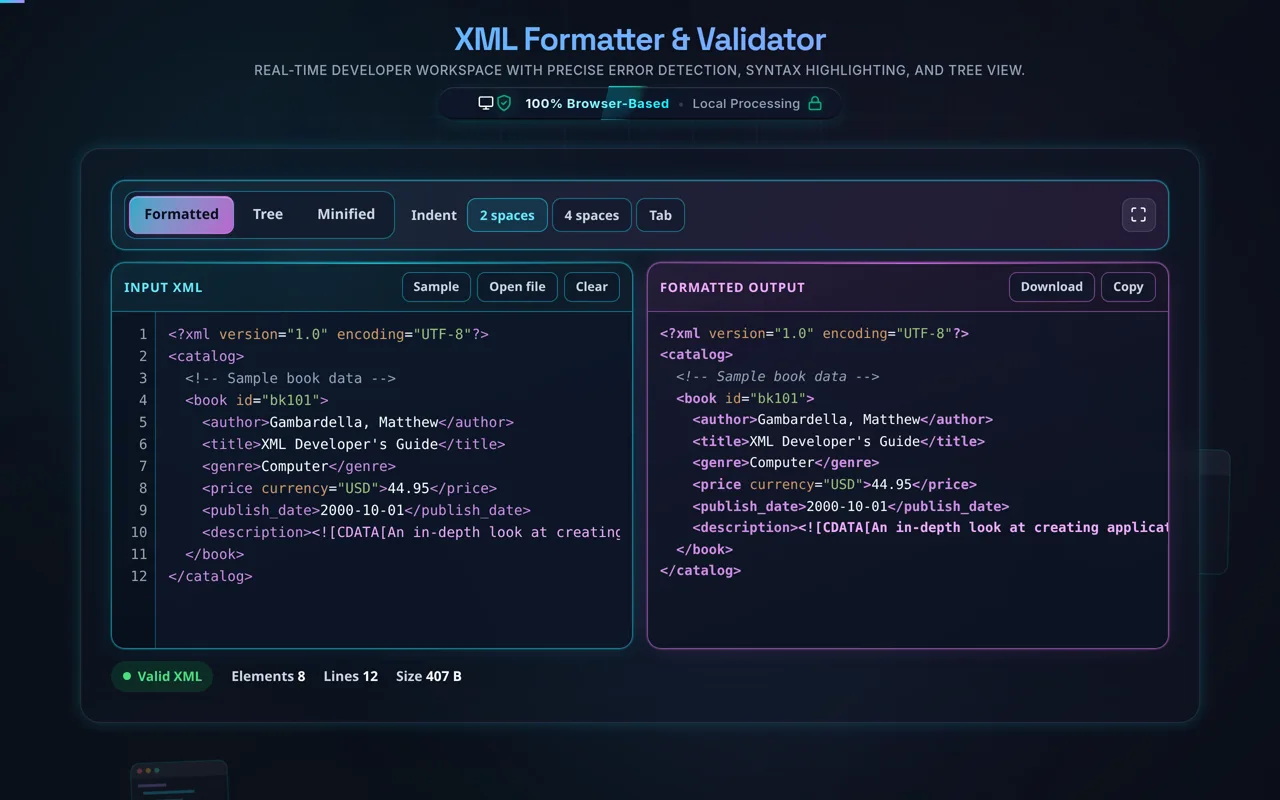
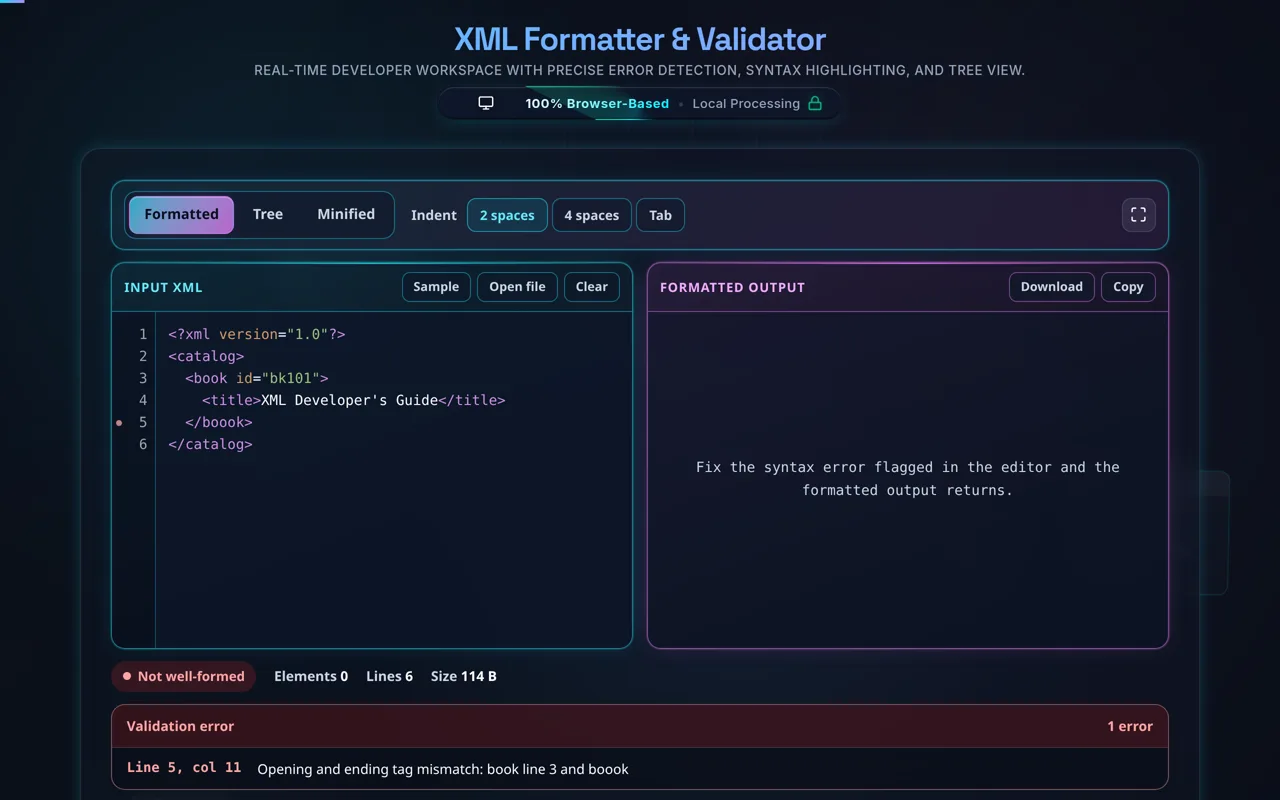
Direct answer: An XML formatter re-indents XML by nesting depth so the structure is readable, and checks that it is well-formed — reporting the first parse error with its line and column. Paste your XML on the left and the formatted result appears on the right; switch the output between Formatted, Tree and Minified, and pick 2 spaces, 4 spaces or a tab. It runs entirely in your browser, so your XML is never uploaded, and it preserves CDATA, comments, processing instructions and whitespace inside xml:space="preserve".
XML shows up in SOAP responses, RSS feeds, config files, and data exports — often minified or awkwardly wrapped. An XML formatter makes it readable: it indents each element according to its nesting depth, adds line breaks, and highlights the syntax, so the document's structure is clear. At the same time it checks well-formedness, telling you if the XML fails to parse and pointing to the first error.
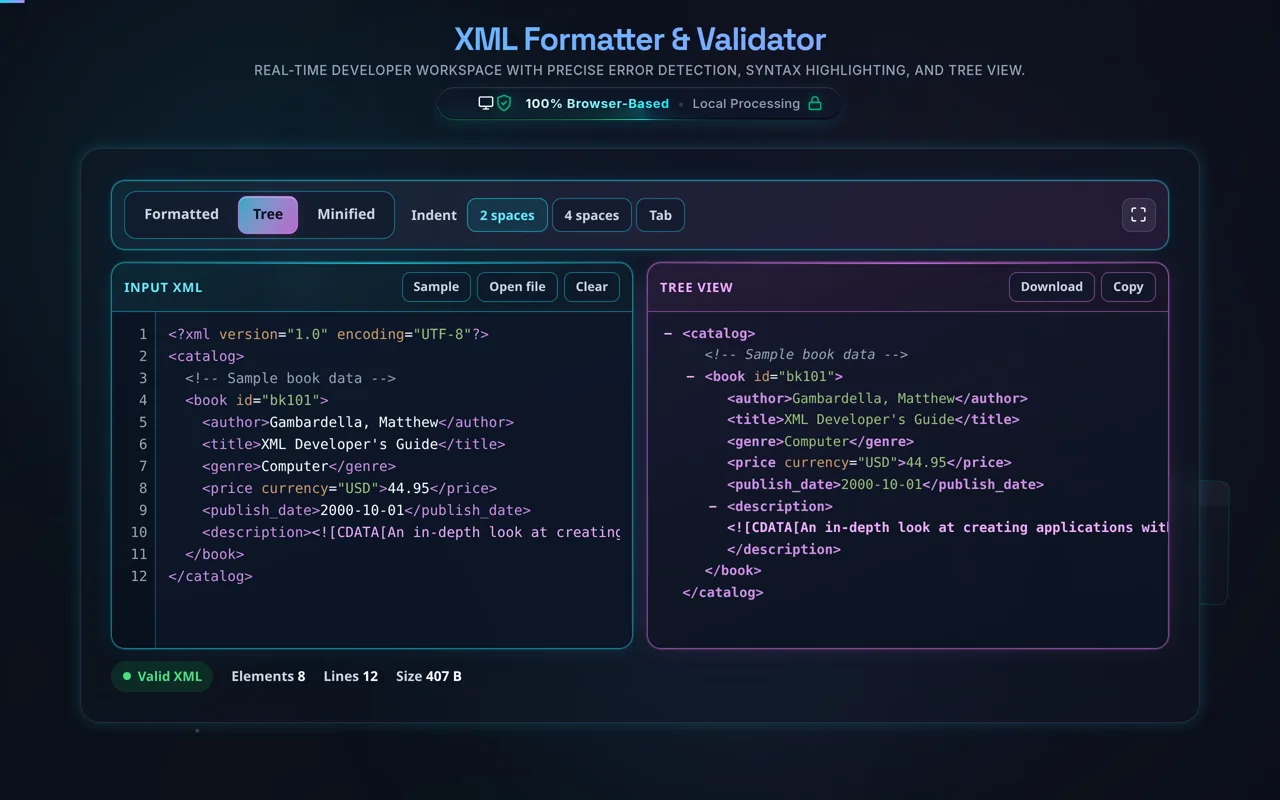
Paste your XML, or use Open file to read a local .xml off your disk, then set the indent to 2 spaces, 4 spaces or a tab. The tool reformats and checks as you type. The output switches between Formatted, a collapsible tree you can expand and collapse to navigate a large document, and Minified; Copy and Download both take whichever of the three is on screen. It preserves CDATA sections, comments, processing instructions, attribute order, and whitespace inside xml:space="preserve", so reformatting never changes what the document means — and it keeps your own XML declaration rather than writing one of its own.
Privacy is the throughline. Everything happens in your browser — no server, no upload, no logging, no tracking. XML frequently carries API payloads and config data; here it never leaves your device, and the tool works offline once loaded.
One important honesty point: this tool checks that your XML is well-formed (it parses correctly — tags matched and nested properly), not whether it's valid against a DTD or XSD schema. Well-formedness is about syntax; validity is about conforming to a defined structure with specific elements, types, and rules. A document can be perfectly well-formed but invalid against a schema. For schema validation, you'll need a dedicated DTD/XSD validator; this tool focuses on formatting and well-formedness.
For related tools, see the JSON Formatter, HTML Formatter, and Excel to XML.