Math Calculators

Free everyday math calculators — percentage, percentage change, discount, sales tax, tip, average, ratio, fraction and scientific.

100% Browser-Based Local Processing

Everyday Math 9

The percentages, splits and conversions that come up in a normal week.

More calculators

The other eight groups, and the full index of all 55.

Privacy Focused

🔒 Local Processing. Your numbers never leave your device.

Instant Results

🌐 Fully Client-Side. Runs instantly in your browser.

No Signup

⚡ No accounts. No API keys. Just open and use.

Browser Based

🚀 No installs, no sign-ups, no server round-trip.

What are the Math Calculators?

Randomly's math calculators handle the arithmetic that comes up in a normal week — percentages and percentage change, discounts and sales tax, tips and splits, averages, ratios, fractions, and a full scientific calculator. Each shows the formula it used, runs entirely in your browser, and needs no signup.

This is the everyday-math group: nine calculators for the sums you actually do rather than the ones from a textbook. Working out what 15% of a bill is, checking whether a sale price is really a saving, splitting a restaurant tab, averaging a set of numbers you have pasted in from somewhere else.

Every one of them shows its working. That matters more here than anywhere else on the site, because these are the calculations people most often need to explain to somebody else — a colleague, a landlord, a teacher. You can read the formula, check it, and reuse it.
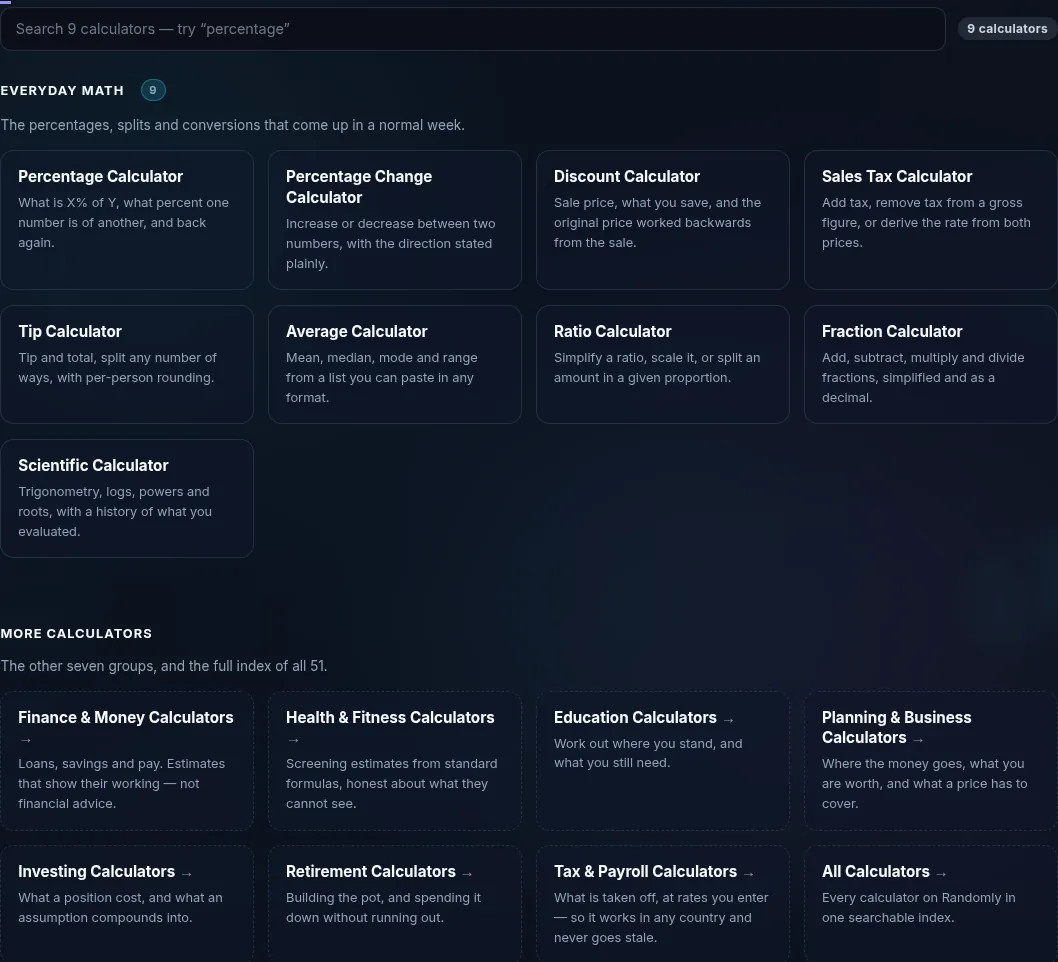
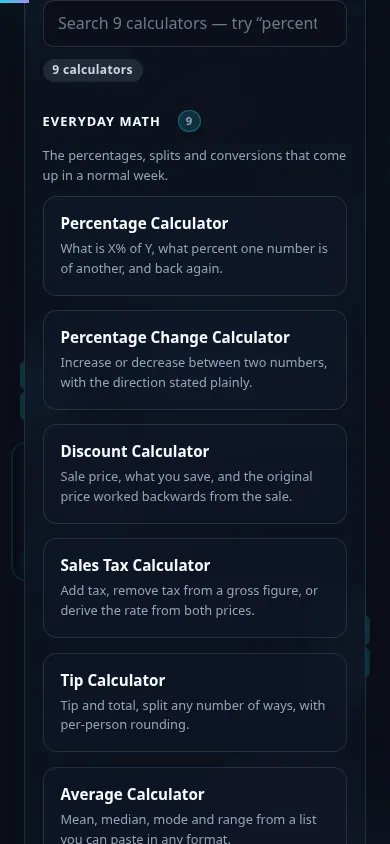
Math Calculators in action

The Everyday Math calculator grid on Randomly in dark mode — 9 cards: Percentage, Percentage Change, Discount, Sales Tax, Tip, Average, Ratio, Fraction, Scientific
Tool grid (9 calculators)
The Everyday Math calculators on a phone, the 9 cards stacked in a single column
Mobile (stacked grid)

Good to know

  • The formula is on the page. Not a black box that returns a number — you can see how the result was reached and verify it by hand.
  • Nothing is uploaded. The arithmetic runs in your browser. Nothing you type is sent anywhere or stored after you close the tab.
  • They handle the reverse question too. Most of these tools work backwards as well as forwards: the original price from a sale price, the tax rate from gross and net, what percent one number is of another.
  • No signup, no limit. Free to use as often as you like, with no account and nothing to install.

Frequently Asked Questions

What math calculators are in this group?

Nine: Percentage, Percentage Change, Discount, Sales Tax, Tip, Average, Ratio, Fraction, and Scientific. Between them they cover the arithmetic that comes up in shopping, bills, schoolwork and everyday planning. Each one is a focused single-purpose tool rather than a mode inside a larger calculator.

Which calculator should I use for percentages?

Use the Percentage Calculator for the three standard questions — what is X% of Y, what percent X is of Y, and X is Y% of what number. If you are comparing two figures over time and want the increase or decrease between them, use the Percentage Change Calculator instead, which states the direction in words as well as a number.

Do these calculators show the formula?

Yes. Every calculator in this group displays the formula and the substituted values it used to reach the answer. That means you can check the result, repeat it by hand, or copy the method into a spreadsheet. It also makes these pages useful as a quick reference when you have forgotten how a calculation is put together.

Is my data sent to a server?

No. All nine calculators run entirely in your browser using JavaScript. The numbers you type never leave your device, nothing is logged, and nothing persists once you close the tab. There is no account, so there is nothing to associate a calculation with you.

Can the discount calculator work backwards?

Yes. As well as taking an original price and a discount percentage to give you the sale price and the amount saved, it will take a sale price and a discount and work out what the original price must have been — useful for checking whether an advertised "was" price is genuine.

How does the tip calculator handle splitting a bill?

Enter the bill, choose a tip percentage, and set the number of people. It gives the tip, the total, and the per-person share, and it handles per-person rounding so the amounts you actually hand over add up to the total rather than leaving a few cents unaccounted for.

What does the average calculator work out?

Mean, median, mode and range from a list of numbers. You can paste the list in more or less any format — separated by commas, spaces, tabs or newlines — and it will parse it, which saves reformatting data copied out of a spreadsheet or a document.

Can I add and simplify fractions?

Yes. The Fraction Calculator adds, subtracts, multiplies and divides fractions, simplifies the result to lowest terms, and converts between improper fractions and mixed numbers. It shows the common denominator it used, so the working is followable rather than just the answer.

Does the sales tax calculator remove tax as well as add it?

It does both. Give it a net figure and a rate to add tax, or a gross figure and a rate to strip the tax back out and see the pre-tax amount. It will also derive the rate itself if you have the gross and net prices but not the percentage.

Are these calculators free?

Yes, entirely. There is no account, no trial period, no usage limit and no paywall on any calculator on Randomly. There is nothing to install either — they are ordinary web pages that work in any modern browser, including on a phone.

Still have questions?

If you can't find the answer you're looking for, feel free to contact our support team.

Contact Us