New Year Countdown

Days, hours and minutes to midnight, in any time zone on Earth

100% Browser-Based Local Processing

New Year

Counting down to midnight in your own time zone

000Days
00Hours
00Min
00Sec

Happy New Year

Year elapsed 0.00%
  • months
  • weeks
  • days
  • hours
Which midnight

    Reading your clock from this browser.

    Around the world first to last
    • Kiritimati
    • Tokyo
    • London
    • New York
    • Niue

    Privacy Focused

    πŸ”’ Local Processing. The values you enter never leave your device.

    Instant Results

    🌐 Fully Client-Side. Runs instantly in your browser.

    No Signup

    ⚑ No accounts. No API keys. Just open and use.

    Browser Based

    πŸš€ No installs, no sign-ups, no conversion limits.

    New Year Countdown: How Long Until Midnight

    This page counts down to midnight on 1 January in days, hours, minutes and seconds. It opens on your own time zone, so there is nothing to set up — the number above is already the answer for where you are standing. It keeps counting whether the tab is in front of you or not, because the time left is read from your system clock on every update rather than counted up by the page.

    New Year is not a single moment. It arrives first in Kiritimati, in the Line Islands, at UTC+14, and reaches the last inhabited islands — Niue and American Samoa at UTC−11 — exactly 25 hours later. The panel on the right sets which of those midnights the big readout is aiming at — search for a town by name, or pick a zone from the list — and the panel underneath it runs five of them side by side so you can watch the wave cross.

    Nothing here is sent anywhere. There is no account, no saved state and no request to a server for any of it: the zone list comes from your own browser and the turnover instants are worked out on your machine. If you want to count down to a date of your own instead, the Countdown Timer does that, and the World Clock shows the current time in those zones rather than the time left in them.
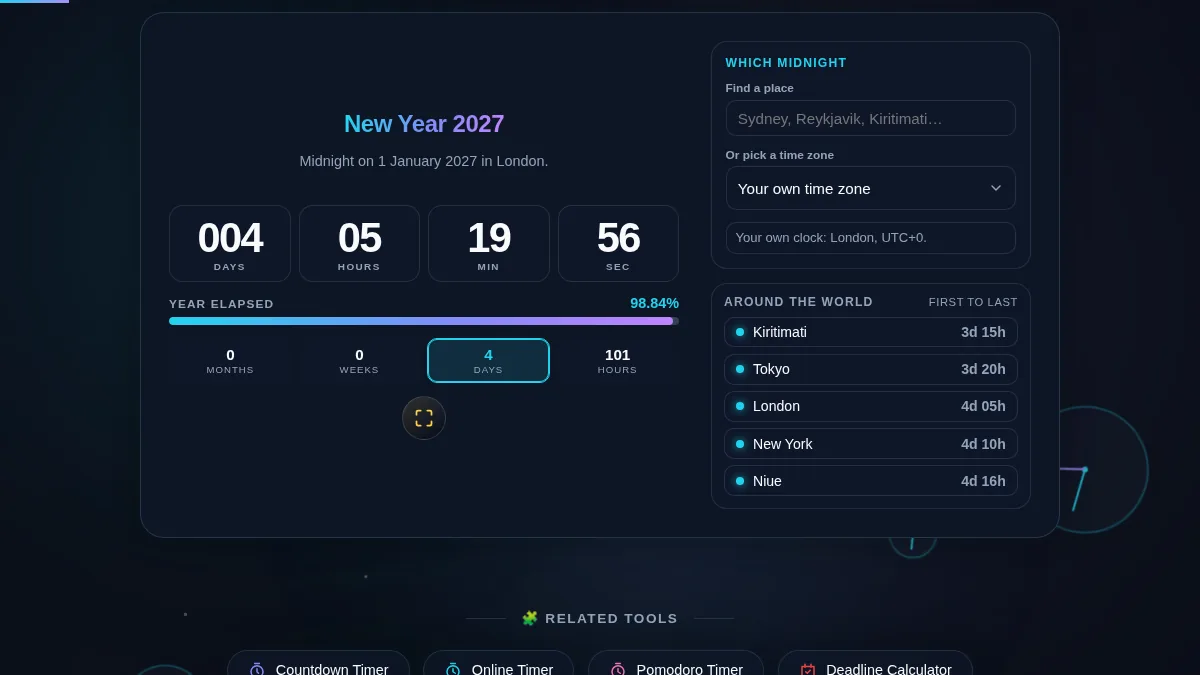
    New Year Countdown workspace with the countdown and milestone bands on the left and the time zone picker and world city countdowns on the right
    The whole tool on one screen: the countdown and its milestone bands on the left, the zone picker and the world panel on the right.

    What the Bar, the Tiles and the World Panel Mean

    Four bands, a year bar and five cities, and what each one is measuring.

    The four small tiles restate the same remaining time in four units, because "nine weeks" and "63 days" prompt different plans even though they are the same Friday. All four are absolute counts of what is left: at nine weeks out they read 2 months, 9 weeks, 63 days and 1,512 hours at the same moment. One tile is lit, and it is always the tightest band that still applies — months until a month is left, then weeks, then days, then hours on the evening itself.

    Year elapsed is the share of the current year that has already passed in the zone you are watching, measured from that zone's own last New Year to its next one. It is a fraction of a year rather than a fraction of the countdown, which is why it reads about 50% at the start of July and moves so little from one day to the next: a whole day is roughly a quarter of one percent. A common year holds 8,760 hours and a leap year 8,784, and the bar divides by whichever one applies.

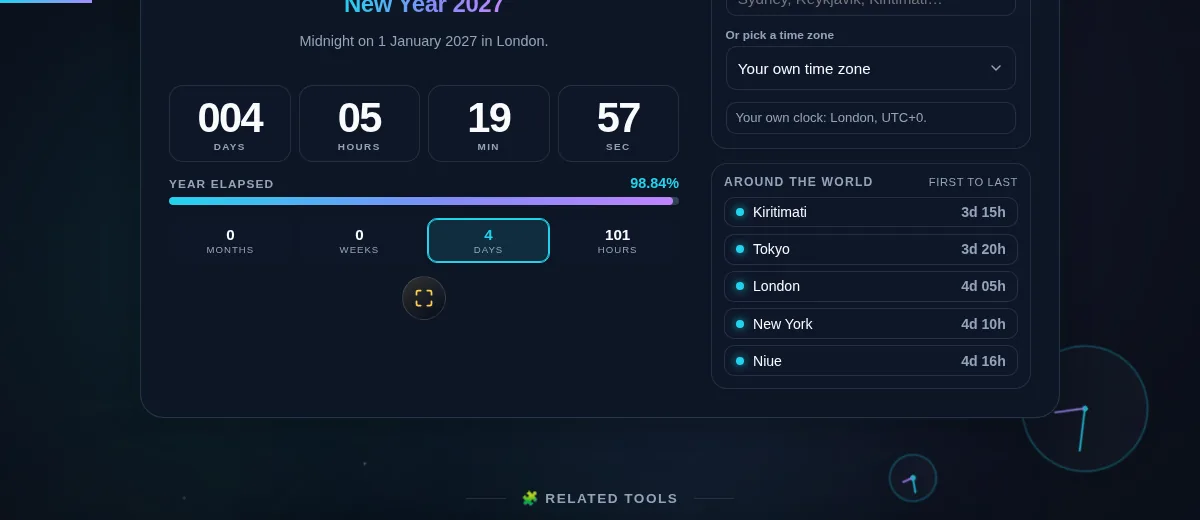
    Around the world runs the same countdown for five places chosen to span the whole arrival: Kiritimati first, then Tokyo, London and New York, and Niue very nearly last. Each row uses its own zone, so they turn over one after another across 25 hours, and a row reads now for five minutes as it arrives. The panel is independent of the dropdown — changing the main zone does not move it.

    The turnover instant itself is not calculated from an offset. No browser API will say when a year begins in a named zone, so the page searches for it: it bisects the stretch from 30 December to 2 January, asking what year that zone's calendar reads at each guess, until it has the millisecond the year changes. That is why zones on a quarter-hour offset are exact rather than approximate — the Chatham Islands at UTC+13:45 and Kathmandu at UTC+05:45 both land on midnight, not fifteen minutes either side of it.

    The New Year Countdown around-the-world panel with Kiritimati, Tokyo, London, New York and Niue counting down to their own midnights, beside the milestone tiles
    Five cities, five different amounts of time left — the same New Year, 25 hours wide.

    How to Use the New Year Countdown

    Five steps, from your own midnight to watching the whole planet cross.

    Step 1: Check which clock you are on

    The countdown opens on your own time zone and the line under the dropdown says which one that is and what its offset from UTC is. If that is the midnight you care about, there is nothing to set — the page is already counting.

    Step 2: Change the zone if you are counting to somewhere else

    Type a town into Find a place — anywhere among 20,000 cities, by its current name, an old one or its country — and pick it from the list. Or open the zone list below it, where thirty-four places are named in the order the New Year reaches them, from Kiritimati at the top to Niue at the bottom, and every zone the browser knows joins them the first time you open it. Either way the countdown, the year bar and the milestone tiles move together.

    Step 3: Read the four tiles under the bar

    They restate the same remaining time as months, weeks, days and hours, and exactly one of them is lit — the tightest band that still applies. In October it is months; in the last week of December it is days; on the evening itself it is hours. That highlight moving is a better signal than the raw number.

    Step 4: Put it on the big screen

    The expand button under the countdown fills the screen with the year and the clock alone, dropping the zone picker and the world panel. It is meant for a laptop turned to face a room. Press it again, or press Escape, to come back.

    Step 5: Watch the wave cross the world

    Leave the Around the world panel in view on the night. Kiritimati arrives first, and each row below it turns over in turn until Niue, 25 hours later. Inside the final minute the main countdown clears everything but the clock, and at midnight it swaps to the greeting.

    Frequently Asked Questions

    Which midnight is the countdown counting to?

    Whichever one you pick, and it opens on your own. There are two ways to change it: type a place into Find a place and pick it out of the results, which searches 20,000 cities and understands old names and country names as well as current ones, or open the zone list underneath and choose from it. Choose Kiritimati and you are counting to the first New Year on Earth; choose Niue and you are counting to very nearly the last. Those two are exactly 25 hours apart, so on 31 December the same page can read "already gone" for one and "a day to wait" for the other. The sentence under the dropdown always names the zone and its offset, so there is no guessing which clock you are watching.

    How does the page know when the year turns in a place with a 45-minute offset?

    It searches for the moment rather than calculating it. There is no browser API that answers "when does the year roll over in Chatham", so the page bisects the stretch between 30 December and 2 January, asking the browser what year that zone's calendar reads at each guess, until it has the exact millisecond the year changes. That approach does not care whether an offset is a whole hour, a half hour or a quarter: Chatham at UTC+13:45 and Kathmandu at UTC+05:45 land on midnight exactly, and so does every zone that changes its clocks in between.

    Does the countdown keep time if I leave the tab or lock the screen?

    Yes, and it does not have to stay awake to do it. The page never counts a number upwards; five times a second it reads the gap between now and the target from your system clock, so the figure is worked out fresh rather than accumulated. Browsers throttle hidden tabs and stop animation frames outright, which is why a countdown built the other way quietly loses time every evening it is left running. Come back from a long dinner and it is already right.

    What is the "Around the world" panel showing?

    The same countdown for five places spread across the whole span of New Year, from the first to nearly the last: Kiritimati, Tokyo, London, New York and Niue. Each row runs on its own zone, so they cross midnight one after another over 25 hours and a row switches to "now" as it arrives. It is the clearest way to see that New Year is not an instant but a wave, and it keeps running whichever zone the main countdown is set to.

    Does the New Year Countdown work on a phone?

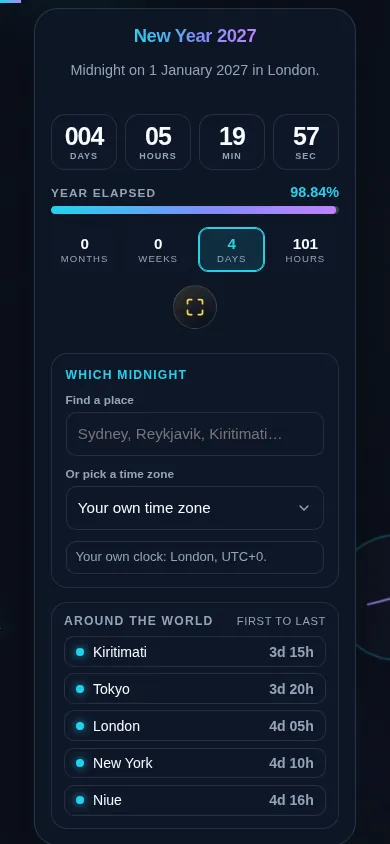
    Yes. Below 768px the two columns stack into one: the year, the countdown, the year-elapsed bar and the four milestone tiles come first, with the zone picker and the world panel below them. Every control clears 44px, the city search and the zone list are both full listboxes you can drive with a thumb or a keyboard, and fullscreen fills the screen for a countdown you want propped up somewhere at a party.

    New Year Countdown on a 390px phone with the year, the days, hours, minutes and seconds readout, the year-elapsed bar and the four milestone tiles stacked in one column
    The New Year Countdown on a phone — one column, with the year and the countdown in the first screen.

    Still have questions?

    If you can't find the answer you're looking for, feel free to contact our support team.

    Contact Us