SQL Formatter

Beautify and indent SQL in your browser — clauses on their own lines, tidy keyword case.

100% Browser-Based Local Processing
Raw SQL
Formatted Result
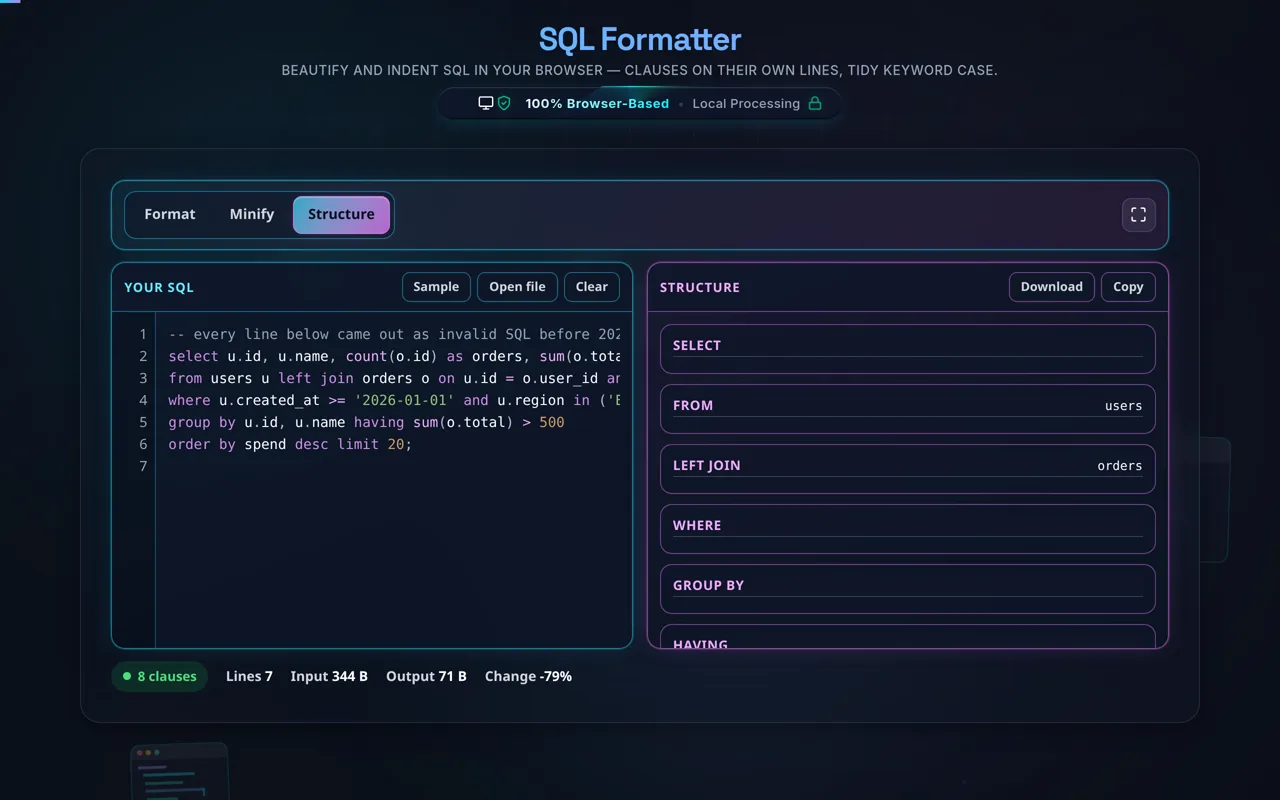
Query Structure
  • Enable preview to parse logical structure.
Copied to clipboard!

Privacy Focused

🔒 Local Processing. Your code never leaves your device.

Instant Results

🌐 Fully Client-Side. Runs instantly in your browser.

No Signup

⚡ No accounts. No API keys. Just open and use.

Browser Based

🚀 No installs, no CLI, no build step.

Beautify your SQL — readable and private

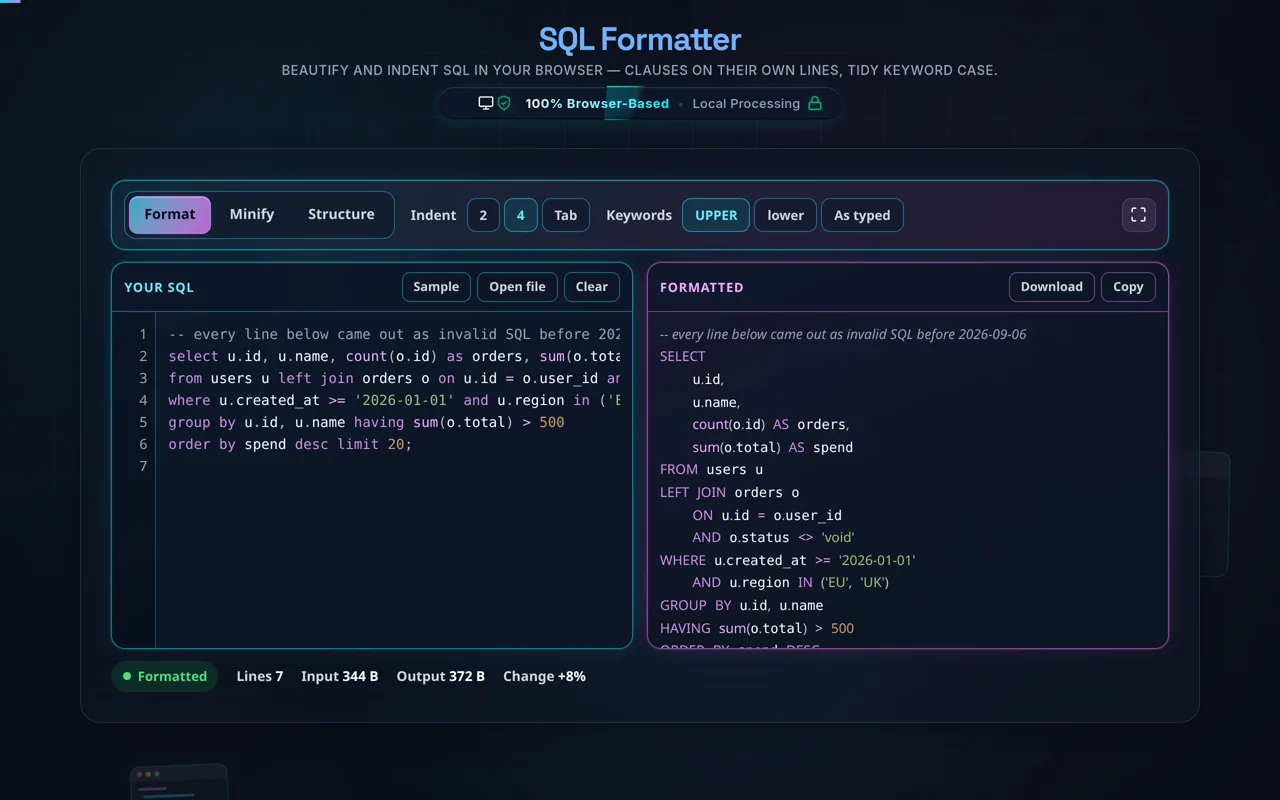
An SQL Formatter re-lays-out a messy query so each major clause — SELECT, FROM, WHERE, JOIN, GROUP BY, ORDER BY — sits on its own line with consistent indentation and tidy keyword case. This one runs entirely in your browser: it never runs your query, and your SQL is never uploaded.

A complex query crammed onto one line is painful to read and review. An SQL formatter fixes that by putting each major clause on its own line — SELECT, FROM, WHERE, JOIN, GROUP BY, HAVING, ORDER BY — indenting subqueries and JOIN conditions, and standardising keyword case so the structure of the query is obvious at a glance.

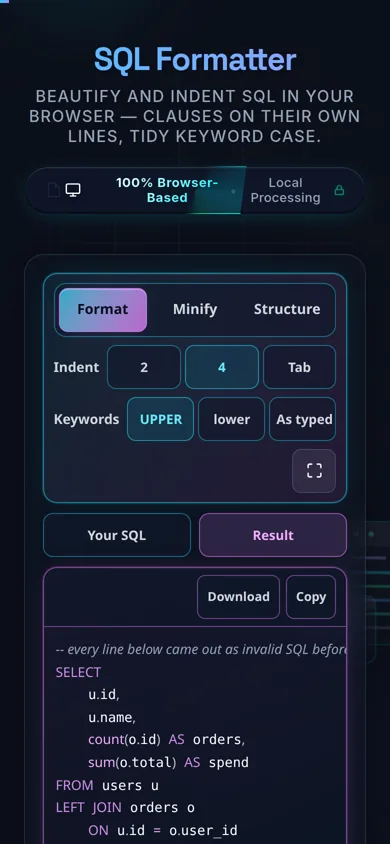
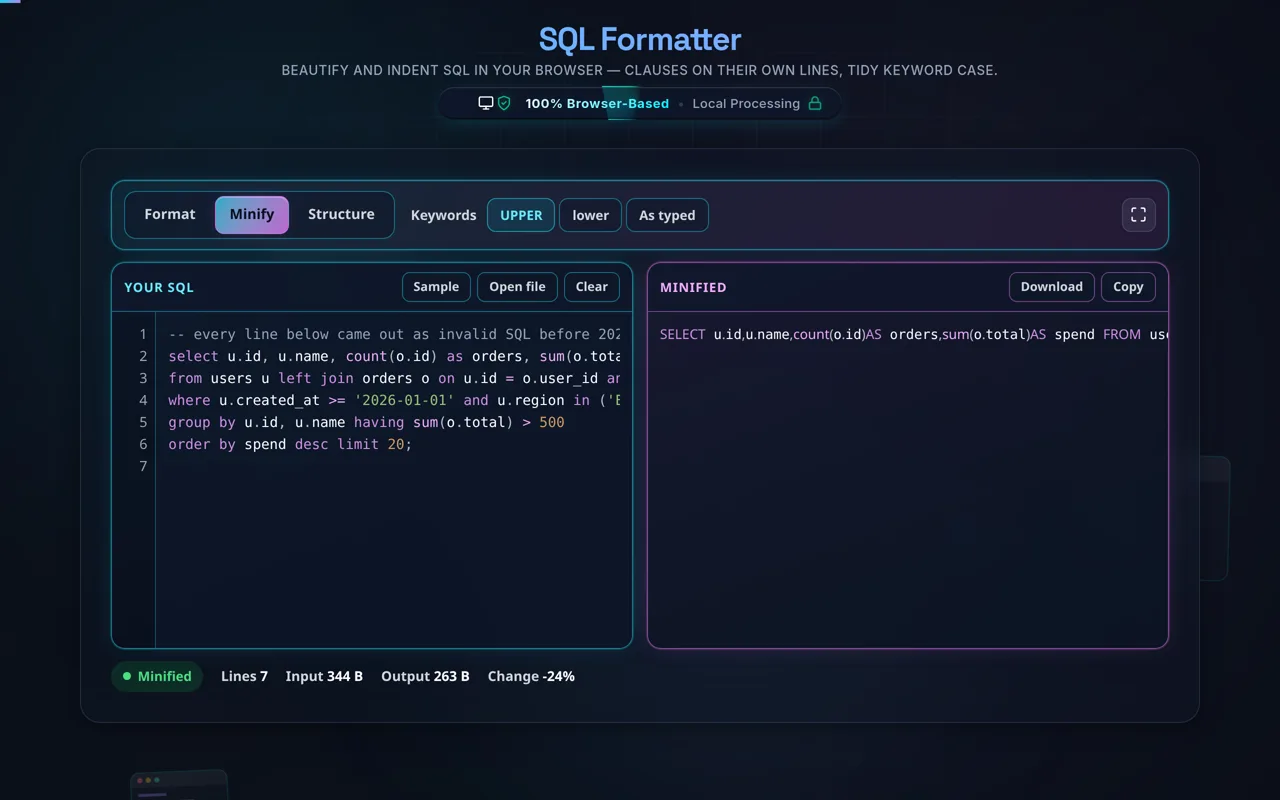
Paste your SQL or load a local file, choose your indentation (2 spaces, 4 spaces, or a tab), pick a keyword case (UPPERCASE is traditional for readability) and a dialect hint if you like, and the tool reformats the query instantly with highlighting. Strings and comments are preserved exactly. When you're done, copy or download the tidy result, or compact it back to one line.

Privacy is especially important for SQL. Queries frequently reveal table and column names, business logic, and sometimes literal values — so it matters that everything here happens in your browser. There's no server, no upload, no logging, and no tracking, and, crucially, the tool never connects to a database or executes your query — it only re-lays-out the text. It works offline once loaded, and you can verify the lack of network calls yourself.

Two honest notes. Formatting is cosmetic: it changes layout only, never what the query does or returns. And it's a beautifier, not a validator, linter, or optimiser — it won't check your SQL against a real database, catch syntax errors, or improve performance. Because SQL dialects differ (MySQL, PostgreSQL, SQL Server/T-SQL, Oracle), exotic vendor-specific syntax may format slightly imperfectly, though your identifiers and strings are always preserved.

For related data work, see the JSON Formatter, CSV to JSON, and JSON to CSV.
When an SQL formatter helps

  • Code review. Make a teammate's one-line query readable.
  • Debugging. See clauses and JOINs clearly to spot issues.
  • Documentation. Tidy queries before pasting into docs or tickets.
  • Learning. Understand a complex query by its structure.
  • Sensitive queries. Format SQL with private table names without uploading it.

How to format SQL

Paste or load your SQL

Type it, paste it, or open a local .sql file (read in-browser, not uploaded).

Choose indentation and keyword case

2/4 spaces or tab; UPPERCASE or lowercase keywords.

Format

The tool puts each major clause on its own line and indents subqueries and JOIN conditions.

Review preserved parts

Strings and comments are kept exactly as written.

Copy or download

Grab the formatted (or compacted) query. Nothing is sent anywhere, and it's never run.

Realistic example

Paste select id,name from users u join orders o on o.user_id=u.id where u.active=1 order by name and it expands into clean, aligned clauses with uppercase keywords — much easier to review.

Advanced tip

Uppercase keywords with each clause on its own line makes diffs and code review far clearer, which is why many style guides prefer it.

Common mistake to avoid

Don't expect the formatter to validate or run your SQL — it only lays it out. Test correctness against your database.

Related

Working with query results? Try CSV to JSON.

What to keep in mind

  • Zero-knowledge and private. Formatting runs in your browser — nothing uploaded, logged, or tracked, and it works offline.
  • It never runs your query. No database connection, no execution — it only re-lays-out the text.
  • Cosmetic only. It changes layout, not what the query does or returns.
  • Not a validator or optimiser. It won't check syntax against a DB, catch errors, or improve performance.
  • Dialects vary. MySQL, PostgreSQL, T-SQL, and Oracle differ; exotic syntax may format imperfectly, but strings and identifiers are preserved.

Frequently Asked Questions

How do I format an SQL query?

Paste your SQL (or load a local file), choose an indentation and keyword case, and the tool puts each major clause — SELECT, FROM, WHERE, JOIN, GROUP BY, ORDER BY — on its own line, indents subqueries and JOIN conditions, and tidies the casing. A cramped one-line query becomes clear and reviewable. Then copy or download the result — nothing leaves your browser.

Does this upload my SQL, and does it work offline?

No upload, and yes it works offline. All formatting happens in your browser using JavaScript — there's no server receiving your query, no logging, and no tracking. That matters because SQL often contains private table and column names. Once the page has loaded it keeps working with no internet connection, which you can confirm in your browser's network tab.

Does it run my query or connect to my database?

No — never. The formatter only re-lays-out the text of your query; it doesn't connect to any database, execute anything, or touch your data. That means it can't return results, and it also can't leak data or cause side effects. It's purely a text-layout tool, which is exactly why it's safe to paste sensitive queries into.

Does formatting change what my query returns?

No. Formatting changes only whitespace, line breaks, and keyword case, none of which affect how SQL is parsed or executed — so the query means exactly the same thing and returns the same results. Keyword case is cosmetic (SQL keywords are case-insensitive), and identifiers and string literals are preserved verbatim. Your query behaves identically before and after.

Can I choose keyword case (UPPER vs lower)?

Yes. You can format keywords as UPPERCASE (the traditional, most readable convention that makes clauses stand out) or lowercase, depending on your style guide. It only affects SQL keywords like SELECT and WHERE — your table names, column names, and string values are left exactly as you wrote them, since those can be case-sensitive in some databases.

Which SQL dialects does it support?

It handles standard SQL and the common clauses used across MySQL, PostgreSQL, SQL Server (T-SQL), SQLite, and Oracle well. Because dialects differ in vendor-specific syntax, some exotic constructs may format slightly imperfectly. A dialect hint helps, and in all cases your strings, comments, and identifiers are preserved — so even if layout differs, the query's meaning is unchanged.

What indentation should I use?

It's a style choice. 2 spaces keeps queries compact; 4 spaces is more spread out and can make nested subqueries clearer; a tab lets each editor set its own width. Indentation is purely cosmetic and doesn't affect the query, so pick whatever matches your team's conventions. Consistent indentation is what makes long queries with JOINs and subqueries readable.

Does it validate or optimise my SQL?

No. It's a beautifier, not a validator, linter, or optimiser. It won't check your SQL against a database schema, catch syntax errors, warn about missing indexes, or rewrite the query for performance. It simply lays out whatever you give it. To validate or optimise, run the query against your database and use your DB's query planner (EXPLAIN) and tooling.

Can it format very long or complex queries with subqueries and JOINs?

Yes — that's where it helps most. Long queries with multiple JOINs, nested subqueries, CTEs, and many conditions are exactly the ones that become unreadable on one line. The formatter indents subqueries and ON conditions to show their structure, so you can follow the logic. Because it runs locally, large queries are limited only by your device's performance.

Can I load a .sql file instead of pasting?

Yes. You can open a local .sql file and the tool reads it directly in your browser with the FileReader API — the contents load into the editor without being uploaded anywhere. This is handy for longer scripts or ones you'd rather not copy and paste, and it's exactly as private as pasting the query by hand.

Does it preserve strings and comments?

Yes. String literals (like 'active') and comments (-- ... or /* ... */) are preserved exactly, because changing them could alter the query's meaning. The formatter only re-lays-out the surrounding SQL structure and adjusts keyword case. This ensures the formatted query is functionally identical to the original — just far easier to read.

Is it free, and are there limits?

Yes, completely free — no payment, no signup, no account, and no usage caps or watermarks. Since everything runs in your browser, there's nothing for us to meter; the only practical limit is your device's performance on very large queries. Use it as much as you like, including offline once the page has loaded.

Still have questions?

If you can't find the answer you're looking for, feel free to contact our support team.

Contact Us