CSS Formatter & Validator

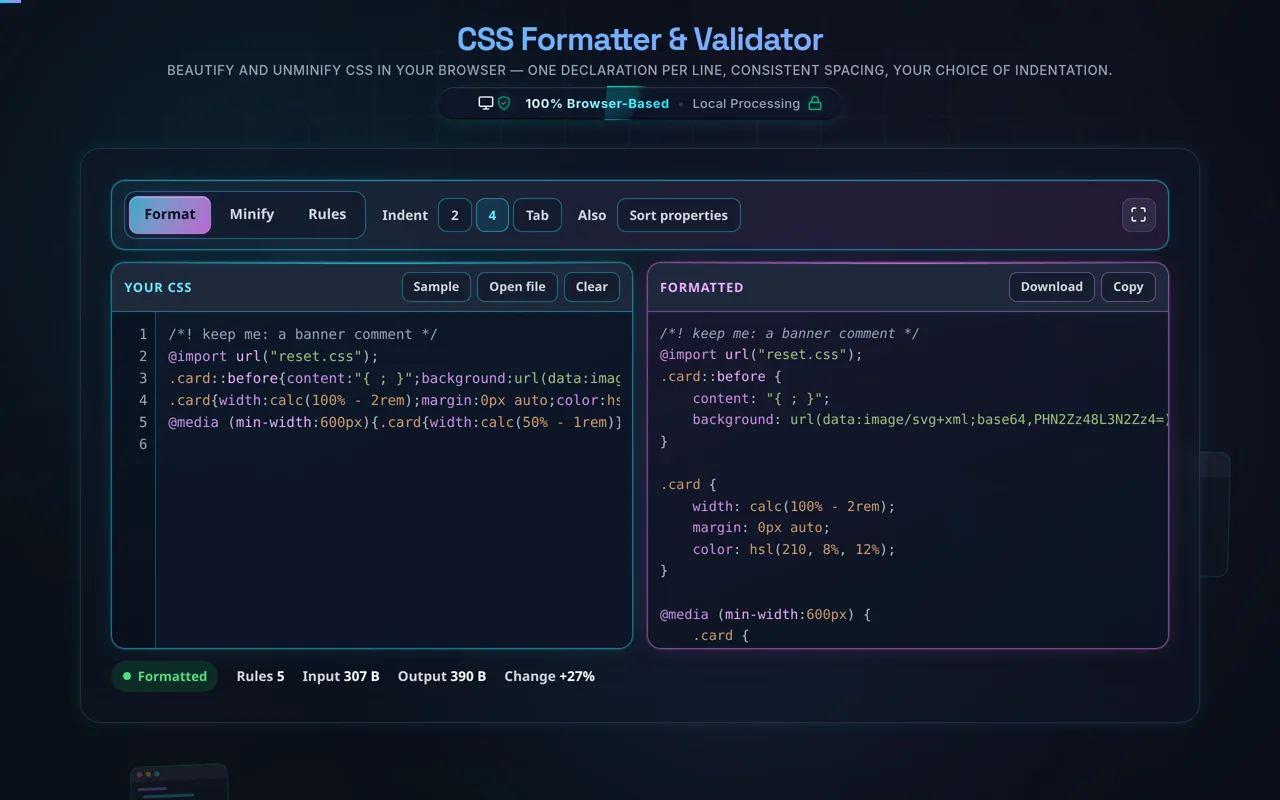
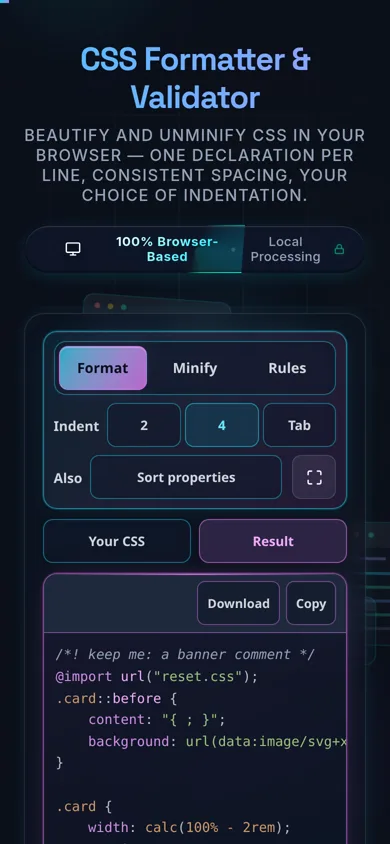
Beautify and unminify CSS in your browser — one declaration per line, consistent spacing, your choice of indentation.

100% Browser-Based Local Processing

Instantly beautify, minify, and analyze your stylesheets client-side.

Waiting for input...
Raw CSS
Parse CSS to view structure.

Privacy Focused

🔒 Local Processing. Your code never leaves your device.

Instant Results

🌐 Fully Client-Side. Runs instantly in your browser.

No Signup

⚡ No accounts. No API keys. Just open and use.

Browser Based

🚀 No installs, no CLI, no build step.

Beautify your CSS — cleanly and privately

A CSS Formatter re-lays-out messy or minified CSS so each rule sits in its own block with one declaration per line and consistent spacing around braces, colons, and semicolons. This one runs entirely in your browser — your CSS is never uploaded — and it indents nested at-rules like @media.

Minified stylesheets and hurried edits are hard to read and harder to debug. A CSS formatter fixes that: it puts each selector block on its own lines, places one declaration per line, and applies consistent spacing around braces, colons, and semicolons — turning a compressed string into a clear, scannable stylesheet.

Paste your CSS or load a local file, choose your indentation (2 spaces, 4 spaces, or a tab), and the tool reformats it instantly with highlighting. It correctly indents nested at-rules@media, @supports, @keyframes — so their inner rules sit at the right depth, and it preserves your comments. When you're done, copy or download the result, or flip to minify for production.

Like every tool here, it's built around privacy. All formatting happens in your browser — there's no server, no upload, no logging, and no tracking of your stylesheet. Developers regularly paste proprietary CSS or minified vendor code; here it never leaves your device, and the tool works offline once loaded.

Some honest limits. Formatting is cosmetic: it changes whitespace and layout, not which rules apply, the cascade, or specificity — your styles behave identically. It's a beautifier, not a linter or autoprefixer: it won't add vendor prefixes, remove unused rules, or flag errors. And it targets plain CSS — if you paste SCSS or LESS, preprocessor-specific syntax (nesting, variables, mixins) may not format perfectly, since those are compiled languages rather than CSS.

For the reverse, see the CSS Minifier; for markup and scripts, the HTML Formatter and JavaScript Formatter; and to convert color values, the Color Code Converter.
When a CSS formatter helps

  • Unminifying. Expand a minified stylesheet into readable CSS.
  • Debugging. See rules clearly, one declaration per line.
  • Cleaning edits. Tidy inconsistent spacing after hand-editing.
  • Reading vendor CSS. Make third-party or DevTools CSS legible.
  • Sensitive stylesheets. Format proprietary CSS without uploading it.

How to format CSS

Paste or load your CSS

Type it, paste it, or open a local file (read in-browser, not uploaded).

Choose your indentation

2 spaces, 4 spaces, or a tab.

Format

The tool lays out one declaration per line with consistent spacing and indents nested at-rules.

Review comments and at-rules

Comments are preserved; @media/@keyframes are indented correctly.

Copy or download

Grab the formatted (or minified) output. Nothing is sent anywhere.

Realistic example

Paste body{margin:0;font:16px/1.5 sans-serif}a{color:#06c} and it expands to two tidy rule blocks, each declaration on its own line, easy to read and edit.

Advanced tip

After formatting, use the Color Code Converter if you need to switch a value between HEX, RGB, and HSL.

Common mistake to avoid

Don't expect the formatter to add vendor prefixes or fix errors — it lays out what you give it. Use a linter/autoprefixer for those.

Related

To shrink CSS for production, use the CSS Minifier.

What to keep in mind

  • Zero-knowledge and private. Formatting runs in your browser — nothing uploaded, logged, or tracked, and it works offline.
  • Cosmetic only. It changes layout, not which rules apply, the cascade, or specificity.
  • Not a linter or autoprefixer. It won't add prefixes, remove dead rules, or flag errors.
  • Preprocessor caveat. It targets plain CSS; SCSS/LESS-specific syntax may not format perfectly.
  • Large files run locally. Very big stylesheets are limited by your device, since there's no server.

Frequently Asked Questions

How do I beautify or format CSS?

Paste your CSS (or load a local file), choose an indentation of 2 spaces, 4 spaces, or a tab, and the tool lays each rule out with one declaration per line and consistent spacing around braces, colons, and semicolons. A minified or messy stylesheet becomes clean and readable. Then copy or download the result — nothing leaves your browser.

Does this upload my CSS, and does it work offline?

No upload, and yes it works offline. All formatting happens in your browser using JavaScript — there's no server receiving your stylesheet, no logging, and no tracking of your content. That makes it safe for proprietary or vendor CSS. Once the page has loaded it keeps working with no internet connection, which you can confirm in your browser's network tab.

Does formatting change which styles apply?

No. Formatting only changes whitespace and layout, which CSS ignores, so the exact same rules apply in the exact same order — the cascade and specificity are untouched. Your page looks identical before and after. The tool simply makes the stylesheet readable; it never adds, removes, or reorders rules in a way that affects how styles resolve.

What indentation should I use?

It's a style choice. 2 spaces keeps stylesheets compact and is a common default; 4 spaces is more spread out; a tab lets each editor set its own width. Indentation is purely cosmetic and doesn't affect how CSS applies, so pick whatever matches your project's or team's conventions. You can always reformat with a different setting later.

Can it unminify (expand) minified CSS?

Yes — that's a core use. Minified CSS crams everything onto as few lines as possible; the formatter reverses that, giving each rule its own block and each declaration its own line with proper spacing. The result is functionally identical but readable, so you can inspect or edit a stylesheet that shipped minified. (It can't recover original comments that minification removed, though.)

What's the difference between formatting and minifying CSS?

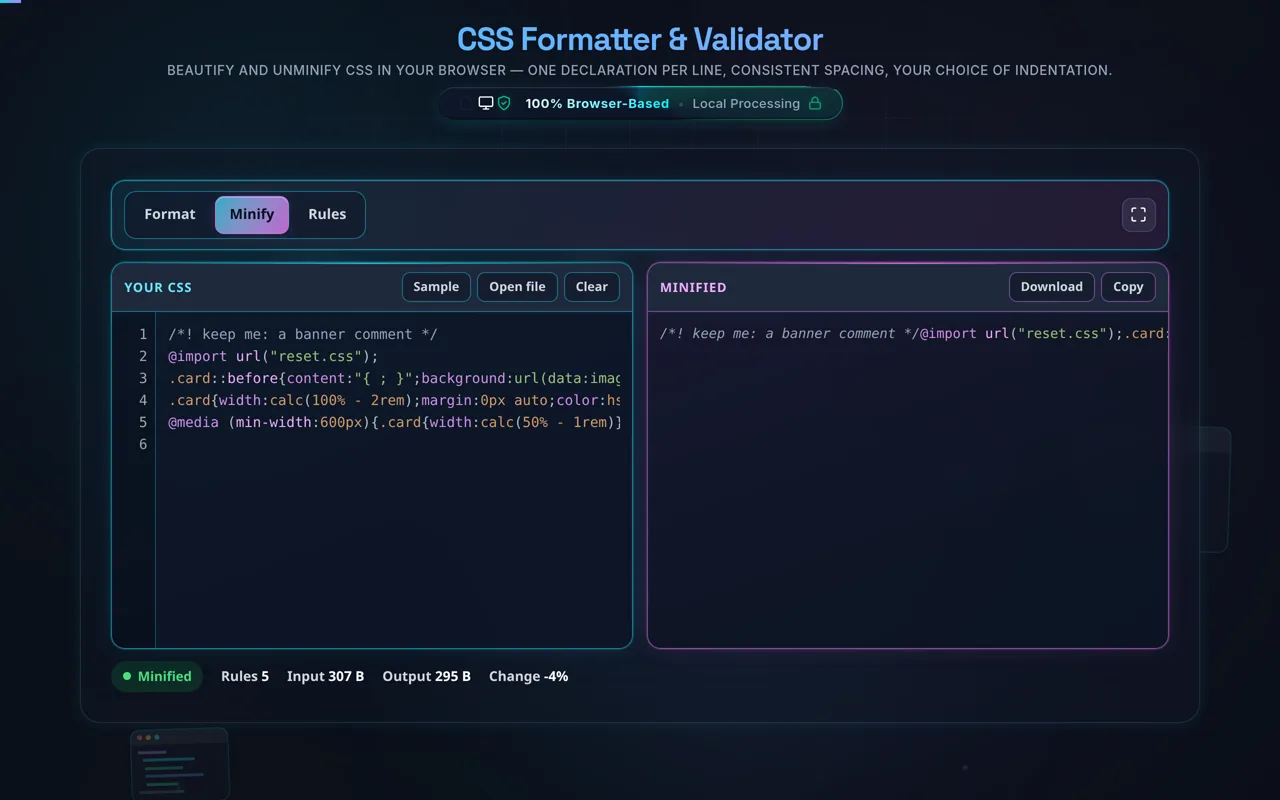
Formatting (beautifying) adds indentation and line breaks to make CSS readable; minifying removes whitespace, comments, and redundancy to make the file as small as possible for faster loading. You beautify while developing and minify for production. This tool beautifies (and can minify) — or use the dedicated CSS Minifier for the reverse.

Does it add vendor prefixes or lint my CSS?

No. It's a beautifier, not a linter or autoprefixer. It won't add -webkit-/-moz- prefixes, remove unused or duplicate rules, warn about invalid properties, or optimise your stylesheet. It only lays out the CSS you give it cleanly. For prefixing and linting, use tools like Autoprefixer and stylelint as part of your build.

Does it handle @media, @keyframes, and nested at-rules?

Yes. At-rules like @media, @supports, and @keyframes contain nested rules, and the formatter indents those inner rules to the correct depth so the structure stays clear. This is important for responsive stylesheets, where media queries can nest several rules — beautifying keeps that nesting obvious rather than flattening it.

Does it work with SCSS or LESS?

Partly. The formatter targets plain CSS, so standard CSS inside an SCSS/LESS file will lay out fine, but preprocessor-specific syntax — nesting, variables, mixins, & references — may not format perfectly, because those are compiled languages rather than CSS. For SCSS/LESS specifically, a preprocessor-aware formatter (like one built into your editor or a Prettier plugin) will do a better job.

Can I load a CSS file instead of pasting?

Yes. You can open a local .css file and the tool reads it directly in your browser with the FileReader API — the contents load into the editor without being uploaded anywhere. This is convenient for larger stylesheets or ones you'd rather not copy and paste, and it's exactly as private as pasting the CSS by hand.

Can it format very large CSS?

Usually yes. Because it runs locally, the limit is your device's memory and CPU rather than a server cap, and modern browsers handle large stylesheets well. Very large or heavily nested files can get slow, but there's no upload size limit from us and nothing is sent anywhere — it's purely a matter of local performance.

Is it free, and are there limits?

Yes, completely free — no payment, no signup, no account, and no usage caps or watermarks. Since everything runs in your browser, there's nothing for us to meter; the only practical limit is your device's performance on very large stylesheets. Use it as much as you like, including offline once the page has loaded.

Still have questions?

If you can't find the answer you're looking for, feel free to contact our support team.

Contact Us