DST Checker

Is Daylight Saving On, And When Does It Change

100% Browser-Based Local Processing
Daylight saving
Zone and date
    Zone id
    Status on that date
     
    Offset in force
    Standard offset
    Abbreviation
    Clock changes in  

    Every verdict, offset and transition on this page is worked out in your browser from its own time-zone database. The zone you pick and the date you type are never uploaded or stored.

    Privacy Focused

    🔒 Local Processing. The values you enter never leave your device.

    Instant Results

    🌐 Fully Client-Side. Runs instantly in your browser.

    No Signup

    ⚡ No accounts. No API keys. Just open and use.

    Browser Based

    🚀 No installs, no sign-ups, no conversion limits.

    Two Questions, And The Second Is The Expensive One

    "Is daylight saving on there?" is quick to answer and rarely the thing that costs anybody time. The question underneath it is when the clocks change, because the gap between two countries is not constant: the United Kingdom moves on the last Sunday in March and the United States on the second, so for about two weeks every spring London and New York are four hours apart instead of five. Recurring meetings drift, cron jobs fire an hour out, and nobody notices until somebody misses a call.

    So this page answers both at once. The bar states whether daylight saving applies on the date in the field, the panel gives the offset in force against the zone's own standard offset, and the two blocks underneath give the exact dates the clocks move and what the local time reads on either side of each change.

    None of it is a stored rule. There is no browser API that reports a zone's daylight saving rules, so the year is sampled and each change is narrowed down by halving until the exact minute is found — which is why zones that move by thirty minutes, or change at midnight, come out right rather than being flattened into "two in the morning". To read an offset for a single moment instead, use the Time Zone Offset Finder; to plan around the change, the Meeting Time Planner.
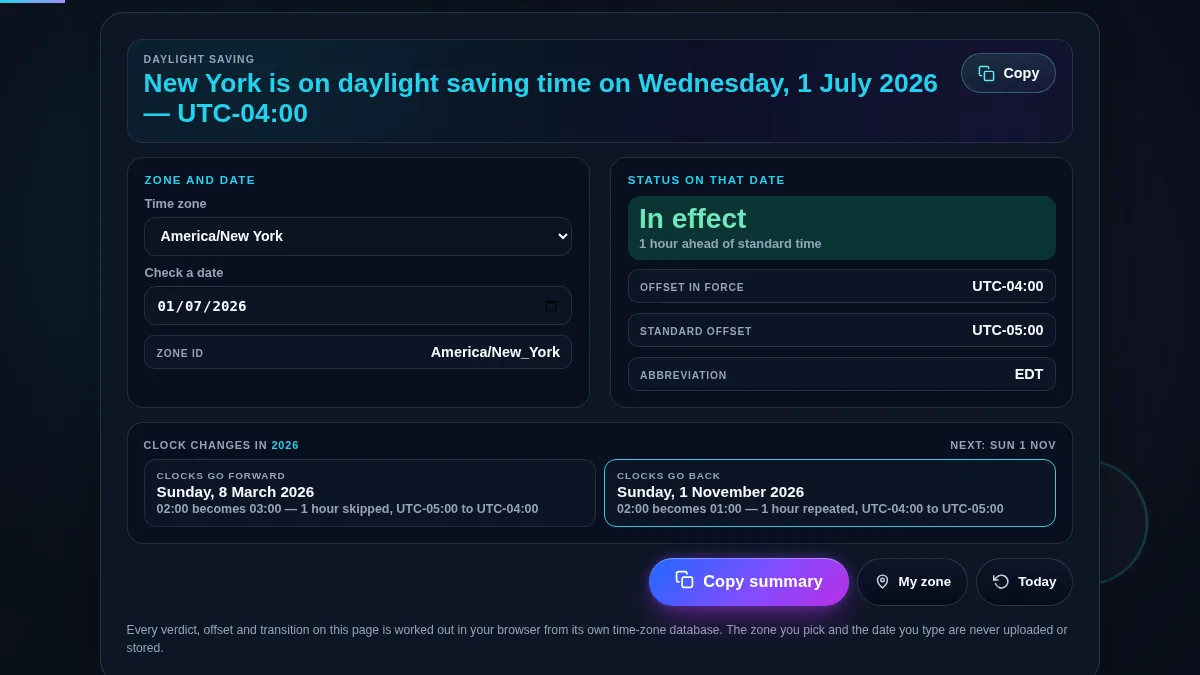
    Full DST checker workspace: the verdict sentence across the top, a panel with the zone selector and the date field, a status panel with the offset in force, the standard offset and the abbreviation, and below them the clocks-forward and clocks-back blocks with their dates and local times
    The whole tool on one screen: the verdict, the offsets it is measured against, and both clock changes.

    The Cases That Break A Rule Of Thumb

    ZoneWhat it doesWhy it matters
    America/New_YorkForward on the second Sunday in March, back on the first Sunday in NovemberThe United States and Europe change on different weekends, so the usual gap is wrong twice a year
    Europe/LondonForward on the last Sunday in March, back on the last Sunday in OctoberThe whole European Union moves at the same instant, 01:00 UTC, not at the same local hour
    Australia/SydneyForward in October, back in AprilThe southern hemisphere runs the opposite way round, so "summer time" is not a season you can assume
    Australia/Lord_HoweMoves by thirty minutesThe one-hour assumption is not universal, and neither is a whole-hour offset
    America/SantiagoChanges at midnightA tool that hard-codes two in the morning reports the wrong date for Chile
    Asia/Kolkata, America/PhoenixNever changeMost of the world does not observe daylight saving at all, and the page says so rather than showing empty rows
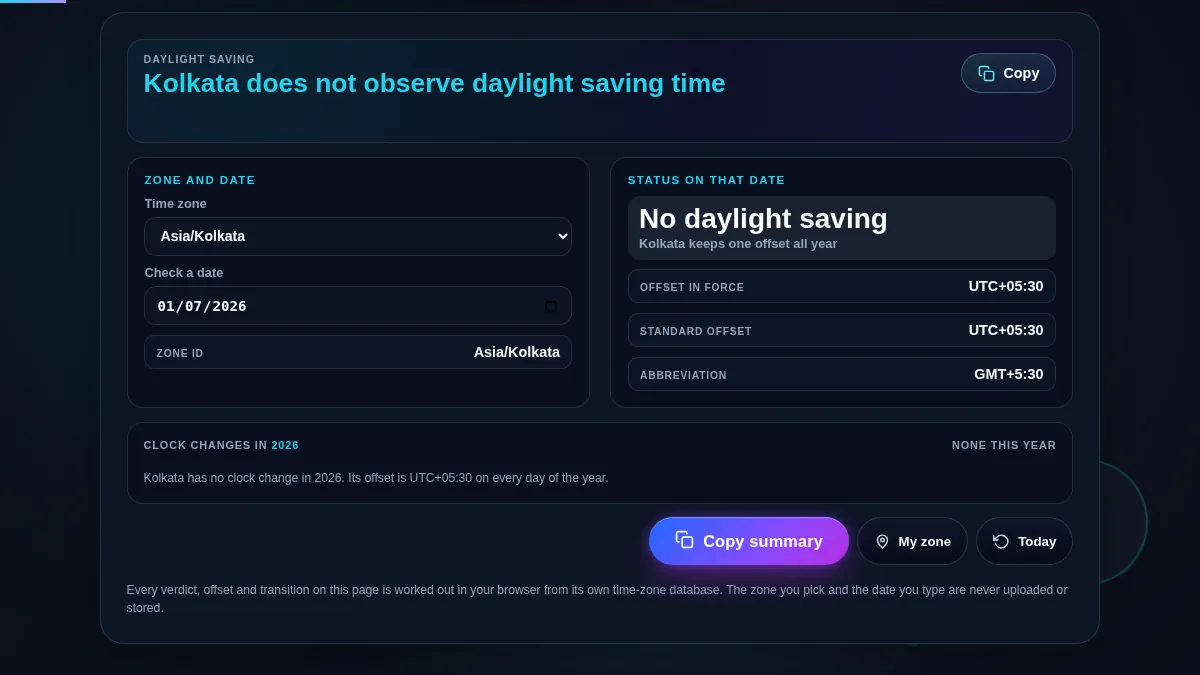
    The DST checker set to a time zone that keeps a single offset all year, with the verdict reading that the zone does not observe daylight saving time and a sentence in place of the two clock-change blocks
    A zone with no daylight saving says so, rather than showing two empty transition rows.

    How to Check Daylight Saving Time

    Four steps from a place name to a date you can plan around.

    Step 1: Pick the zone

    The selector opens on two dozen zones chosen to include the awkward ones — Lord Howe Island, Chatham Island, Santiago, Phoenix — and loads the full IANA list the moment you touch it. My zone jumps to whatever your device reports. Prefer a zone id over an abbreviation in anything written down: EST belongs to more than one part of the world, and it stops being the right label the day the clocks move.

    Step 2: Set the date you are actually asking about

    The field starts on today, so the first answer is about right now. Change it to the day of the flight, the release or the recurring call and the verdict is recalculated for that date, along with the whole year's transitions. The reading is taken at midday in the zone rather than midnight, because on the morning the clocks go forward midnight local time can fall inside the hour that does not exist.

    Step 3: Read the change blocks, not just the verdict

    Each block gives the date, the local time before and after, the size of the move and both offsets, and the next change from the date you are on is outlined. That is the line to check before booking anything recurring: if a weekly call sits after the outlined date, one of the two ends of it will move. Spring forward skips an hour of local time entirely; autumn repeats one, which is why a local timestamp on that night is genuinely ambiguous.

    Step 4: Copy the summary into wherever the decision lives

    The Copy button in the top bar takes the verdict on its own. Copy summary takes the zone id, the verdict, both offsets and each transition with its exact instant in ISO 8601. That last part is what to paste into a ticket or a runbook, because it is the only form of a clock change that carries no assumption about anybody's local time.

    Frequently Asked Questions

    How do I check whether daylight saving time is in effect?

    Pick the zone. The bar at the top answers in a sentence for the moment in the date field, which starts on today, and the panel beside it gives the offset in force and the standard offset it is measured against. If the two are the same, the clocks have not moved. Nothing needs to be pressed and nothing is sent anywhere.

    How does the tool know when the clocks change?

    It hunts for the change rather than storing a rule. There is no browser API that reports a zone's daylight saving rules, so the year is sampled on the 1st and the 16th of every month and any gap where the offset differs is narrowed by halving until the exact minute of the changeover is found. That is about fifty readings for a whole year, and it finds the transition wherever the law happens to have put it.

    Why does it say my zone has no daylight saving time?

    Because most of the world does not observe it. India, China, Japan, almost all of Africa, most of South America, and within the United States both Arizona and Hawaii stay on one offset all year. When the offset never changes across the sampled year the tool says so plainly rather than showing empty transition rows.

    Do all countries change their clocks on the same day?

    No, and that is where most scheduling mistakes come from. The United Kingdom and the European Union move on the last Sunday in March and October; the United States moves on the second Sunday in March and the first Sunday in November. For about two weeks each spring and one each autumn the usual gap between London and New York is an hour different from normal.

    Do the clocks always move by a whole hour at 2 AM?

    No. Lord Howe Island moves by thirty minutes, Chatham Island's clocks read a quarter past the hour on both sides of the change, and Chile changes at midnight rather than in the small hours. The tool reads the actual local time before and after each change instead of assuming, so those cases come out right.

    What happens to the hour that is skipped or repeated?

    In spring an hour of local time simply never occurs, so a job scheduled inside it does not run or runs twice depending on the scheduler. In autumn an hour happens twice, which is why a local timestamp on that night is genuinely ambiguous and why logs and databases should store UTC. Both are worth checking before an overnight deployment.

    Is my data uploaded or stored anywhere?

    No. Every status, offset and transition on this page is worked out in your browser with JavaScript, using the time zone database your operating system already ships. The zone you pick and the date you type are never sent to Randomly.online, nothing is logged, and there is no account to create.

    Does the DST checker work on a phone?

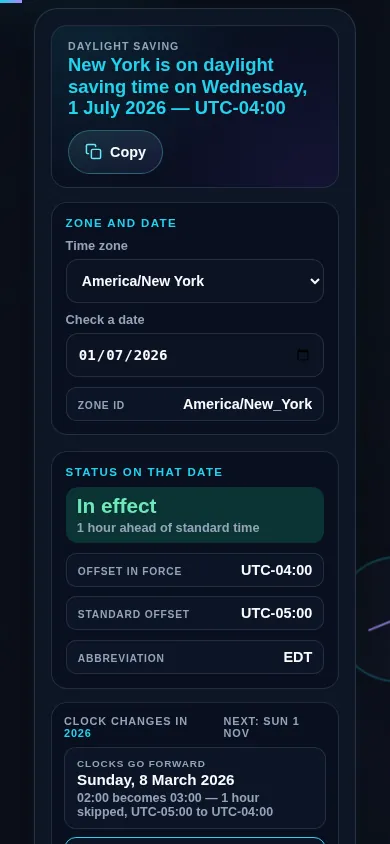
    Yes. On a narrow screen the zone and date controls and the status panel stack into one column with the verdict kept at the top, and the two transition rows become full-width blocks underneath. Every control meets a 44px touch target.

    DST checker on a 390px phone: the verdict sentence at the top, the zone selector and date field stacked in one column, and the status panel below them showing the offset in force against the zone's standard offset
    The DST checker on a phone — one column, with the verdict kept at the top.

    Still have questions?

    If you can't find the answer you're looking for, feel free to contact our support team.

    Contact Us