File Hash Generator

Generate MD5, SHA-1, SHA-256, and SHA-512 hashes for any file instantly and securely in your browser.

100% Browser-Based Local Processing

Securely compute cryptographic checksums locally in your browser. Perfect for file integrity verification.

Drag & Drop File here

or click to browse your device

MD5
Awaiting file...
SHA-256
Awaiting file...
SHA-512
Awaiting file...

Frequently Asked Questions

How do I get the hash or checksum of a file?

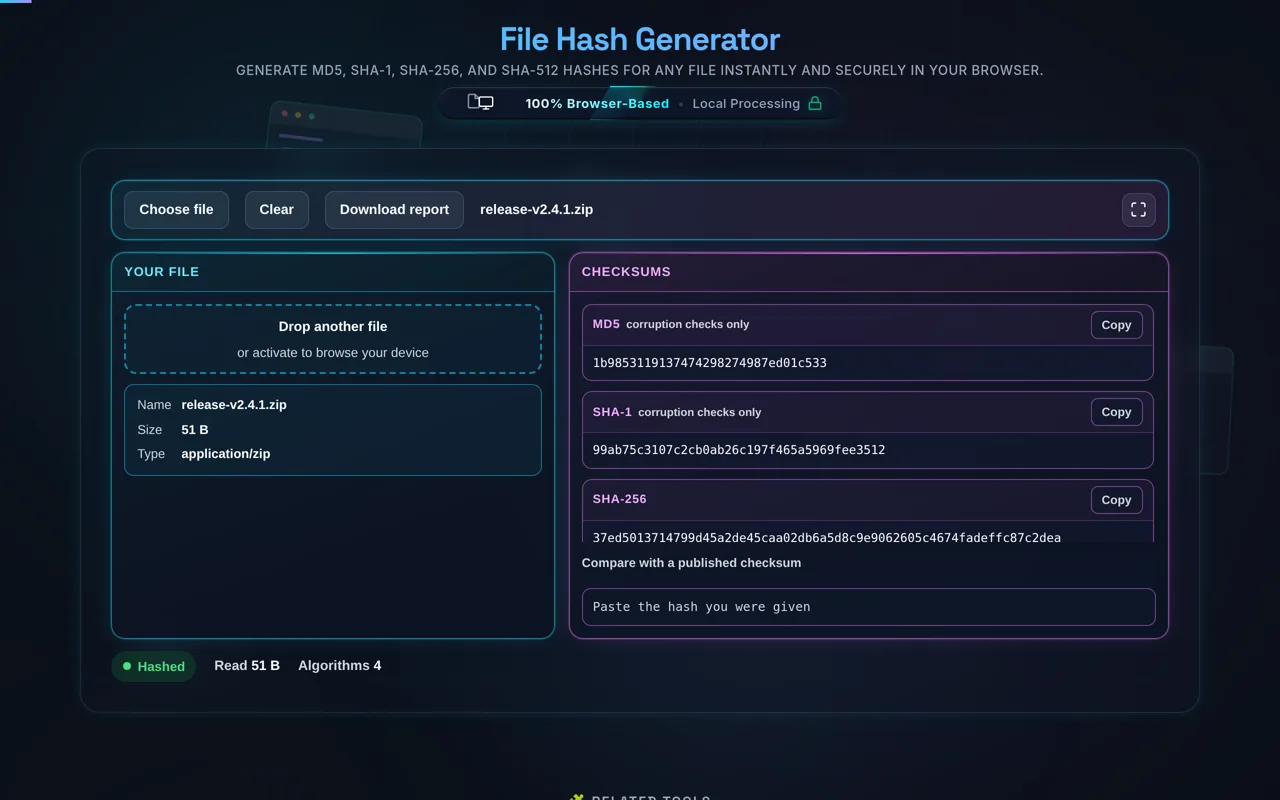
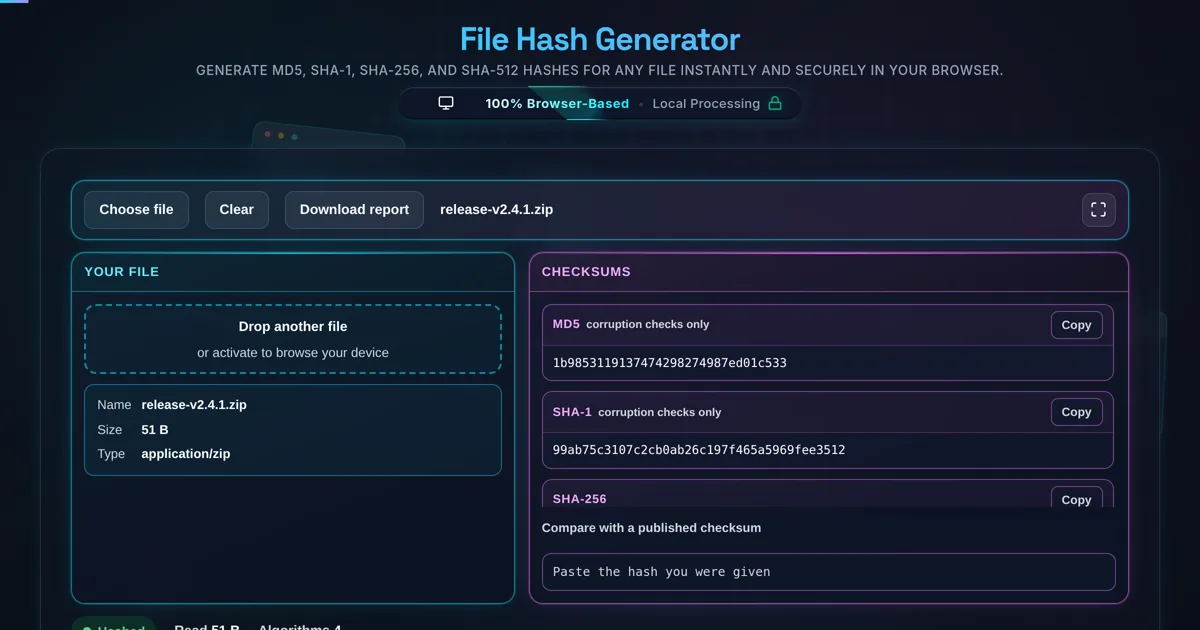
Select a local file or drag and drop it, choose an algorithm — MD5, SHA-1, SHA-256, or SHA-512 — and the tool computes the checksum right in your browser. You can paste a known hash to verify a match, then copy the digest or download a report. The file is read locally and never uploaded, so even large or private files stay on your device.

Does my file get uploaded, and does it work offline?

No upload, and yes it works offline. The file is read and hashed in your browser using the Web Crypto API (with an in-page routine for MD5) — there's no server receiving it, no logging, and no tracking. This is the key difference from many checksum sites that upload your file. Once the page has loaded it keeps working with no internet connection.

Which algorithms are supported?

MD5, SHA-1, SHA-256, and SHA-512. MD5 (128-bit) and SHA-1 (160-bit) are fast and still common on download pages for quick integrity checks, but they're cryptographically broken. SHA-256 and SHA-512 are part of the secure SHA-2 family and are the right choice when the file's source might be untrusted. Always pick the same algorithm the publisher used, or the digests won't match.

How do I verify a download's checksum?

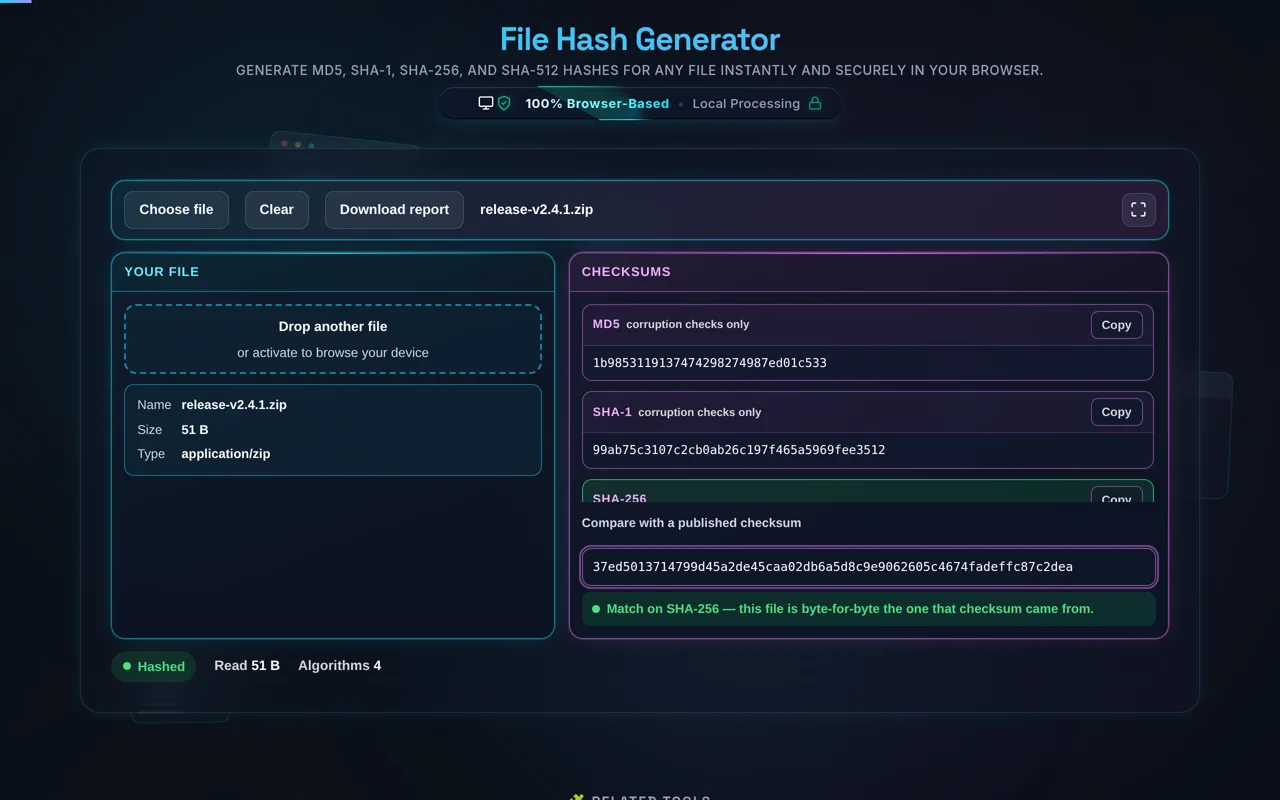
Download the file, then hash it here with the same algorithm the publisher listed (usually SHA-256), and paste their published value into the compare field. The tool reports whether it matches. A match means your copy is byte-for-byte identical to the one they hashed. A mismatch means the file was corrupted in transit, incomplete, or altered — re-download and check again.

What's the difference between this and the text Hash Generator?

This tool is optimized for files — select or drag a file, hash its raw bytes, compare against a checksum, and export a report. The Hash Generator focuses on text you type or paste (and small files), with hex/Base64 output options. Same underlying algorithms; different workflow. Use this one for downloads and file integrity, and the text tool for hashing strings and snippets.

Are MD5 and SHA-1 checksums trustworthy?

For catching accidental corruption, yes — if a file was truncated or garbled in transit, even MD5 will reveal it. For defending against a deliberate attacker, no: both are broken, and a motivated adversary can craft a different file with the same MD5 or SHA-1. So treat an MD5/SHA-1 match as "probably not corrupted", and use SHA-256 or SHA-512 when the file could have been tampered with on purpose.

Can I hash very large files?

Usually yes. Because hashing runs locally, the limit is your device's memory and CPU, not a server upload cap — and crucially, a multi-gigabyte file is never sent anywhere. Large files simply take longer to read and process; a progress indicator helps you track it. This local-only approach is exactly why it suits big files that would be impractical or unsafe to upload.

What is the downloadable report?

It's a small summary you can save or share: the file's name and size, the algorithm used, the resulting digest, and — if you compared against a known hash — the match verdict. It's handy for record-keeping, for attaching to a release, or for passing verification results to a teammate. Like everything else, the report is generated locally from the hash you just computed.

Why does my file's hash differ from the website's?

The usual culprits: you used a different algorithm than the one published, the download was incomplete or corrupted, you hashed the wrong file (or a different version), or you're comparing hex to Base64. Re-download the file, hash it with the exact algorithm listed, and compare the same format. If it still differs, the file genuinely doesn't match — don't trust it.

Does a matching hash guarantee the file is safe?

No — it proves integrity, not safety. A match confirms your file is identical to the one the publisher hashed; it doesn't confirm that file is free of malware or that the publisher is trustworthy. And if an attacker compromised the page and posted both a malicious file and its matching hash, verification would still "pass". Checksums verify that a file wasn't altered in transit, assuming you trust the source of the hash.

What does "byte-for-byte identical" mean?

It means two files contain exactly the same bytes in the same order — not just the same visible content. Because a hash is deterministic, identical bytes always produce an identical digest, and even a one-byte difference produces a completely different one. So a matching checksum is strong evidence that two files are truly the same file, which is why checksums are used to verify copies and downloads.

Is it free, and are there limits?

Yes, completely free — no payment, no signup, no account, and no usage caps or watermarks. Since everything runs in your browser, there's nothing for us to meter; the only practical limit is your device's performance on very large files. Use it as much as you like, including offline once the page has loaded.

Still have questions?

If you can't find the answer you're looking for, feel free to contact our support team.

Contact Us

Privacy Focused

🔒 Local Processing. Your code never leaves your device.

Instant Results

🌐 Fully Client-Side. Runs instantly in your browser.

No Signup

⚡ No accounts. No API keys. Just open and use.

Browser Based

🚀 No installs, no CLI, no build step.

Understanding Cryptographic File Hashing

Cryptographic hashing is a foundational pillar of modern cybersecurity and data integrity. A hash function takes an input (in this case, a file of any size) and transforms it into a fixed-length string of characters, typically hexadecimal. Our File Hash Generator allows you to calculate these checksums using industry-standard algorithms like MD5, SHA-256, and SHA-512. The beauty of hashing lies in its deterministic nature: if you hash the exact same file twice, you will always get the same result. However, if even a single bit of the file is altered—whether due to a malicious injection or a download error—the resulting hash will be radically different. This phenomenon is known as the "avalanche effect."

Developers often use our JSON Validator and UUID Generator alongside hashing tools to ensure that data structures remain consistent across different environments. By generating a SHA-256 checksum for a distribution package, software maintainers can provide users with a "fingerprint" that proves the downloaded file is identical to the original source. This is particularly vital when dealing with sensitive scripts or executables where a corrupted file could lead to catastrophic system failures or security vulnerabilities.

How to Use the File Hash Generator?

Using our online tool is designed to be frictionless for both novice users and experienced developers. To start, simply drag your file directly onto the designated "Drop Zone" or click the area to select a file from your local storage. Unlike many other online tools that require you to click a "Process" button, our engine starts calculating the checksums the moment the file is detected. You will see a real-time progress bar for larger files, indicating that the streaming process is underway.

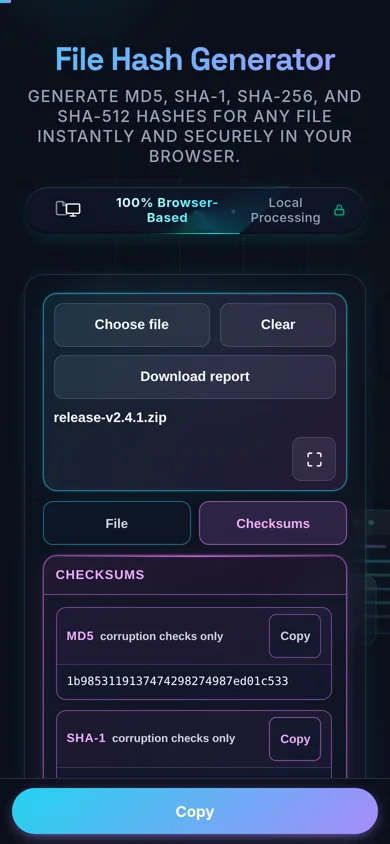
Once the processing is complete, the results for various algorithms will populate the output rows. You can use the "Copy" buttons next to each hash to quickly transfer the values to your clipboard for documentation or comparison. If you have a known hash provided by a software vendor, paste it into the "Verification Mode" input box. Our tool will instantly perform a bitwise comparison and provide a visual green (match) or red (mismatch) indicator. This is an essential step for verifying that image metadata or critical system binaries haven't been tampered with during transit. Finally, you can download a text report containing all generated hashes for your records.

Is my file data secure when using this tool?

Security is our highest priority. Unlike many "cloud" tools that upload your files to a remote server for processing, our File Hash Generator operates entirely on the "client-side." This means all calculations happen within your browser's local memory and CPU. No data from your file is ever transmitted to Randomly.online or any third-party server. This architectural choice makes it safe to hash sensitive documents, private keys, or internal proprietary software binaries without fear of data leakage.

We leverage the Web Crypto API, a high-performance native browser interface, to perform these cryptographic operations. This ensures that even for large files reaching several hundred megabytes, the process is efficient and secure. Because the file is processed in chunks using a streaming approach, your browser window won't freeze, and the original file content remains isolated within its sandbox. For developers who frequently work with JWT tokens or sensitive Base64 encoded strings, this local-first approach provides the peace of mind required for professional workflows.

MD5 vs. SHA-256: Which algorithm should I use?

The choice of algorithm depends entirely on your specific use case. MD5 (Message Digest 5) is a legacy algorithm that is incredibly fast but is no longer considered secure against intentional cryptographic attacks. It is susceptible to "collision attacks," where two different inputs can produce the same hash. However, MD5 remains highly effective and popular for non-security tasks, such as verifying that a file wasn't accidentally corrupted during a simple transfer or for deduplicating non-sensitive files in a database.

For any security-related verification, we strongly recommend using SHA-256 or SHA-512. These are part of the SHA-2 (Secure Hash Algorithm 2) family and are currently the standard for digital signatures, blockchain technology, and secure file distribution. SHA-256 provides a 256-bit hash, offering a vast search space that is virtually immune to brute-force or collision attacks with current computing technology. If you are verifying the integrity of a critical PDF document or an image conversion, SHA-256 is the gold standard that ensures the highest level of cryptographic assurance.

Need a hand?

Still have questions?

If you can't find the answer you're looking for, feel free to contact our support team.

Contact Us