URL Encoder & Decoder

Free online URL Encoder & Decoder.

100% Browser-Based Local Processing

Real-time, secure, client-side percent-encoding and decoding workspace.

Input Data
Output Data

Query String Inspector

Key Decoded Value

Privacy Focused

🔒 Local Processing. Your code never leaves your device.

Instant Results

🌐 Fully Client-Side. Runs instantly in your browser.

No Signup

⚡ No accounts. No API keys. Just open and use.

Browser Based

🚀 No installs, no CLI, no build step.

Understanding URL & Percent Encoding

Welcome to the ultimate URL Encoder and Decoder, a high-performance, client-side tool built for developers, data engineers, and security analysts. URL encoding, formally known as percent-encoding, is a fundamental mechanism for safely transmitting data over the internet, specifically within Uniform Resource Identifiers (URIs). Because URLs can only be sent over the internet using the ASCII character set, any characters outside of this strict set must be converted into a valid ASCII format. This is where percent-encoding becomes necessary.

In web development, APIs heavily rely on perfectly encoded query strings. Unsafe characters—such as spaces, ampersands, hashes, and non-ASCII characters—must be replaced by a % followed by two hexadecimal digits that represent the character's ASCII or UTF-8 value. For example, a simple space becomes %20 (or occasionally a + depending on the specific MIME type like application/x-www-form-urlencoded). If you are building complex API requests or debugging webhook payloads, you often encounter massive blocks of data that require careful decoding. Tools like our JSON Formatter or our Base64 Encoder Decoder often go hand-in-hand with this utility when dealing with deeply nested stringified JSON parameters inside URLs.

This dual-pane workspace is uniquely designed for frictionless operation. Unlike traditional tools that require you to explicitly select an action and press a 'Submit' button, our engine leverages real-time synchronization. As you type or paste a massive payload into the left panel, the tool auto-detects the presence of percent-encoded sequences (validating against hexadecimal character structures). If it detects encoded text, it instantly decodes it into human-readable plaintext. Conversely, if plain text is detected, it converts it into strict RFC 3986 compliant encoded values. All of this logic happens inside your browser's local memory. The zero-server architecture guarantees that highly sensitive query strings—such as those containing temporary access tokens, private UUIDs (which you can generate at our UUID Generator), or session identifiers—are never transmitted across the network. Privacy, speed, and strict adherence to URL structuring rules are the core pillars of this tool.

How to Use the URL Encoder Workspace

Operating this developer workspace is designed to be highly intuitive, yet deeply customizable depending on your specific protocol needs. By default, the application rests in Auto-Detect mode. When you paste data into the input pane, the engine scans the string using regular expressions to determine if it resembles an encoded payload (looking for %XX patterns). Based on this scan, it dynamically populates the right pane with the converted result.

Step-by-Step Guide

  • Step 1: Input your Payload. Paste an entire URL, an API response fragment, or plain text into the Left Pane. The system utilizes an incremental client-side processor to handle multimegabyte payloads without freezing your UI thread.
  • Step 2: Choose your Mode manually (if needed). If the auto-detector misunderstands an ambiguous string, utilize the top controls to explicitly force Force Encode or Force Decode.
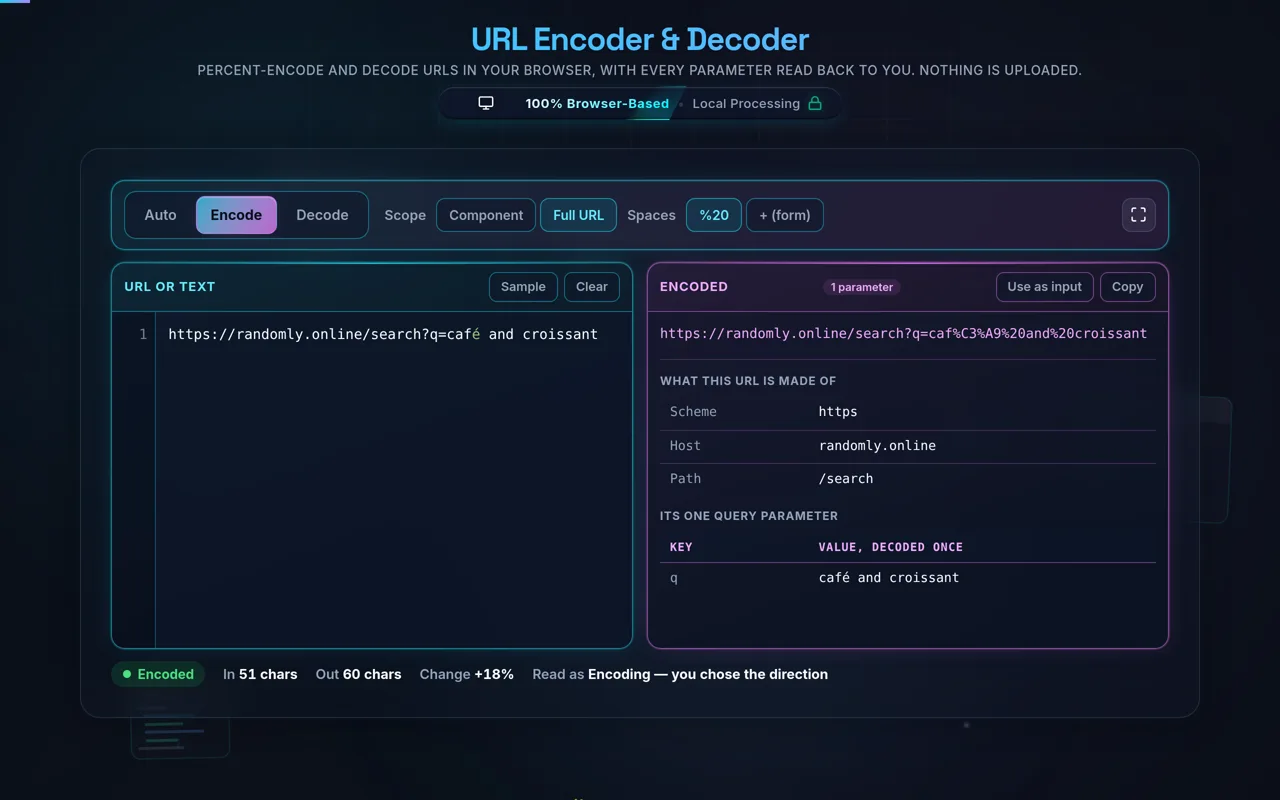
  • Step 3: Component vs Full URL Mode. This is crucial. If you are encoding a full web address (e.g., https://example.com/search?q=hello world), select Full URL Mode so it preserves the protocol (https://), slashes, and question marks. If you are only encoding a query parameter value (e.g., hello world & friends), select Component Mode so that characters like & and ? are aggressively converted.
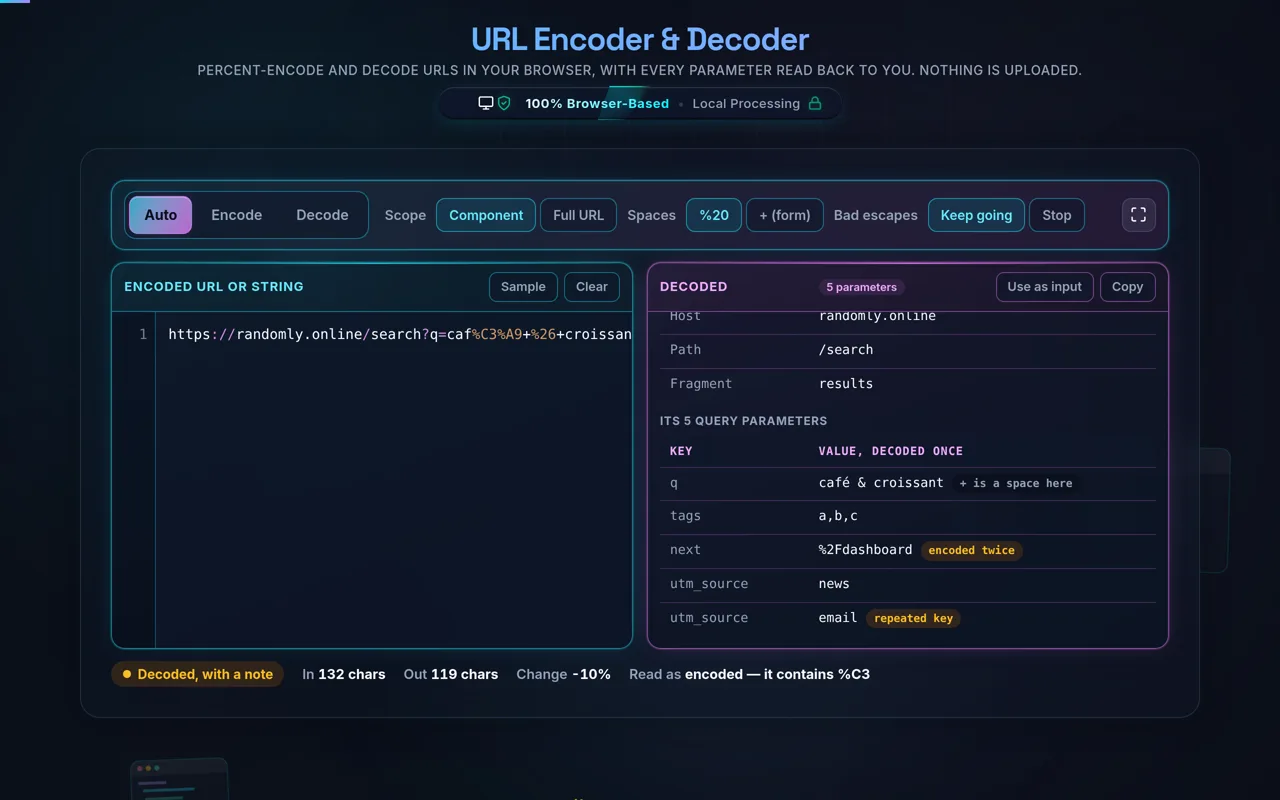
  • Step 4: Analyze with Query Inspector. If the string contains a question mark indicating a query string, the Query Inspector panel automatically appears below the workspace. It parses the parameters into a clean, tabular key-value structure, allowing you to easily spot missing parameters or malformed values. This is an excellent prelude before throwing your data into a JWT Decoder if your token is passed via URL.
  • Step 5: Output Retrieval. Use the "Copy Result" button for an instantaneous clipboard transfer. The tool automatically removes leading/trailing formatting artifacts that sometimes occur during copy-paste operations from terminal consoles.

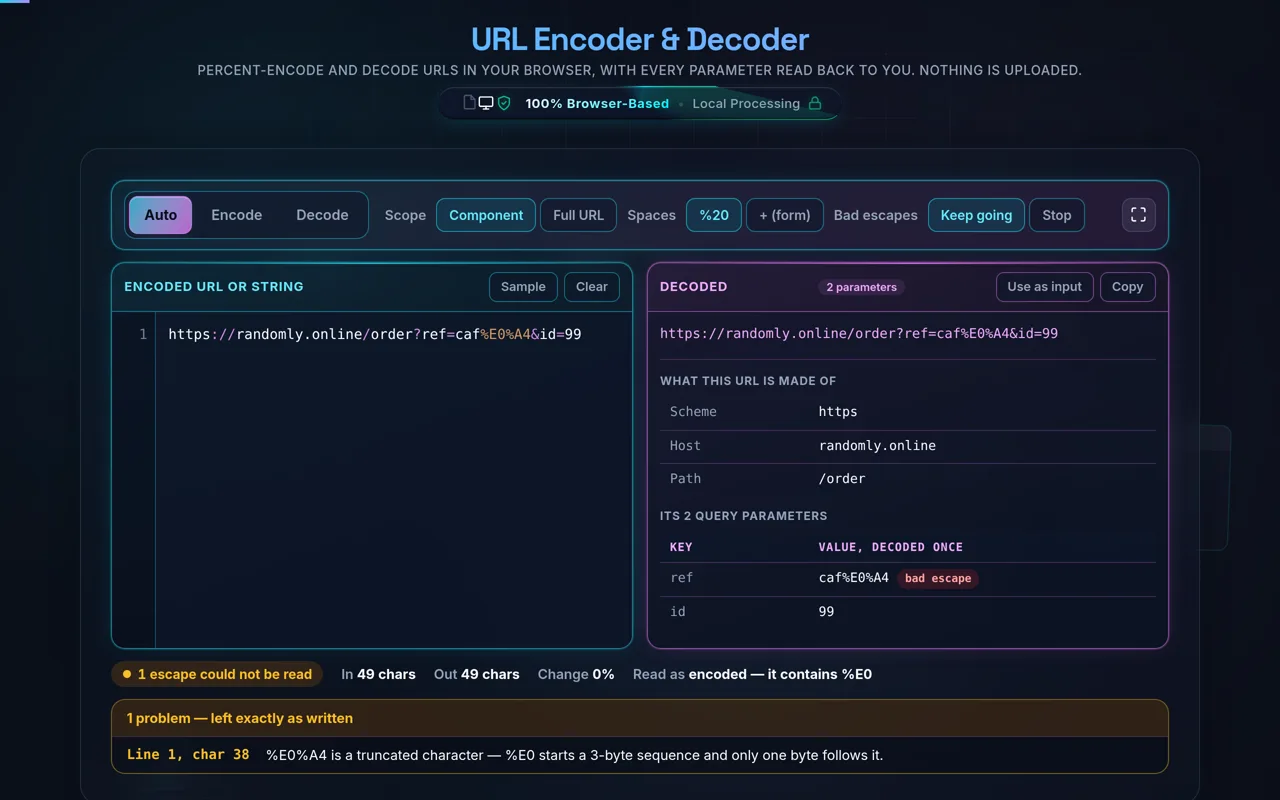
If you encounter the "Decode Safe Mode" toggle, keeping it enabled is highly recommended. Standard JavaScript engines will throw fatal URIError exceptions when attempting to decode malformed sequences (like an isolated `%` without trailing hex values). Safe mode intercepts these exceptions, highlighting the error in a red validation indicator without crashing the tool, allowing you to locate and manually fix the invalid byte sequence.

Frequently Asked Questions

How do I URL-encode or decode a string?

Paste your text or URL, choose Full URL or Component mode, and the tool percent-encodes it — or decodes an encoded string back — in real time. Use Auto-Detect to guess the direction, or Force Encode / Force Decode to be explicit. The query inspector breaks any query string into key/value pairs. Then copy the result. Everything happens in your browser; nothing is uploaded.

Does this upload anything, and does it work offline?

No upload, and yes it works offline. All encoding and decoding happen in your browser using JavaScript — there's no server involved, no logging, and no tracking. Once the page has loaded it keeps working with no internet connection, which you can confirm in your browser's network tab. Your URLs and parameters never leave your device.

What is URL (percent) encoding?

URL encoding replaces characters that aren't allowed or have special meaning in a URL with a % followed by the character's byte value in hexadecimal. A space becomes %20, & becomes %26, and so on. This lets a URL safely carry spaces, symbols, and non-Latin characters without breaking its structure. Decoding reverses the process, turning each %XX back into the original character.

What's the difference between Full URL and Component mode?

Full URL Mode encodes a whole address while preserving its structure — it leaves ://, /, ?, &, =, and # intact (like JavaScript's encodeURI). Component Mode encodes those reserved characters too (like encodeURIComponent), which is what you need for a single query value or path segment. Use Full URL for a complete link; use Component when escaping one piece that will sit inside a URL.

Is URL encoding encryption or secure?

No. Percent-encoding is an encoding, not encryption — it's fully reversible and hides nothing. Anyone can decode an encoded URL instantly and read exactly what it contains, including any values in the query string. It exists to make URLs valid and unambiguous, not to protect data. Never put a secret in a URL and assume encoding protects it; if you need protection, use encryption and keep secrets out of URLs.

Which characters get percent-encoded?

Characters outside the "unreserved" set — letters, digits, and a few symbols (- _ . ~) — are candidates for encoding. Reserved characters with special URL meaning (: / ? # [ ] @ ! $ & ' ( ) * + , ; =) are encoded in Component mode but preserved in Full URL mode, and unsafe characters like spaces are always encoded. Non-ASCII characters are encoded as their UTF-8 bytes, each byte becoming a %XX pair.

What does Auto-Detect do?

Auto-Detect inspects your input and guesses whether you want to encode or decode, so you don't have to set the direction for the common cases. If the input already contains %XX sequences it leans toward decoding; otherwise it encodes. When the guess isn't what you intend — for example text that happens to contain a percent sign — switch to Force Encode or Force Decode to make the direction explicit.

What is Decode Safe Mode?

Decode Safe Mode decodes more forgivingly, so malformed or partially encoded input doesn't throw an error and stop the whole operation. Strict decoding fails on an invalid % sequence; safe mode does its best with the valid parts and leaves questionable ones alone. It's useful when you're inspecting a messy or hand-edited URL and just want to read as much of it as possible without cleaning it up first.

Why is my string double-encoded (%2520)?

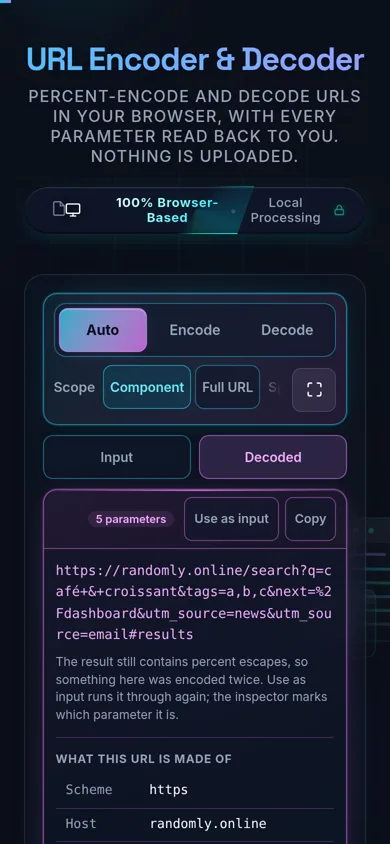
Because it was encoded twice. When you encode a string, a space becomes %20; if you then encode that result again, the % itself gets encoded to %25, turning %20 into %2520. The fix is to decode once for each time it was encoded — decode %2520 once to get %20, and again to get the space — and to make sure your code or workflow only encodes the value a single time.

What does the query inspector show?

It parses a query string into its individual key/value pairs and lays them out so you can read them clearly, rather than squinting at one long ?a=1&b=2&c=3 string. This is handy for debugging links and API calls — you can see each parameter and its (decoded) value at a glance, and spot a missing, duplicated, or wrongly-encoded parameter quickly.

Does it encode spaces as %20 or +?

It depends on context, and both are valid in the right place. In a URL path or a standard percent-encoded string, a space is %20. In an application/x-www-form-urlencoded query string — the format HTML forms submit — a space is often +, and a literal + is encoded as %2B. Knowing which context you're targeting matters, because a server may interpret + and %20 differently.

Is it free, and are there limits?

Yes, completely free — no payment, no signup, no account, and no usage caps or watermarks. Since everything runs in your browser, there's nothing for us to meter; the only practical limit is your device's performance on very long input. Use it as much as you like, including offline once the page has loaded.

Still have questions?

If you can't find the answer you're looking for, feel free to contact our support team.

Contact Us

Need a hand?

Still have questions?

If you can't find the answer you're looking for, feel free to contact our support team.

Contact Us