Unix Timestamp Converter Tool

Fast, bidirectional Unix timestamp converter.

100% Browser-Based Local Processing
Current Unix Timestamp (Seconds)
Loading...
Timestamp to Date
Local Time
-
UTC Time
-
ISO 8601 Format
-
Date to Timestamp
Timestamp (Seconds)
-
Timestamp (Milliseconds)
-

Privacy Focused

🔒 Local Processing. Your code never leaves your device.

Instant Results

🌐 Fully Client-Side. Runs instantly in your browser.

No Signup

⚡ No accounts. No API keys. Just open and use.

Browser Based

🚀 No installs, no CLI, no build step.

Unix Timestamp Converter & Epoch Calculator

Welcome to the ultimate developer-focused Unix Timestamp Converter. Time manipulation is a cornerstone of software engineering, database management, and API integration. Whether you are debugging server logs, converting JSON data payloads, or building robust time-based logic, understanding and converting epoch time quickly is essential. This bidirectional tool runs entirely in your browser, ensuring maximum privacy and zero latency.

A Unix timestamp (also known as Epoch time) represents the number of seconds that have elapsed since January 1, 1970, at 00:00:00 UTC (Coordinated Universal Time), not counting leap seconds. It is a widely accepted standard across Unix-like operating systems, JavaScript frameworks, and database architectures because it is independent of time zones. However, reading a 10 or 13-digit number is impossible for humans. That's where our tool steps in, providing instant conversion from timestamps to localized human-readable dates, and vice versa.

Our tool uniquely supports automatic detection between seconds and milliseconds. In environments like PHP or MySQL, timestamps are traditionally handled in seconds (10 digits). Conversely, modern frontend frameworks and JavaScript's native Date.now() API utilize milliseconds (13 digits). If you are also working with encoded data formats during your debugging sessions, you might find our Base64 Encoder/Decoder equally useful to streamline your workflow.

How to Use the Timestamp Converter

Frequently Asked Questions (FAQ)

How to Use Unix Timestamp Converter Tool

Step-by-Step Guide for Converting Timestamps and Dates

Converting a Timestamp to a Date:
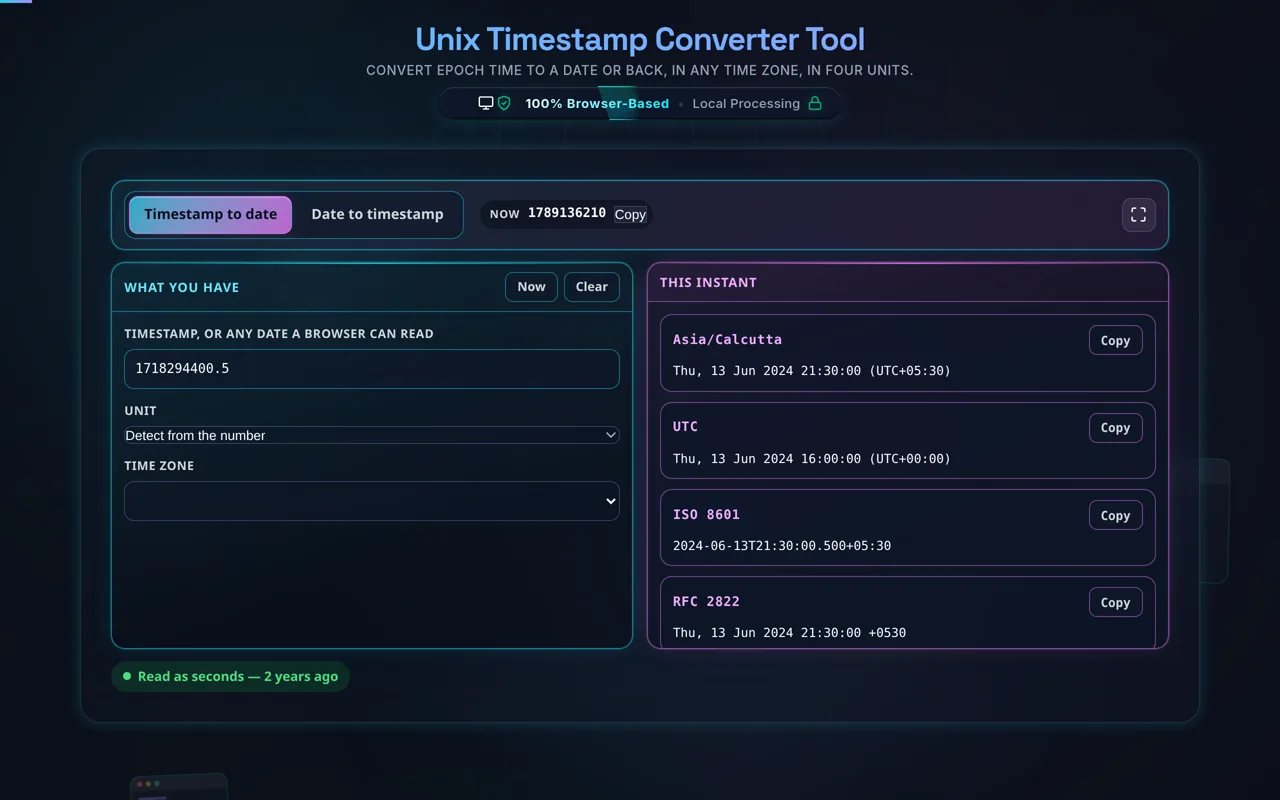
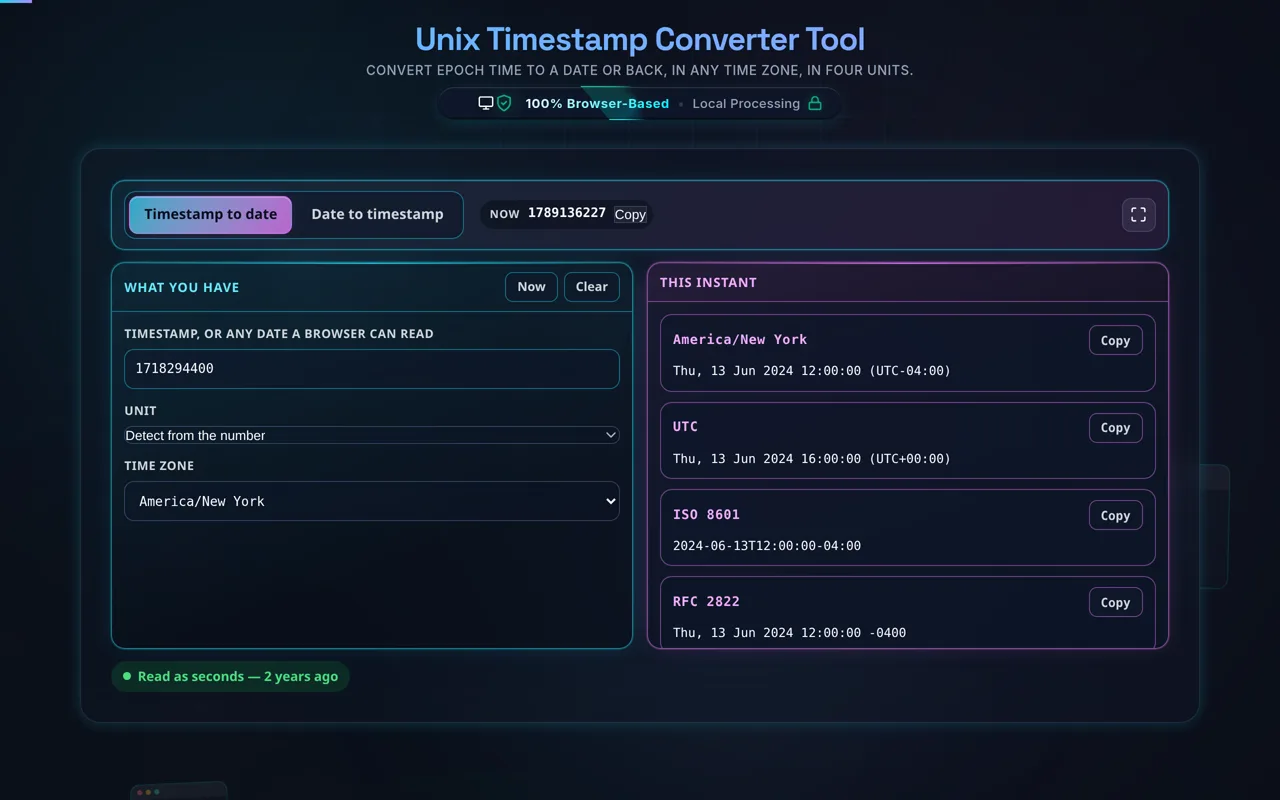
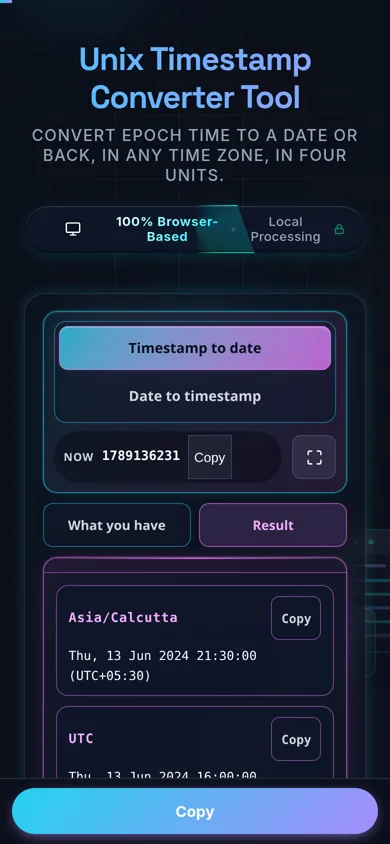
Navigate to the left panel (or the first tab on mobile devices). Paste your epoch integer into the "Unix Timestamp" field. The tool will instantly parse the value. By default, the system auto-detects whether the input is in seconds or milliseconds based on its length. If you have a non-standard timestamp, use the dropdown to manually force the interpretation. The results will immediately populate below, showing your local system time, UTC time, and the standardized ISO 8601 string.

Converting a Date to a Timestamp:
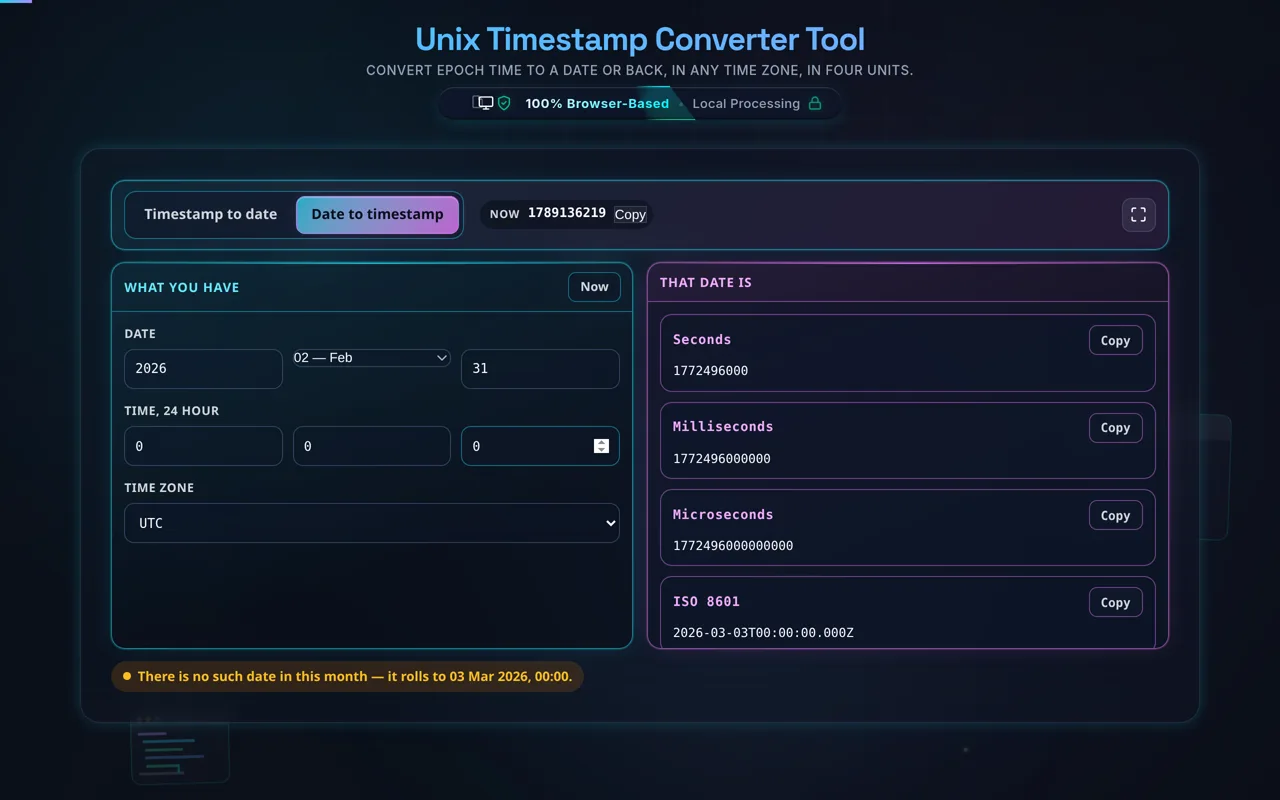
Use the right panel (or the second tab on mobile devices). Input your desired year, month, day, hour, minute, and second. As you modify any of these values, the tool calculates the corresponding Unix timestamp in real-time. You can toggle the "Time Zone Override" to dictate whether the inputs represent your local time zone or strict UTC/GMT.

Using the Live Clock:
At the top of the workspace, you will find a live clock displaying the current Unix time in seconds. This is exceptionally useful for generating an immediate timestamp to insert into a database query or an API test. Simply click the "Copy" button to grab the current epoch value instantly.

Frequently Asked Questions

How do I convert a Unix timestamp to a date?

Switch to the Timestamp to Date tab, paste the epoch value into the Unix Timestamp field, and choose its unit — Auto-Detect, Force Seconds, or Force Milliseconds. The result updates instantly, showing the date as Local Time, UTC Time, and ISO 8601 simultaneously, each with its own Copy button.

How do I convert a date to a Unix timestamp?

Switch to the Date to Timestamp tab. Enter Year, Month, Day, Hour, Minute, and Second — the fields start pre-filled with the current date and time — pick Local System Time or UTC/GMT, and the timestamp appears in both seconds and milliseconds, ready to copy.

What is a Unix timestamp (epoch time)?

It's the number of seconds that have elapsed since January 1, 1970, 00:00:00 UTC, known as the "epoch." It's a single, unambiguous number representing an absolute point in time, independent of time zone or calendar — which is why so many systems (databases, APIs, log files) store dates this way instead of a formatted string.

What's the difference between a 10-digit and a 13-digit timestamp?

A 10-digit timestamp measures time in seconds and is the standard for Unix-like systems, PHP, and many databases. A 13-digit timestamp measures time in milliseconds, the default in JavaScript (Date.now()) and Java. Mixing them up by 1000x is a common bug — always check which unit a given system expects.

How does Auto-Detect decide seconds vs. milliseconds, and can it be wrong?

It's a digit-length rule: an input longer than 11 characters is read as milliseconds, 11 or fewer as seconds — it doesn't inspect the value's actual meaning. This covers virtually all real timestamps correctly, but a negative sign counts toward the length, and edge-case values near that boundary could, in principle, be misread. Use Force Seconds/Force Milliseconds when you know the unit for certainty.

Is Unix time affected by time zones or daylight saving?

No. A Unix timestamp is an absolute instant anchored to UTC — it's the same number in every time zone at the same moment. Time zones and daylight saving only affect how that instant gets rendered: the "Local Time" result here reflects your browser's own timezone rules, while the underlying number never changes.

What is the Year 2038 problem, and does this tool have it?

It's an overflow bug affecting systems that store timestamps as a 32-bit signed integer, which runs out of range on January 19, 2038, 03:14:07 UTC and wraps to a nonsensical date. This tool doesn't have that limit — it uses JavaScript's native double-precision Date, which stays accurate for roughly ±275,760 years from 1970.

Does this run in my browser, and does it work offline?

Yes. All conversion happens with your browser's own Date engine — nothing is uploaded to a server, and nothing is logged. Once the page has loaded, it keeps working with no internet connection, and it's free with no account or signup required.

What does the live timestamp banner at the top show?

The current Unix timestamp in seconds, updating once per second for as long as the page stays open. It's a quick reference — handy when you're debugging a log line or an API response and just need to know what "now" looks like in epoch time. Click Copy to grab it.

Can I convert a date in UTC instead of my local time zone?

Yes — on the Date to Timestamp tab, the Time Zone Override dropdown offers Local System Time or UTC/GMT. There's no arbitrary IANA timezone list beyond those two; for a specific non-local, non-UTC zone, apply that zone's offset yourself before entering the date, or use a dedicated timezone tool.

What happens if I enter an invalid date, like February 30th?

It doesn't show an error. JavaScript's Date constructor silently normalizes out-of-range components — day 30 of February rolls forward into early March, hour 25 rolls into the next day — rather than rejecting the input. Double-check unusual date components rather than assuming an out-of-range value would be caught.

Is it free, and are there limits?

Yes, completely free — no payment, no signup, no account, and no usage caps. Because everything runs in your browser there's nothing to meter. The only practical limits are the ones described above: the Auto-Detect heuristic and the lack of strict date-component validation.

Still have questions?

If you can't find the answer you're looking for, feel free to contact our support team.

Contact Us