🔒 Local Processing. Your code never leaves your device.
Instant Results
🌐 Fully Client-Side. Runs instantly in your browser.
No Signup
⚡ No accounts. No API keys. Just open and use.
Browser Based
🚀 No installs, no CLI, no build step.
Overview
Introduction to Advanced Cron Interpretation
A cron expression is five fields — minute, hour, day of month, month, day of week — that tell a scheduler when to run something. Paste one in and it comes back as a sentence, a card per field explaining that position on its own, and the next five times the job will actually fire against your device’s clock. It runs entirely in your browser: the expression is never uploaded and never logged.
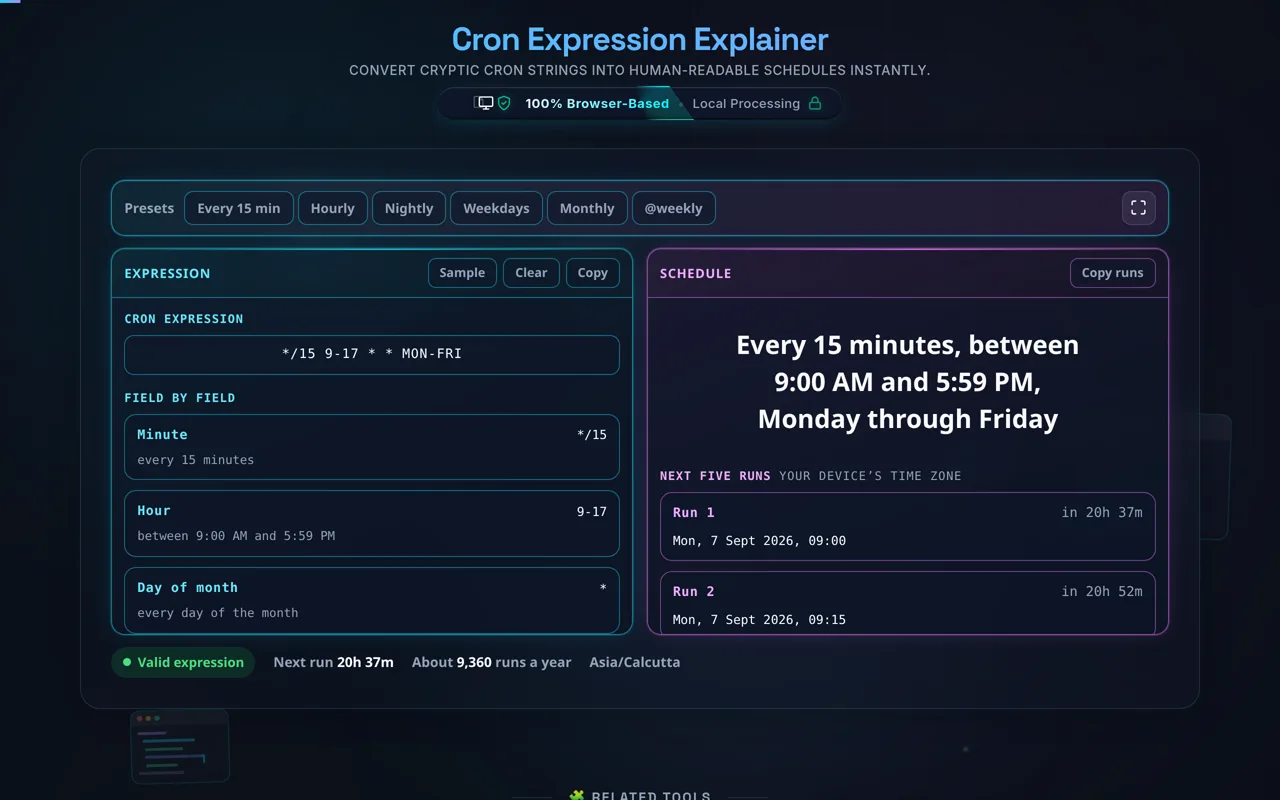
The expression on the left, what it means on the right, and the five times it fires next
It reads what a real crontab reads, not a subset. Wildcards (*), lists (1,15,30), ranges (1-5) and steps (*/15) all work, and so does the form most explainers get wrong: 5/15 means from minute 5, every 15 minutes — 5, 20, 35, 50 — not minute 5 on its own. Three-letter names work in the month and day-of-week fields, so 0 9 * * MON-FRI is as valid here as 0 9 * * 1-5, and day-of-week 7 is Sunday alongside 0, which is how Vixie cron has always read it.
The shorthand macros are expanded rather than rejected: @daily, @midnight, @hourly, @weekly, @monthly, @yearly and @annually each show the five-field expression they stand for, so you can see what your Dockerfile or CronJob manifest is really asking for. @reboot is recognised too, and reported for what it is — an event, not a clock schedule, with no next run to compute.
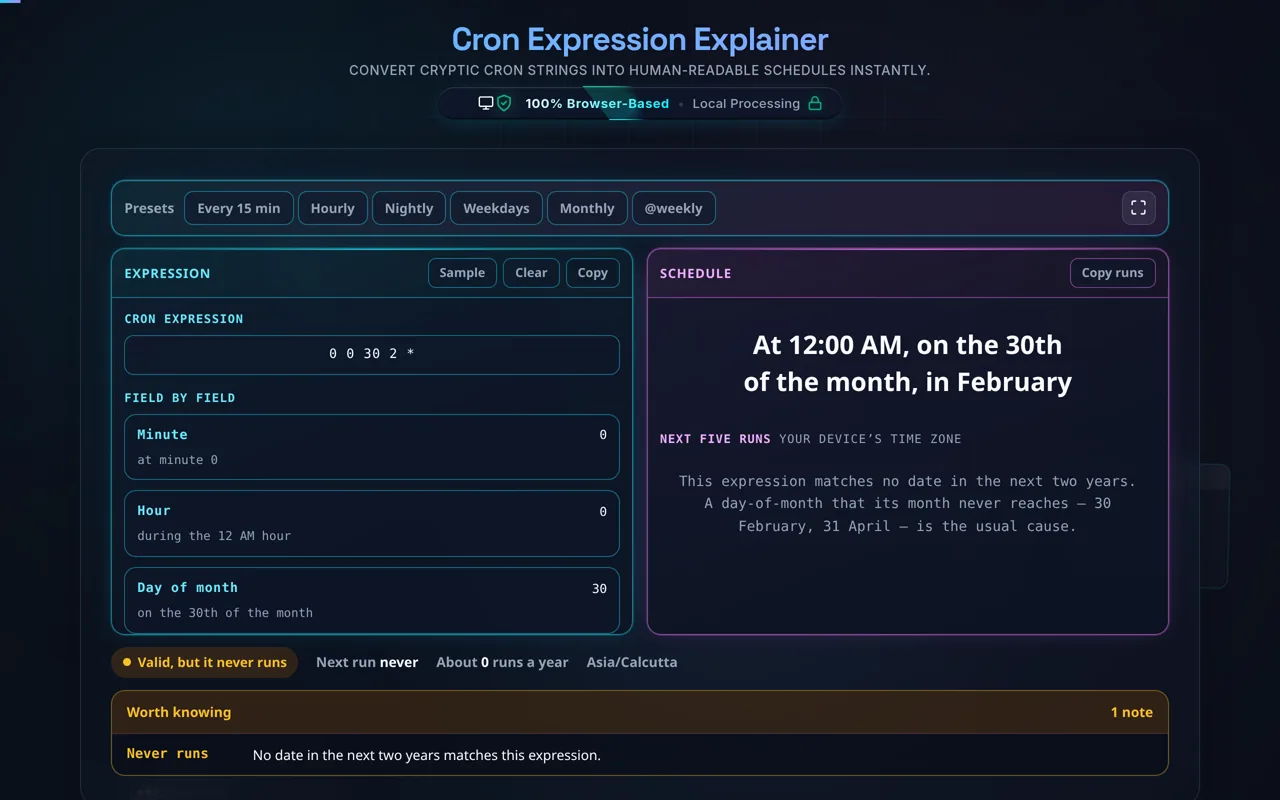
The next five runs are a simulation, not a formatting trick: the tool walks forward day by day from now, checks your expression against each one and reports what it finds, up to two years out. That is what catches the schedule that can never happen — 0 0 30 2 * is perfectly valid and 30 February is not a date. It is also where cron’s one genuinely counter-intuitive rule shows up: when day-of-month and day-of-week are both restricted, the job runs if either matches, so the sentence joins them with “or”. Times are your device’s, not your server’s — if your daemon runs on UTC, line the two up with the World Clock and Time Zone Converter, and match a log line’s epoch seconds with the Unix Timestamp Converter. An hour that daylight saving skips is skipped here as well, because a job scheduled inside it does not run either.
A scheduled job is rarely the only thing in a release, and the rest of this toolkit covers what usually ships beside it: the Regex Tester for the pattern the script matches on, the JSON Validator for the config it reads, the UUID Generator for a per-run identifier, the JavaScript Minifier for the assets the deploy publishes, Markdown to HTML for the runbook that explains the job, and the Password Generator for the credential it authenticates with.
Support
Frequently Asked Questions
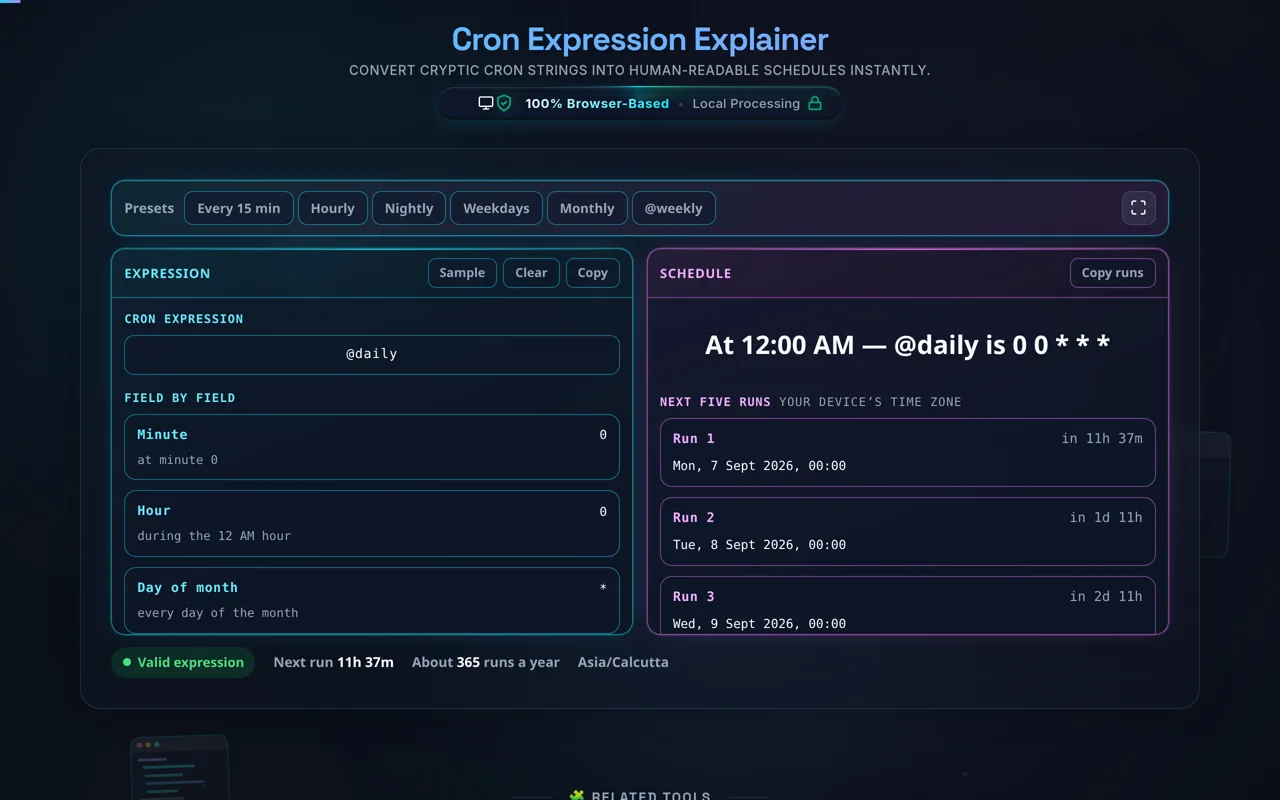
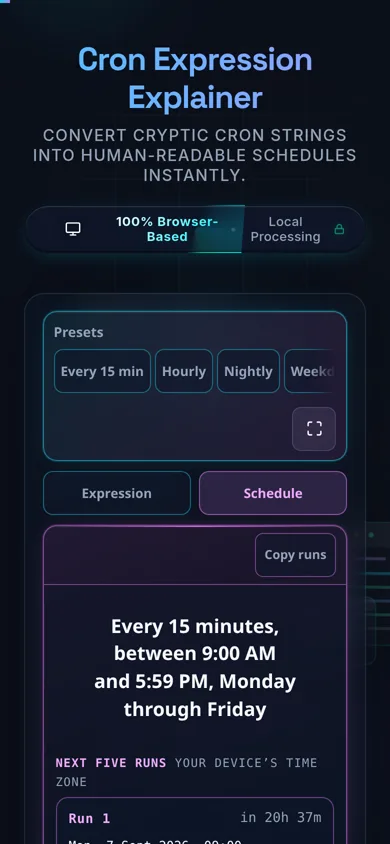
A macro is expanded, not rejected: the sentence names the five-field expression it stands forOn a phone the two panes become a tab strip and the preset row scrolls sideways
What are the 5 fields in a cron expression?
In order: minute (0–59), hour (0–23), day-of-month (1–31), month (1–12) and day-of-week (0–7, where both 0 and 7 mean Sunday). Month and day-of-week also take three-letter names, so 0 12 * * MON-FRI and 0 12 * * 1-5 are the same schedule. This tool labels all five positions, shows the token you typed in each one, and says what that token means on its own.
How do I find out what a cron expression means?
Paste it into the field at the top of the Expression pane. The Schedule pane beside it leads with a plain-English sentence for the whole expression — 0 12 * * 1-5 becomes “At 12:00 PM, Monday through Friday” — and five cards under the input break out each position on its own, so when a schedule is nearly right you can see which of the five is wrong.
Does this tool actually translate my cron expression into plain English?
Yes, and the sentence is built from the parsed fields rather than from the raw text, so it cannot describe a different schedule from the one the run list computes. Wildcards, lists, ranges, steps, names and the @ macros are all interpreted: */15 becomes “every 15 minutes”, 1-5 becomes “Monday through Friday”, 1,3,5 becomes “Monday, Wednesday and Friday”, and @weekly becomes “At 12:00 AM, Sunday” alongside the five-field expression it stands for.
What does @daily mean, and do the other @ macros work here?
@daily and @midnight both mean 0 0 * * * — midnight, every day. The rest: @hourly is 0 * * * *, @weekly is 0 0 * * 0 (midnight on Sunday), @monthly is 0 0 1 * *, and @yearly and @annually are both 0 0 1 1 *. Paste any of them here and you get the sentence, the expansion and the real next five runs. @reboot is the odd one out: it fires when the machine starts, so it has no clock schedule, and the tool says that instead of inventing one.
Does the next-runs list show real times my job will run?
Yes — it is a simulation, not a placeholder. The tool steps forward a day at a time from right now, tests your expression against each day, and returns the next five matches with the gap to each one, looking up to two years ahead. It applies cron’s or-rule for the two day fields, skips an hour that daylight saving removes, and uses your device’s time zone. The stat line adds roughly how many times a year the expression fires, which is the quickest way to catch a wildcard in the wrong position.
What is the difference between day-of-month and day-of-week in cron?
Day-of-month restricts by calendar date (1–31); day-of-week restricts by weekday (0–7). The trap: when both are restricted — neither one is * — cron treats them as or, not and. The job runs if either matches, so restricting both makes it run more often, not less. This tool applies that rule in the run list and writes “or” into the sentence, so you see it before production does.
What do *, ,, - and / mean in cron syntax?
* is every value in that field. , separates a list: 1,15,30. - is a range: 1-5. / is a step, and it has two forms that are easy to confuse — */15 is every 15th value from the start of the field, and 5/15 is every 15th value from 5 onward: 5, 20, 35, 50, not the single value 5. All four work in any field and in combination, and the field cards show what each one resolved to.
What is the difference between standard and extended (6/7-field) cron syntax?
Standard cron — what this tool parses — is always five fields, plus the @ macros. Extended schedulers add more: Quartz (Java) and AWS EventBridge put seconds in front and sometimes a year on the end. Paste a 6- or 7-field expression here and it is refused with a note about which scheduler it looks like, rather than being read as the first five fields and translated confidently wrong — which is exactly what a leading seconds field does in a Linux crontab, shifting every other value one position left.
Can I use L, W or # in my expression here?
No, and not by accident. Those are Quartz-style extensions — last day of the month, nearest weekday, nth weekday of the month — and they are not standard cron, so a Linux crontab will reject them too. The tool reports them as values the field does not take. If you need “last day of the month” on a standard cron, the usual answer is to run daily and have the script check whether tomorrow is the 1st.
Does this account for time zones or daylight saving time?
Partly, and deliberately. Runs are computed in your device’s time zone, because that is the only clock this page can see, and there is no time-zone selector. If your cron daemon runs on UTC — most servers do — convert accordingly with the World Clock and Time Zone Converter. Daylight saving is handled where it can be: an hour the clock skips forward over never happens, so a job scheduled inside it is skipped here exactly as it would be on the server.
Does this run in my browser, and does it work offline?
Yes. Parsing, translation and the next-run simulation are all your browser’s own JavaScript. Nothing is uploaded, nothing is logged, and no third-party script is loaded to do the work. Once the page has loaded it keeps working with no connection at all.
What are the presets, and what do they set?
Six, and each loads a real expression you can then edit. Every 15 min is */15 * * * *, Hourly is 0 * * * *, Nightly is 0 2 * * *, Weekdays is 0 9 * * MON-FRI, Monthly is 0 0 1 * *, and @weekly loads the macro so you can watch it expand. Sample, in the Expression pane, loads */15 9-17 * * MON-FRI — a step, a range and names in one string.
Is it free, and are there limits?
Free: no payment, no signup, no account, no usage cap. The one real limit is the next-run search, which looks two years ahead — so an expression that fires very rarely may return fewer than five results, and one that can never fire, like 0 0 30 2 *, says so explicitly instead of showing an empty list.
Still have questions?
If you can't find the answer you're looking for, feel free to contact our support team.
Type it into the field at the top of the Expression pane, paste it straight out of a crontab, or press one of the presets — Every 15 min, Hourly, Nightly, Weekdays, Monthly, @weekly. There is no Convert button: the sentence, the field cards and the run list all update as you type. Sample loads */15 9-17 * * MON-FRI, which exercises a step, a range and names at once.
Read the sentence
The Schedule pane leads with one plain-English sentence for the whole expression — “Every 15 minutes, between 9:00 AM and 5:59 PM, Monday through Friday”. It is generated from the parsed fields rather than from the raw text, which is the reason it cannot disagree with the run times underneath it: both read the same structure. The 5:59 is not a rounding error. An hour range of 9-17 includes the whole of the 5 PM hour, so the last run of the day is 5:45 PM, and a sentence that said “until 5:00 PM” would be off by an hour.
Check it field by field
Five cards under the input name each position — Minute, Hour, Day of month, Month, Day of week — show the raw token sitting there, and say what that token means on its own. When a schedule is nearly right, this is the fastest way to find which of the five positions is the one that is wrong, without re-reading the whole string. If a field will not parse, the panel under the tool names it and says why.
Look at the next five runs
The list is a real simulation from this moment forward, in your device’s time zone, with the gap to each run beside it. The stat line under the tool adds the two numbers worth sanity-checking before you commit a crontab: when the next run is, and roughly how many times a year the job will fire. A job you thought was nightly showing 8,760 runs a year is a wildcard in the wrong position. An expression that matches no date in the next two years says so, in words, instead of showing an empty list.
Copy what you need
Copy puts the expression on the clipboard, tidied of stray whitespace. Copy runs takes the five dates as plain text, which is what a change note or a ticket usually wants. The fullscreen button in the top-right expands the tool to the whole window when an expression is long enough that the two panes get cramped.
Realistic example
A nightly backup written 0 2 * * * reads “At 2:00 AM” and shows 365 runs a year. Restrict it to weekdays with 0 2 * * MON-FRI and it becomes “At 2:00 AM, Monday through Friday” at 260 runs. Now add the first of the month as well — 0 2 1 * MON-FRI — and the sentence changes to “At 2:00 AM, on the 1st of the month or Monday through Friday”, and the count goes up to about 265, not down. That is cron’s OR rule doing exactly what it is documented to do, and the sentence is written to make it visible before it surprises you in production.
A valid expression that can never fire. The status pill is amber, not red, because nothing about the syntax is wrong
Common mistake to avoid
*/5 in the hour field is not “every five hours from now”; steps count from the start of the field’s range, so it fires at 0, 5, 10, 15 and 20 and then the gap to the next midnight is four hours, not five. The other one that costs a night’s sleep is pasting a six-field expression from AWS EventBridge or a Quartz scheduler into a Linux crontab: the extra leading seconds field silently shifts every other value one position left. This tool refuses a 6- or 7-field expression and says which scheduler it looks like, rather than translating the first five fields of it and being confidently wrong.
Related
Cron times are wall-clock times on the machine that runs them, so the World Clock and Time Zone Converter is the companion when your server is on UTC and you are not, and the Unix Timestamp Converter turns a log line’s epoch seconds back into a time you can line up against these runs. For the file the job reads on the way in, the JSON Formatter makes a config readable and the JSON Minifier puts it back the way the deploy wants it.